Can you switch up your Frndly TV channel guide?
Can you switch up your Frndly TV channel guide?
Frndly TV is one of the cheapest live TV streamers on the market, but does that mean its guide is customizable?

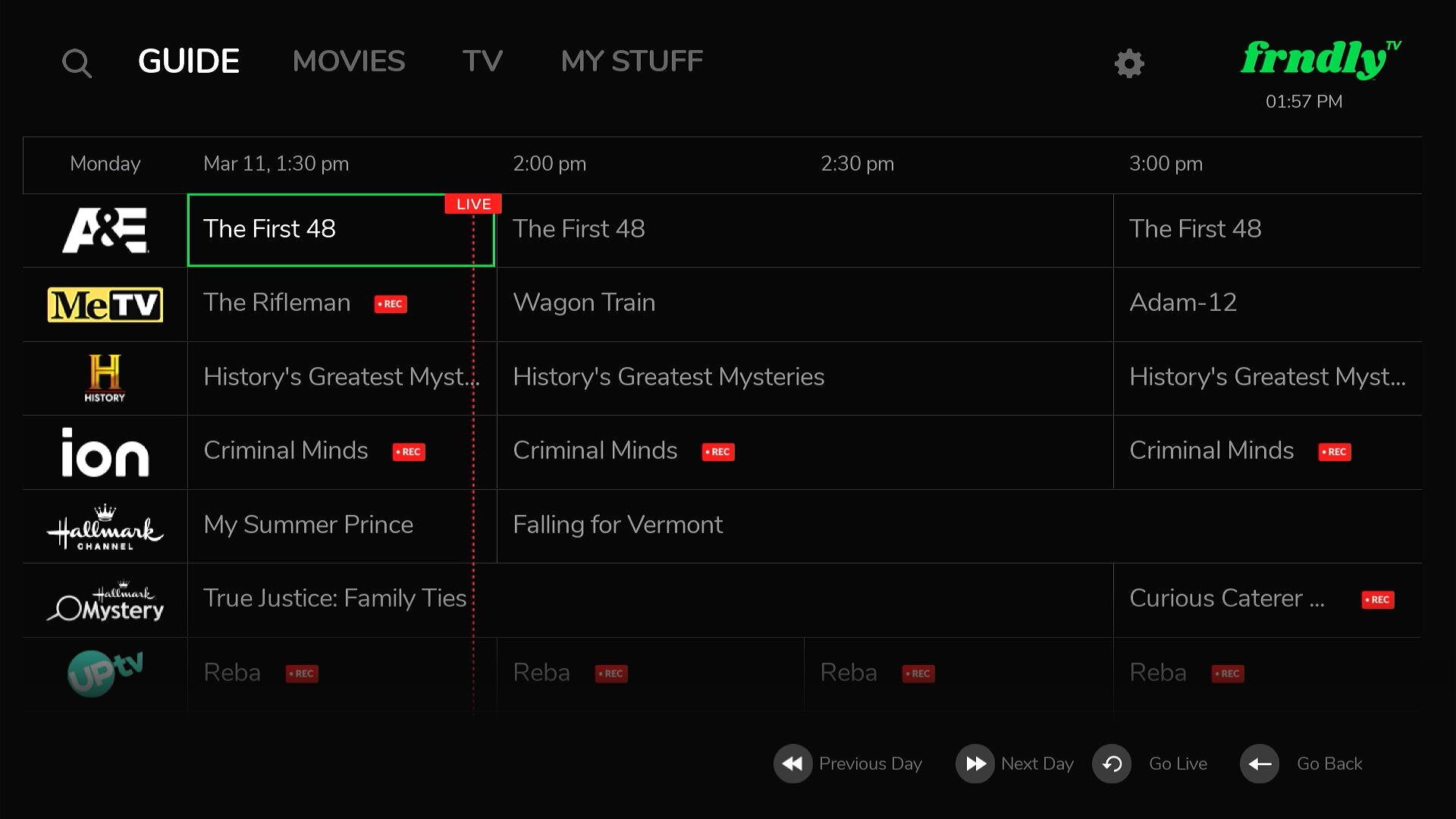
Frndly TV is one of the most interesting live TV streaming services available, particularly because of the price. Plans to the streamer start at $7 per month, and though you won’t find many marquee cable news, sports, or entertainment channels, you will get family-friendly favorites like Lifetime and the Hallmark Channel with your subscription.
But with the low price of Frndly TV comes the risk that it comes with fewer features than its more fully-fledged counterparts in the live TV streaming world. Does that bear out when it comes to the streamer’s channel guide? We’ll answer those questions below!
Everything you need to know about customizing Frndly TV channel guide
Can you favorite channels on the Frndly TV guide?
No, there is no way to favorite channels on the Frndly TV guide. However, Classic and Premium subscribers can add specific movies and TV shows to their Favorites by clicking the heart icon on that title’s detail page, and that title will automatically be added to the My Stuff tab on Frndly TV in the future.
How else can you sort Frndly TV channel guide?
There is currently only one filter available on Frndly TV’s guide: an alphabetical one which will display your channels in A to Z order. The only other option is the default channel guide.
Many live TV services allow you to filter their guides to see only sports channels, news networks, lifestyle options, or other programming segments. Because Frndly TV does not have a wide selection of these types of channels, it does not see the need to offer these filtering options.
Can you manually reorder channels in Frndly TV’s guide?
No, there isn’t any way to reorder channels manually in the Frndly TV guide. Viewers will have to sort alphabetically, or abide by the default order in the Frndly TV guide if they want to rearrange their channel order.
What other features are available in the Frndly TV guide?
You can use Frndly TV’s guide to navigate backwards in time and see programs that aired in the past 72 hours. The 72-hour Look Back feature will let you access those programs even if you missed them live!
Can you hide channels with Frndly TV’s channel guide?
No, you cannot hide any channels to keep them from appearing when you scroll the Frndly TV guide.
How to sign up for Frndly TV
- Click here to sign up for Frndly TV.
- Click Watch 7 Days Free.
- Choose your plan.
- Create an account, then enter payment details to finish signing up.

Frndly TV
Frndly TV is a budget-friendly live TV streaming service in the United States that focuses on family-friendly and lifestyle programming. Launched in 2019, the service offers a curated lineup of channels that includes Hallmark Channel, UPtv, Lifetime, MeTV, INSP, The Weather Channel, Game Show Network, and dozens more. It’s designed for viewers who want wholesome content without the’ high cost or complexity of larger streaming bundles.