Switch to Mint Mobile in minutes with this simple guide to plans, SIMs, and keeping your number
Switch to Mint Mobile in minutes with this simple guide to plans, SIMs, and keeping your number
This quick guide shows how to move to Mint Mobile, activate fast, and cut your wireless bill

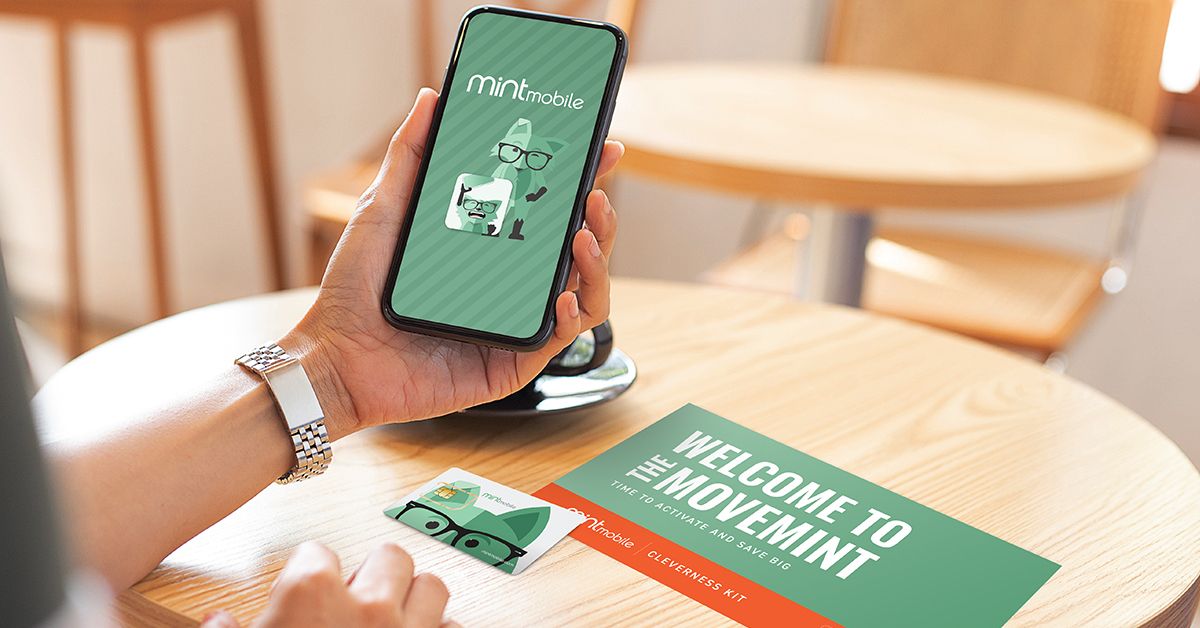
Switching wireless carriers sounds complicated. In reality, moving to Mint Mobile is mostly a checklist. As long as you take the steps in the right order, the process is smooth, predictable, and quick. This guide walks through exactly how to switch, what you need before you start, and where people tend to get tripped up.
Mint runs on a nationwide 5G and 4G LTE network (T-Mobile’s network, in fact) and sells service in multi-month plans rather than traditional monthly billing. That pricing model is what makes the savings real, but it also means switching works a little differently than with big carriers. Once you understand the flow, the rest is simple.
Step 1: Check coverage before you do anything else
Before buying a plan or downloading an app, confirm that Mint works well where you live and travel.
Mint operates on the T-Mobile network, one of the largest wireless networks in the country, covering the vast majority of the U.S. with both 5G and 4G LTE. Still, coverage can vary block by block, especially indoors or in rural areas. If you’ve used (or currently use) T-Mobile and have had good service, you can expect mostly the same with Mint Mobile.
Use Mint’s coverage map and check:
- Home address
- Work location
- Places you travel regularly
This step takes two minutes and prevents frustration later. If coverage looks good, move to step 2.
Step 2: Make sure your phone can come with you
Mint works best if you bring your own phone. You can typically use the phone you already have, or you can buy a new phone specifically to use with Mint. You can buy from a third-party site or directly through Mint Mobile. Just keep in mind that the phone must meet two requirements:
- It must be compatible with Mint’s network
- It must be unlocked
Compatibility depends on the phone model and its radio bands. Unlocking depends on your current carrier. Many phones are already unlocked, especially if they were paid off or bought directly from the manufacturer.
Use Mint’s phone compatibility checker to confirm both. If your phone is locked, contact your current carrier and request an unlock before switching. Using this tool will let you know instantly if your phone is compatible with Mint’s network, so you can move along in the process.
This is a common sticking point, so it’s best to handle it early.
Step 3: Decide if you are keeping your number or getting a new one
Most people keep their existing number when switching carriers. Mint supports number transfers, but you need specific information from your current carrier.
If you want to keep your current number, you’ll need to first gather:
- Current account number
- Billing ZIP code
- Number transfer PIN or port-out PIN (which is provided by your current carrier)
These details are usually available in your carrier account settings or in the customer support app. Do not cancel your existing service yet. Canceling early can cause the number transfer to fail.
If you prefer a new number, Mint can assign one during activation. This skips the transfer step entirely.
Step 4: Choose the right Mint plan
Mint offers several data options:
- 5GB
- 15GB
- 20GB
- Unlimited
All plans include standard talk and text. The big difference between them is how much high-speed data you get each month.
Here’s how to choose:
- Light users who rely on WiFi most of the time can stick with 5GB
- Moderate streaming and navigation fit well at 15GB or 20GB
- Heavy data use points to Unlimited
New customers start with a three-month introductory period at Mint’s lowest pricing. After that, you renew for three, six, or 12 months. Longer renewals ultimately cost less per month.
If you’re unsure, Mint’s plan quiz helps estimate usage based on habits.
Step 5: Pick eSIM or physical SIM
Mint supports both SIM options. Many devices still use a physical SIM card; however, most newer devices use eSIM (or even support both).
Digital eSIM:
- Instant delivery
- No waiting for shipping
- Required for some newer phones
Physical SIM:
- Mailed to your address
- Works with most older phones
- Useful if eSIM is unsupported
Check eSIM compatibility before choosing. If your phone supports it, eSIM is faster and simpler.
Step 6: Activate your Mint Mobile plan
Activation happens through the Mint Mobile app or website once you receive your welcome kit. This is where everything comes together!
During activation, you will:
- Install the eSIM or insert the physical SIM
- Transfer your number or confirm a new one
- Create your Mint account
Follow the on-screen instructions closely. The process is clear and easy to follow, even for non-technical users.
If you are moving multiple lines, activate them one at a time. Activate the primary account holder’s line last to avoid account issues.
Once activation is complete, your old carrier service will automatically be shut off if you transferred a number.
Step 7: Confirm everything works
After activation:
- Make a test call
- Send a text
- Use mobile data
- Check voicemail
If something doesn’t work, restarting the phone solves most early issues. The Mint app also provides troubleshooting steps if needed.
Managing your account after switching
Use the Mint Mobile app
The app handles nearly everything:
- Data usage tracking
- Plan renewals
- Payment management
- Account changes
This replaces phone calls or store visits.
Create a Mint family
Mint family lets you manage multiple lines under one account. It works with as few as two lines and makes it easier to handle renewals and payments in one place.
Each line keeps its own data plan, but management stays in one place.
Refer friends and earn credit
Mint’s referral program offers account credit for each successful referral. Credits apply toward future renewals and can add up quickly if multiple friends switch.
Avoid these common mistakes
- Canceling your old carrier too early
- Forgetting to unlock your phone
- Entering incorrect account or PIN details
- Activating multiple lines out of order
A simple move with long-term payoff
Switching to Mint Mobile is less about technical skill and more about preparation. Check coverage, confirm phone compatibility, gather account details, and follow the activation steps in order. Once activated, Mint runs like a traditional carrier but with simpler pricing and fewer moving parts.
For anyone tired of unpredictable bills or long contracts, Mint’s setup process is refreshingly direct.