How to add a new profile to Paramount+
How to add a new profile to Paramount+
We’ll explain how to use Paramount+ profiles, add more, and adjust their settings here.


There’s a ton of content on Paramount+, and the streamer is set to add more…eventually. Paramount+’s parent company, Skydance, has finished its acquisition of Warner Bros. Discovery, and after a period of bundling, the service will be merged with HBO Max.
With all of that content coming to Paramount+ in the future, it’s more important than ever that subscribers who share a Paramount+ subscription with family or housemates know how to keep their watchlists and viewing histories isolated on their own user profiles. It’s not hard to use profiles on Paramount+, and The Streamable’s knowledgeable staff is happy to walk you through profile setup, changing profile settings, and more here.
Everything you need to know about profiles on Paramount+
How many profiles can you set up on Paramount+?
Paramount+ allows you to set up six profiles in total, each with its own Keep Watching and Recommended tile carousels.
How to set up a new profile on Paramount+
When you first sign in to Paramount+ on the streamer’s website, you will be asked to pick a profile or add one. You can add a profile from here, or find the profile icon on the home page and click Add Profile in the drop-down menu that appears. Once you click this, you can choose a profile icon, the name of that profile, and whether to establish it as a kids profile with parental content controls applied.
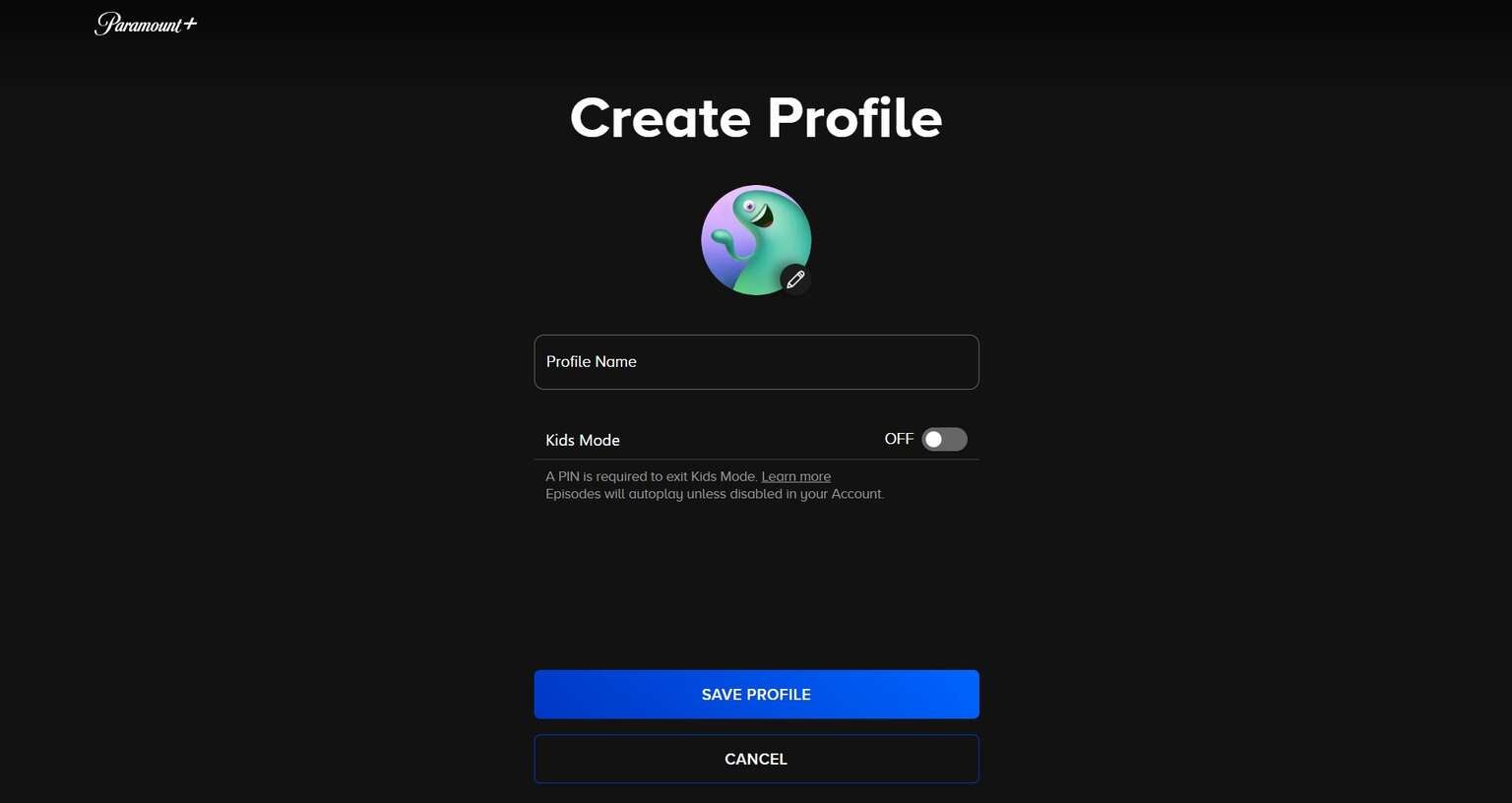
The Paramount+ profile set-up screen. Click to expand.
The process is virtually identical on the Paramount+ connected TV app, as well as the mobile app. Simply locate your own profile icon on the home page, then click it and find the Add Profile button to create a new profile and have it appear across all Paramount+ devices your account is linked to.
Can you transfer Paramount+ profiles?
As of now, there is no way to transfer Paramount+ profiles from one account to another. If you want to start your own Paramount+ account, you will not be able to bring your profile from a previous account.
What settings can you edit on Paramount+ profiles?
Paramount+ allows you to change the icon and name of profiles, as well as switch a profile to kids mode at any given time. Parents will have to set up a PIN to create kids’ profiles, so they can ensure the profile is protected from accessing adult content in the future.
Can you delete profiles with Paramount+?
Absolutely. Simply go to the Edit Profile screen of the profile you want to delete, and click Delete Profile. To do this on the Paramount+ website, click Account, then scroll to Profile settings and click Manage. Then, find the profile you want to delete and continue!

Paramount Plus
Paramount+ is a subscription video streaming service that includes on-demand access to 40,000+ TV show episodes from BET, CBS, Comedy Central, MTV, Nickelodeon, Nick Jr., and more. Get free access with a Walmart+ subscription.
Paramount+ includes “1883,” “Tulsa King,” “Star Trek: Discovery,” “SpongeBob SquarePants,” and “PAW Patrol.” Subscribers can watch the NFL, college football, The Masters, college basketball, UEFA Champions League, UEFA Europa League, Serie A, and NWSL. The service also offers the option to watch your live CBS affiliate. The upgraded ad-free package includes premium movies and shows from Showtime.