Here’s how to download TV and movies on Disney+
Here’s how to download TV and movies on Disney+
If you need to download a show or movie to watch offline on Disney+, we’ll help make it easy.


The ability to download shows and movies for viewing offline is a premium feature, one that lets audiences watch their favorites anywhere they go, regardless of their connection status. A Disney+ subscription comes with a ton of download-worthy titles that are great to enjoy on the go, and the streamer does indeed allow downloads with some plans.
But which plans can download content on Disney+? What about bundle subscribers? How many titles can you download? We’ll answer all your questions about downloading shows and movies on Disney+ here.
What you need to know about downloading titles on Disney+
What devices can you download titles onto with Disney+?
You can download shows and movies with Disney+ on the following devices:
- Amazon Fire Tablets
- Apple Vision Pro
- iPhones and iPads
- Android phones and tablets
Viewers cannot download any content using connected-TV players. Windows 10 or 11 tablets or laptops.
Which Disney+, Disney Bundle plans can use downloads?
You cannot download any titles on a Disney+ ad-supported plan. Downloads are reserved for Disney+ ad-free subscribers, and can be used on Disney+ Premium, Disney+ and Hulu Bundle Premium, Disney+, Hulu, ESPN Bundle Premium, and Disney+, Hulu, ESPN Select Legacy Bundle.
How to download shows and movies on Disney+
- Open the Disney+ app on your device.
- Navigate to the details page of the show or movie you want to download.
- Locate the download button; it’s found next to the episode when you scroll down on a show’s details page, or under the play button on a movie’s page.
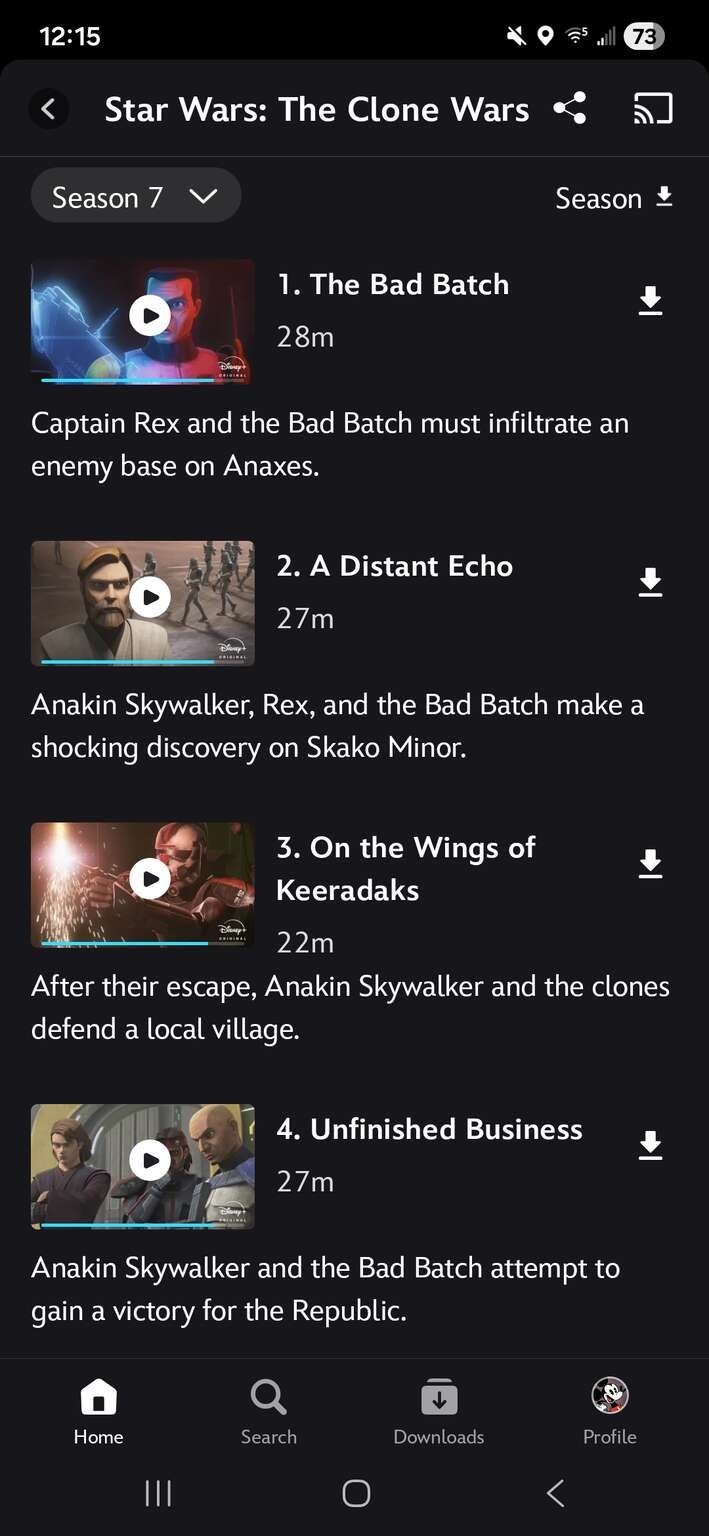
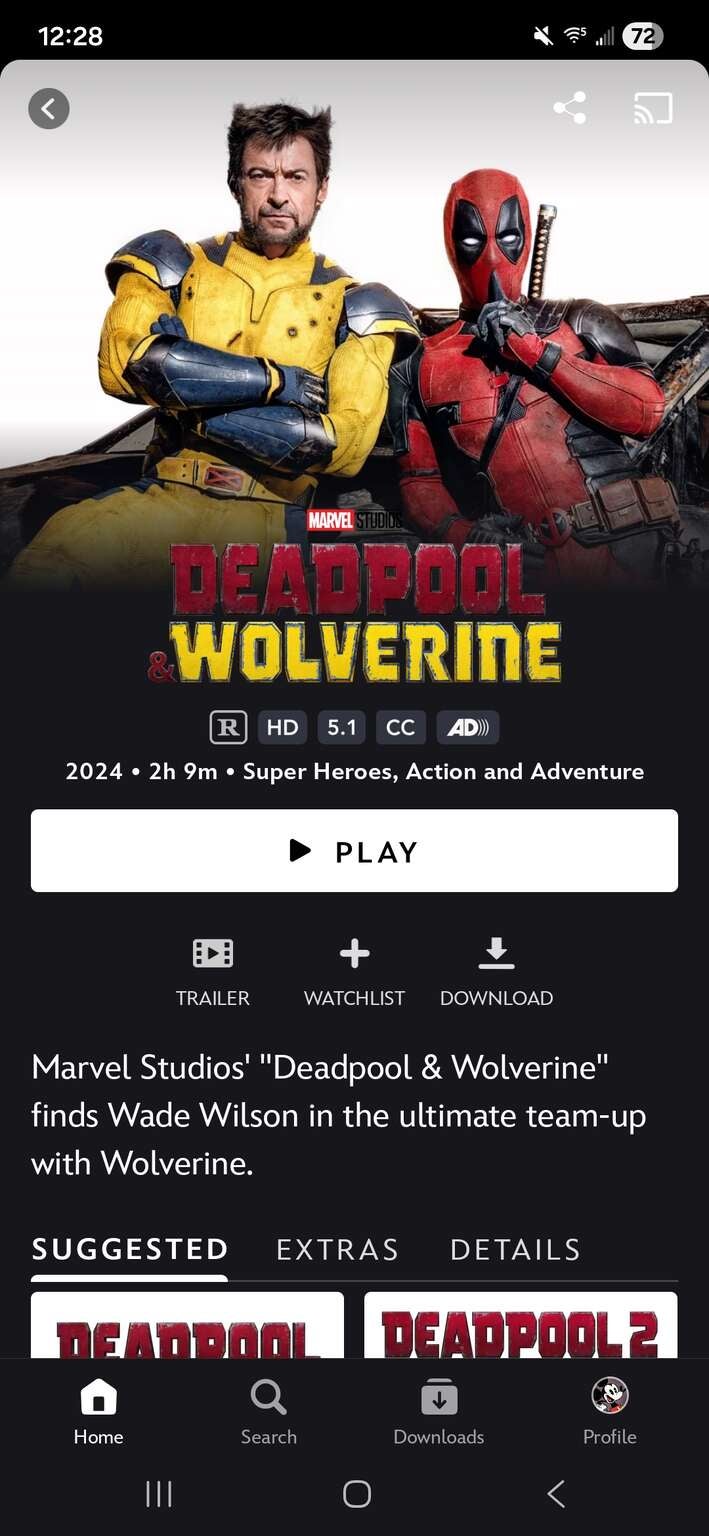
The download button is found in a different place on details pages for movies than it is for TV episodes on Disney+.
How to watch downloaded titles on Disney+
Locate the Downloads folder at the bottom of the screen when you open the Disney+ app. Tap it, and you can see all your downloads on Disney+, watching them at your leisure.
What limits are placed on Disney+ downloads?
Downloaded content will remain on your device as long as your subscription is active, and you connect to the internet once every 30 days with your device. You can download shows and movies on up to 10 supported mobile devices.
Although a large number of Disney+ titles are available for download, some will not be, due to licensing agreements and other factors. Logging out of Disney+ will remove all downloaded content from the device you use.
How to delete downloaded shows and movies on Disney+
All you have to do to delete a downloaded show or movie on Disney+ is to open the device that the title is downloaded on, tap Downloads at the bottom of the screen, and tap the device icon with a check mark next to the title you wish to delete. Then, select Remove Download.

Disney+
Disney+ is a video streaming service with over 13,000 series and films from Disney, Pixar, Marvel, Star Wars, National Geographic, The Muppets, and more. It is available in 61 countries and 21 languages. It is notable for its popular original series like “The Mandalorian,” “Ms. Marvel,” “Loki,” “Obi-Wan Kenobi,” and “Andor.”