How to use HBO Max to download movies and TV shows
How to use HBO Max to download movies and TV shows
HBO Max has different rules about downloading depending on plan, so we’ll cut through the confusion here.


So the newest season of an HBO favorite of yours is available to stream, but you’ve got a long plane flight ahead. You won’t have any internet available to you, but you don’t want to miss out on new episodes you’ve waited a long time for. The good news is, HBO Max offers the ability to download a TV show or movie for offline viewing — under select conditions.
We’ll let you know what those conditions are, and show you how to use downloads on HBO Max, as well as detail which devices you can use to download titles below!
Everything you need to know about downloads on HBO Max
Which plans can download titles on HBO Max?
Customers can download TV shows and movies on the ad-free Standard plan ($18.50 per month), as well as the Premium plan ($23 per month). Users of the ad-supported basic plan on HBO Max are not allowed to download shows or movies to watch offline at present.
How many titles can you download on HBO Max?
HBO Max is one service that enforces a numerical limit on the number of downloads you can have at any given time. You can have up to 30 downloads on the Standard plan, or 100 downloads with the Premium plan.
Which devices can you use to download titles on HBO Max?
The following devices support downloaded TV shows and movies with HBO Max:
- Apple iPhone, iPad, and iPod Touch
- Android phones and tablets
- Amazon Fire tablets
How to download a show or movie on HBO Max
- Open the HBO Max app on your phone or tablet.
- Find a TV show or movie to download.
- Click the download icon next to the movie or episode description.
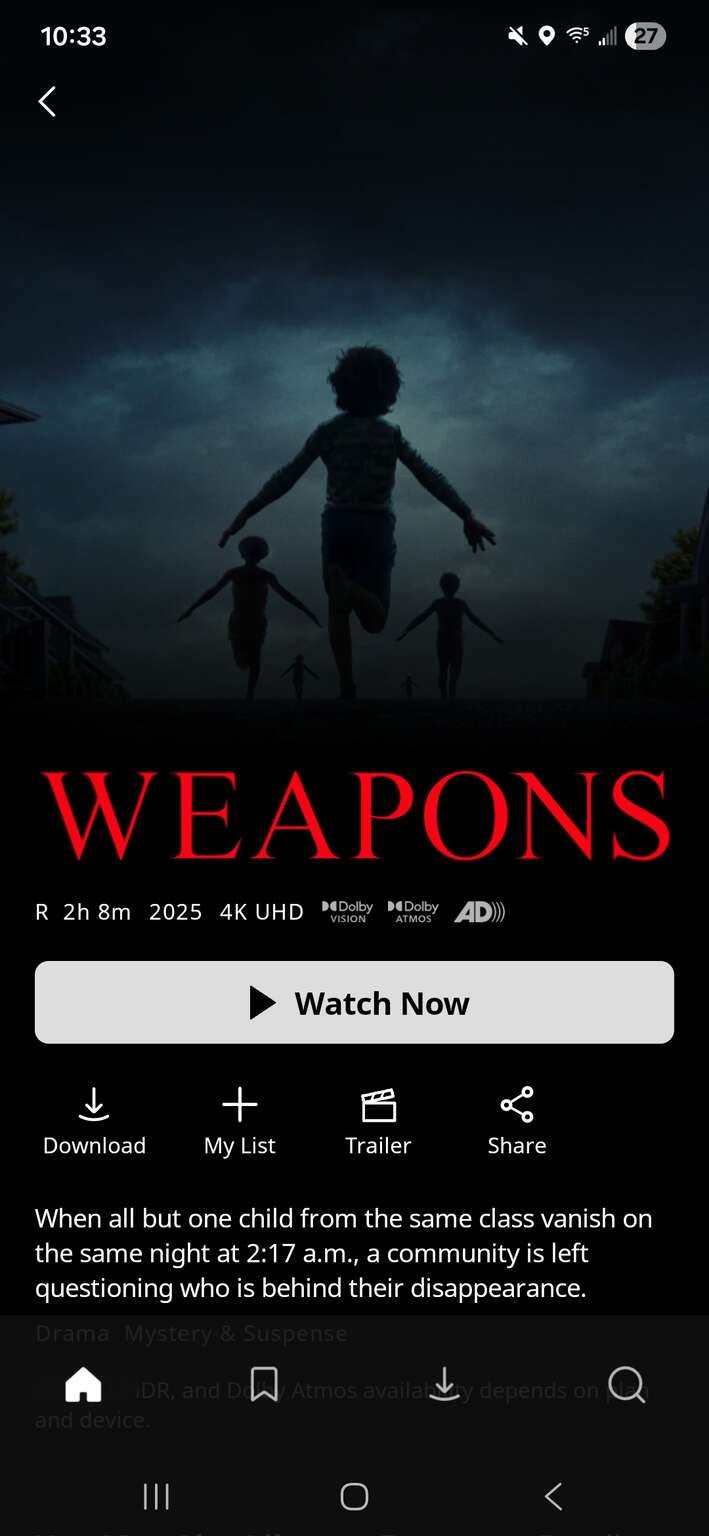
The downloads button is prominently placed in the HBO Max interface. Click to expand.
How to watch downloaded titles on HBO Max
- Open HBO Max, and find the downloads icon at the bottom of the screen.
- Choose the download you want to watch.
Do downloads expire on HBO Max?
Once you start watching a download, you have 48 hours to finish watching it before it expires. Unwatched downloads will expire 30 days after they’re downloaded. If a title expires and you want to download it again, you can always do so if you connect to the internet.
How to delete downloads on HBO Max
- Go back to the downloads section of the streamer.
- Choose the Download complete icon beside a downloaded title, and click Delete Download.
- Alternatively, you can choose the series name, the Edit button, and then tap X beside the episode you want to delete.

HBO Max
HBO Max is a subscription video streaming service that gives access to the full HBO library and exclusive Max Originals. There are hubs for content from TLC, HGTV, Food Network, Discovery, TCM, Cartoon Network, Travel Channel, ID, and more. Watch hit series like “The Last of Us,” “House of the Dragon,” “Succession,” “Curb Your Enthusiasm,” and more. Within HBO Max, B/R Sports allows users to watch live NBA, MLB, NHL, March Madness, and NASCAR events.