Here’s how to download TV shows and movies on Paramount+
Here’s how to download TV shows and movies on Paramount+
If you need to save TV shows and movies for offline viewing on Paramount+, we’ll help you make it easy.


The selection on Paramount+ is pretty impressive, whether you’re a Star Trek fan, a lover of primetime CBS TV shows, or even animated favorites from Nickelodeon. You can also watch a ton of blockbuster movies with a Paramount+ subscription, and the on-demand library of SHOWTIME comes with a subscription to the service’s Premium plan.
While it’s true that Paramount+ is best enjoyed with an internet connection, you can also watch the streamer’s library using its download feature, which lets you watch some of its titles offline as well as while connected to the internet. We’ll give you more details about downloading on the streamer here!
Everything you need to know about using downloads on Paramount+
What devices support downloads on Paramount+?
You can download TV shows and movies to watch offline with any iPhone or iPad running iOS 16 or later, as well as any Android tablets or phones with Android 7. If your software versions are earlier than those stated above, you will not be able to download TV shows and movies from Paramount+.
Can you download titles with every Paramount+ plan?
No, downloads are only available to Paramount+ Premium subscribers in the United States. Ad-supported Basic customers in the U.S. cannot download titles, although this feature is available in Canada and Australia.
How to download a TV show or movie on Paramount+
To download a title for offline viewing on Paramount+, first open the Paramount+ app on the mobile device you wish to use. Then:
- Navigate to the TV show or movie you want to download.
- Tap the download button next to the episode or movie you want to watch. Note: on TV episodes, this will be found next to the episode’s title on a details page, while for a movie, it is under the play button at the top of the screen. See photos below for examples.

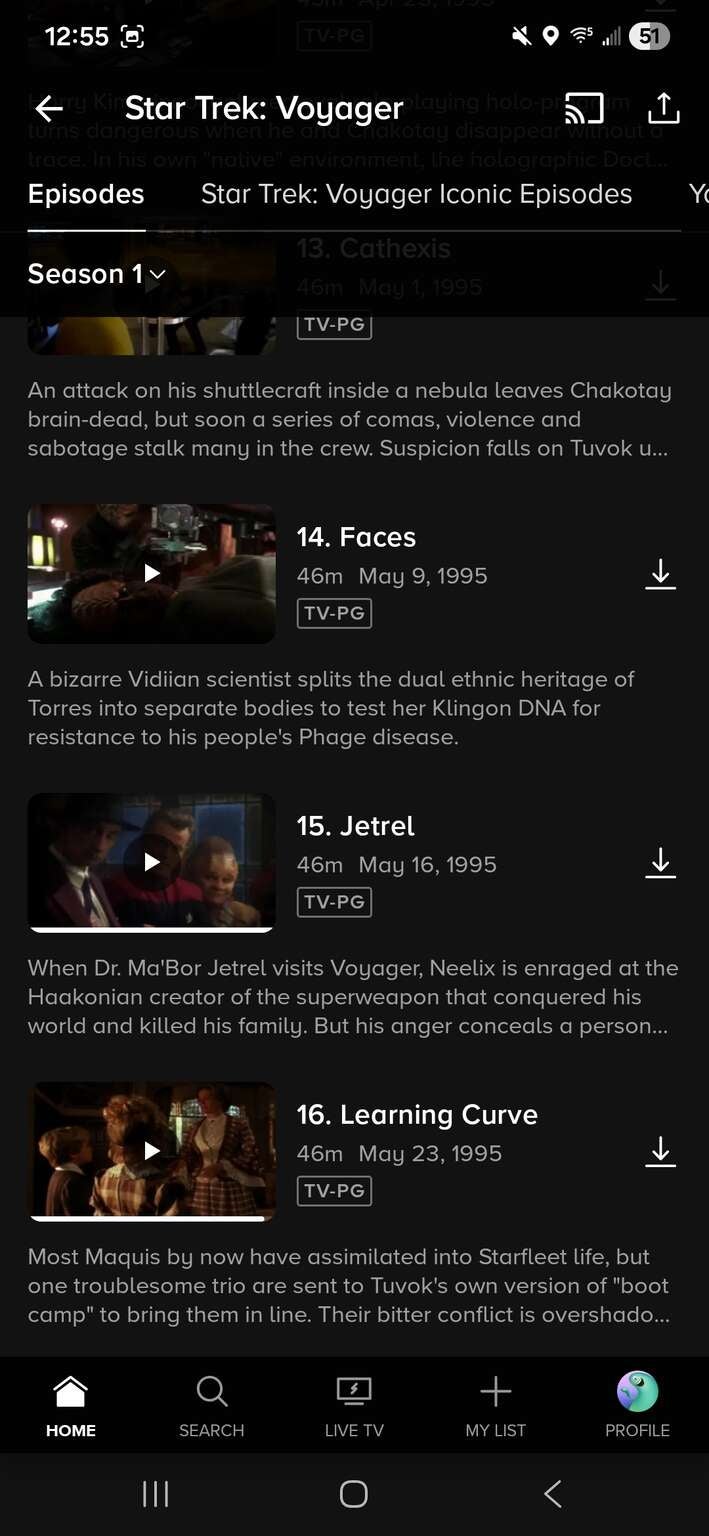
Click photos to expand.
Do downloads on Paramount+ expire?
Yes, you will have 30 days to watch a downloaded title in your Paramount+ library before it expires. Once you have started streaming that title, it will be available to watch for 48 hours. You can always re-download a title after those 48 hours have passed, but you can’t start watching where you left off.
Are all shows and movies available for download on Paramount+?
No. While many TV shows and movies are available to download on Paramount+, not all are. Additionally, some titles will be available to download in specific regions, and may not be available to stream if you travel into areas of the world where licensing agreements or other barriers may prevent Paramount+ from airing a specific title.
How many videos can you download with Paramount+?
You can download up to 25 videos with a Paramount+ subscription.
How to delete downloads with Paramount+
- Go to the app menu.
- Tap More, then Downloads.
- Swipe left on a title you want to delete, then press Delete.

Paramount Plus
Paramount+ is a subscription video streaming service that includes on-demand access to 40,000+ TV show episodes from BET, CBS, Comedy Central, MTV, Nickelodeon, Nick Jr., and more. Get free access with a Walmart+ subscription.
Paramount+ includes “1883,” “Tulsa King,” “Star Trek: Discovery,” “SpongeBob SquarePants,” and “PAW Patrol.” Subscribers can watch the NFL, college football, The Masters, college basketball, UEFA Champions League, UEFA Europa League, Serie A, and NWSL. The service also offers the option to watch your live CBS affiliate. The upgraded ad-free package includes premium movies and shows from Showtime.