How to set up new profiles on Disney+
How to set up new profiles on Disney+
We’ve got everything you need to know about creating new profiles on Disney+ in our easy-to-follow guide.

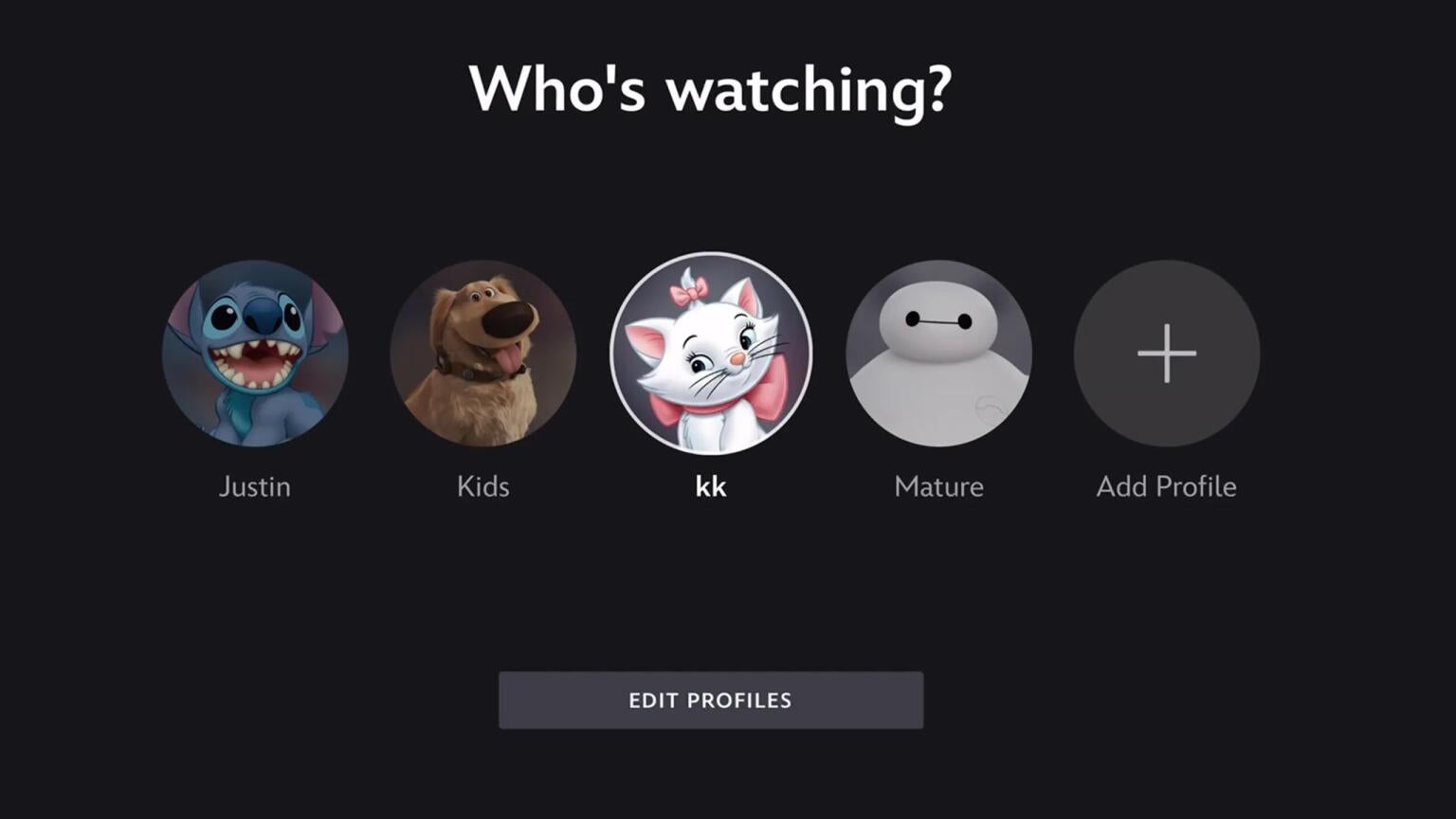
Disney+ offers fun for the whole family — especially for customers who bundle their Disney+ subscription with Hulu. In fact, viewers can even link their Hulu profile to their Disney+ app, migrating their watchlist and viewing history to the app to make it easy to continue their latest watch without interruption. A Disney+ subscription also allows viewers to create individual profiles for each user in their home, which lets individuals keep their recommendations, viewing histories, and watchlists separate from everyone else’s. It’s a key feature of Disney+, and we’ll explain what you need to know about creating profiles with your Disney+ subscription below.
Everything you need to know about new profiles on Disney+
How many profiles can you set up on Disney+?
In addition to the subscription owner’s profile, you can set up six more profiles on Disney+, adding up to seven total. It’s perfect for big families who need to share with lots of people in the same household, helping everyone keep their preferences and viewing history separate.
How to add a Disney+ profile
Creating new user profiles on Disney+ is a matter of a few simple remote clicks. Just open the Disney+ app or website, and use the following directions:
- Find the profile icon on the home page — on a web browser it’s in the top-right corner, on mobile, bottom-right, and on a connected TV app it’s in the left-hand menu.
- Choose Add Profiles or Edit Profile.
- Follow on-screen prompts to create a new profile.
With Disney+, you can customize everything from the profile’s name to its avatar.
How to set up kids profiles on Disney+
You can create new kids profiles on Disney+ or convert an existing profile any time. Follow these easy steps to add a new profile for kids on Disney+.
- Open the Disney+ app.
- Select the profile icon.
- Click the Add Profile button.
- Name the profile, and choose an icon.
- Toggle Junior Mode on.
What parental controls do Disney+ profiles offer?
Users can set content ratings for each Disney+ profile. When set, viewers will not see any TV shows or movies that exceed the rating level set.
- Navigate to Profiles and click Edit Profiles.
- Choose the profile you want to set content ratings for.
- Under Parental Controls, select Content Ratings.
- Enter your password and set content ratings to your liking.
You can also set up a four-digit PIN to restrict profile access on Disney+. To set up a PIN:
- Head to the Edit Profiles screen in the profile selection area.
- Select your profile.
- Scroll to Parental Controls, and select Profile PIN.
- Enter your password, then set your PIN.
Can you transfer profiles with Disney+?
Yes, if you have a person in your household who is leaving to start a Disney+ subscription of their own, they can transfer their profile and hit the ground running.
To do this, try to log in to your Disney+ account from the new household of the person who wants to transfer profiles. When you see the message “This TV doesn’t seem to be part of the Disney+ household for this account,” follow the profile transfer instructions that appear on screen.
How to transfer a Hulu profile to Disney+
It’s easy to transfer a Hulu profile to Disney+ if you’re a bundle subscriber. Just open the Disney+ app, find the Hulu profile transfer banner at the bottom of the screen, and follow on-screen prompts.
Can you change profile settings on Disney+?
Most assuredly. Go back to the profile icon on the Disney+ home page, and click the profile you want to edit. From there, you can change the profile name, avatar, autoplay settings, background video settings, app language, content rating, profile pin, turn on Junior Mode, and use the kid-proof exit.
Can you delete a profile with Disney+?
Certainly. Just go back into the edit profile settings for the profile you want to delete, then scroll to Delete Profile. Confirm your selection, and that profile is done!

Disney+
Disney+ is a video streaming service with over 13,000 series and films from Disney, Pixar, Marvel, Star Wars, National Geographic, The Muppets, and more. It is available in 61 countries and 21 languages. It is notable for its popular original series like “The Mandalorian,” “Ms. Marvel,” “Loki,” “Obi-Wan Kenobi,” and “Andor.”