Master Roku and Fire TV with voice control to launch apps, search and more
Master Roku and Fire TV with voice control to launch apps, search and more
Use your voice to navigate, play, and control Roku and Fire TV like a streaming pro.


Voice control transforms the TV experience into a hands-free command central. Roku and Fire TV remotes listen, process, and execute instructions instantly, turning words into action. Say “play the latest episode,” “launch Netflix,” or “turn up the volume,” and the device responds without requiring you to scroll through menus. Push-to-talk offers pinpoint precision while hands-free options let devices anticipate commands naturally.
From launching shows to navigating apps, finding content, or adjusting playback, voice control makes every streaming session faster and more intuitive. Take control of your viewing and learn how to use voice control on your Roku and Fire TV remotes.
Everything you need to know to use voice control on Roku and Fire TV:


Roku voice control

Roku voice remotes enable users to issue commands to control their streaming devices efficiently. To start, ensure the device runs Roku OS 9.4 or higher and use a compatible remote:
- Roku Voice Remote
- Roku Enhanced Voice Remote
- Roku Voice Remote Pro
- Roku Touch tabletop remote
- Roku mobile app for iOS or Android
Voice commands are supported in multiple languages and regions. To adjust your preferences, check Settings > System > Language
Push-to-talk voice commands
Push-to-talk commands require pressing the voice button on your remote:
- Hold the microphone or magnifying glass button
- Speak commands like:
- “Search for comedies”
- “Launch The Roku Channel”
- “Turn up the volume”
- Release the button and let the Roku device execute the command
Tips for best results:
- Hold the handheld remote 2 to 3 inches from your mouth
- The tabletop remote should be 2 to 3 feet away
- Speak naturally at normal volume
Hands-free voice commands (Roku Voice Remote Pro only)
Hands-free voice removes the need to press a button:
- Slide the remote’s hands-free switch to green
- Say: “Hey Roku…” followed by your command
- Commands include:
- “Hey Roku, pause”
- “Hey Roku, show me the news”
- “Hey Roku, turn captions on”
Pro tips:
- Keep the remote closer than the TV
- Stay within 10 to 12 feet for optimal recognition
- Speak clearly and naturally
Using the Roku mobile app
The Roku mobile app adds another layer of control:
- Download the free app on iOS or Android
- Connect to the same WiFi as your Roku device
- Open the Remote screen and tap the microphone icon
- Speak your command and either tap the screen or wait for execution
The app also lets you cast music, photos, and videos to your TV, activate private listening, and use voice search right from the palm of your hand.
Fire TV voice control
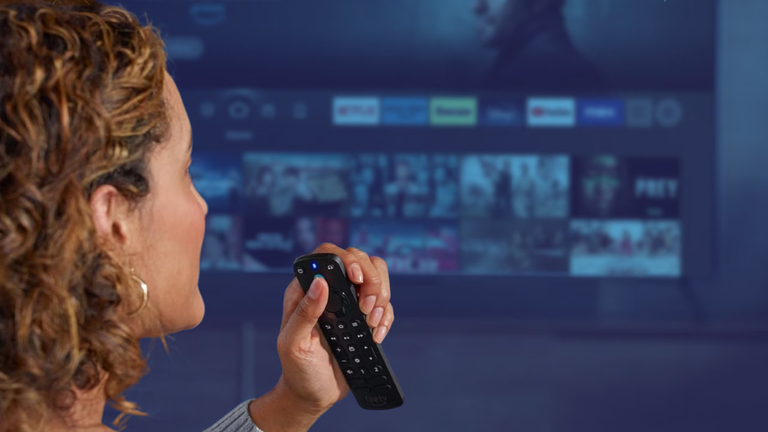
The Amazon Fire TV stick and Fire TV remotes feature Alexa voice control for faster navigation:
- Hold the Alexa button at the top of the remote
- Speak commands such as:
- “Open Netflix”
- “Play Prime Video”
- “What’s the weather?”
Alexa processes commands instantly, enabling hands-free control and app access without scrolling.
Navigating menus and playback
Voice control complements the physical remote:
- Directional buttons navigate menus
- Select confirms choices or opens Live TV
- Rewind, Play/Pause, and Fast Forward buttons control media
- Options button provides picture, sound, and subtitle settings
Dedicated streaming buttons allow instant access to Prime Video, Netflix, or Amazon Music.
Troubleshooting voice commands
If commands fail:
- Ensure Wi-Fi is connected
- Pair the remote again if needed
- Speak in a natural tone at normal volume
- For push-to-talk, maintain correct distance
- For hands-free, keep the remote closer than the TV
Master the power of your words
Voice control brings a new level of precision and ease to the streaming experience. Launch apps, search for shows, or adjust volume and playback instantly with simple commands. Roku and Fire TV remotes transform ordinary viewing into a smart, responsive experience, allowing entertainment to adapt to your instructions. Learning the ins and outs of these voice features speeds up navigation, uncovers hidden shortcuts, and enhances every session with effortless control.
The combination of push-to-talk, hands-free options, and mobile app integration transforms the way content is accessed, creating a fully connected, futuristic home entertainment setup. Mastering voice commands ensures that your TV experience stays fast, intuitive, and entirely in sync with how you want to watch.