This browsing tool is my favorite feature of Pluto TV
This browsing tool is my favorite feature of Pluto TV
Pluto lets you browse by category on both on-demand and live channels, which helps narrow its huge content library immensely.


In my days writing about Pluto TV, I haven’t been afraid to be critical of the streamer. Free streaming platform though it may be, Pluto TV has some notable drawbacks, and using its app can sometimes be so frustrating that it becomes untenable after a certain amount of remote button-mashing.
But for all my critiques of Pluto TV, the streamer does have admirable points. It has a great selection of TV shows and movies on demand, and a huge library of live streaming channels to immerse oneself in as well. It even has live sports, thanks to the inclusion of the CBS Sports Golazo Network and other options.
My favorite feature of Pluto, however, has to be the ability to sort TV shows, movies, and live channels by category. Browsing by category makes it a lot easier to narrow down the Pluto TV catalog to see the kind of content a viewer chose the streamer specifically to watch, and with the amount of options it has such a tool is a godsend.
Let’s start with live channels here. Pluto TV has hundreds of live channels available at any given time, and those who have experience with cable guides know that scrolling through such stuffed guides channel by channel can be a tedious process at best. Filtering the guide to show specific categories is a must to cut down on browsing time, and this is exactly what Pluto TV does.

Live channels are easy to sort through with Pluto TV. Click to expand.
Viewers can narrow down the channel view on Pluto to see categories like Movies, seasonal hits, Classic TV, Sci-Fi, Sports, and many other categories. You can browse by more than 20 different categories, and if you create your account, you can stream your Last Watched channels as well.
The same ability to sort is available in the on-demand section of the streaming service, and there are 18 categories to filter by, according to my count. With thousands of TV episodes and movies found in the archives of Pluto TV, having few options to sort through these titles would make using the service incredibly difficult.
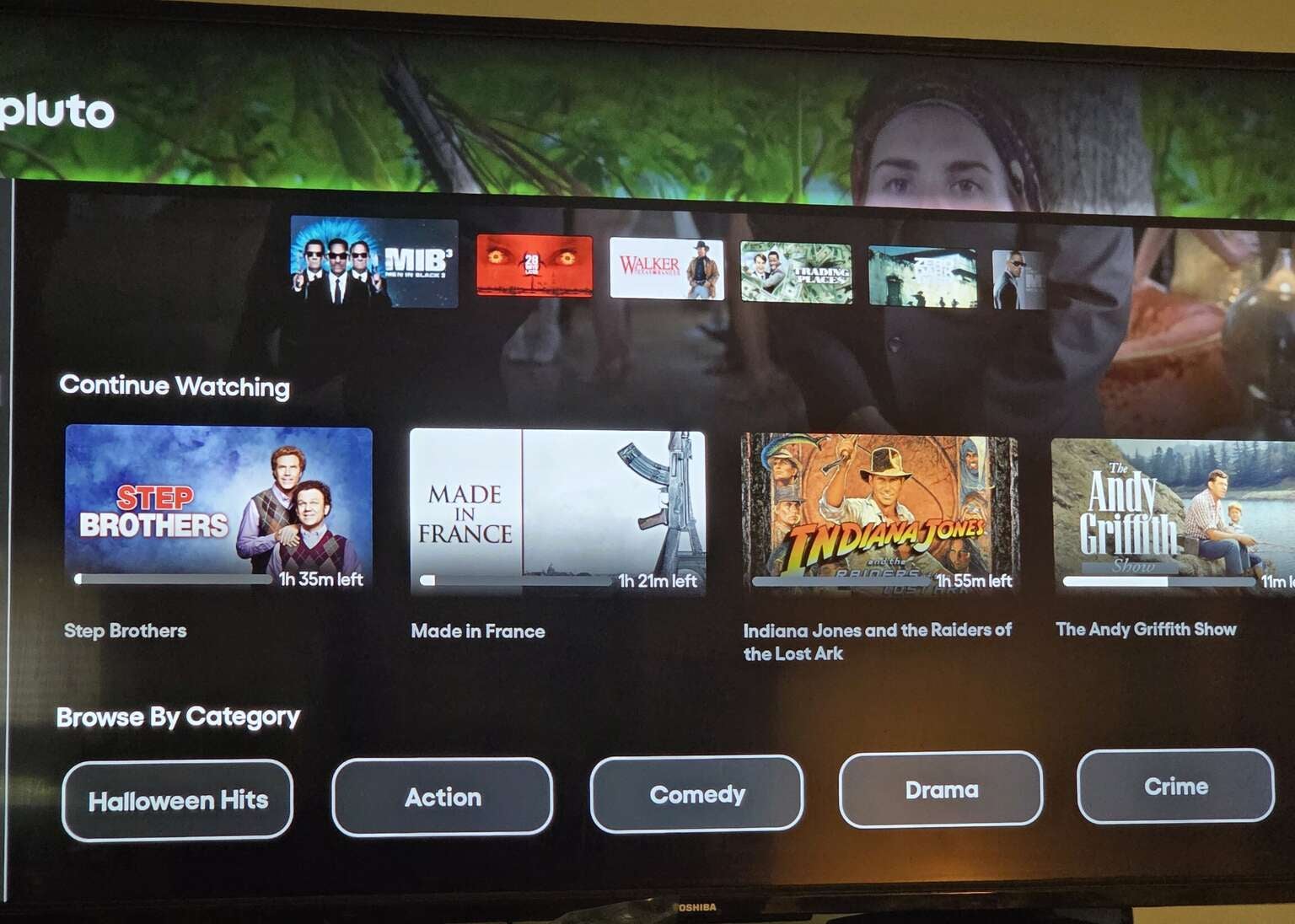
Pluto TV’s on-demand content is mercifully available to browse by category, instead of simply alphabetically. Click to expand.
I’ve had my quibbles, difficulties, and outright annoyances with Pluto TV over the years, but one thing that can be said about the service is that it earnestly gives a user the chance to sort through its content efficiently — far more so than some other services. You can move through categories easily when browsing either live TV or on-demand titles with Pluto, thanks to the Browse by Category feature that is easily my favorite offered by the service.
