I broke down and signed up for ESPN Unlimited; I was pleasantly surprised
I broke down and signed up for ESPN Unlimited; I was pleasantly surprised
I didn’t want to pay for ESPN Unlimited, but I did. Here’s where it is (and isn’t) worth $30 per month.

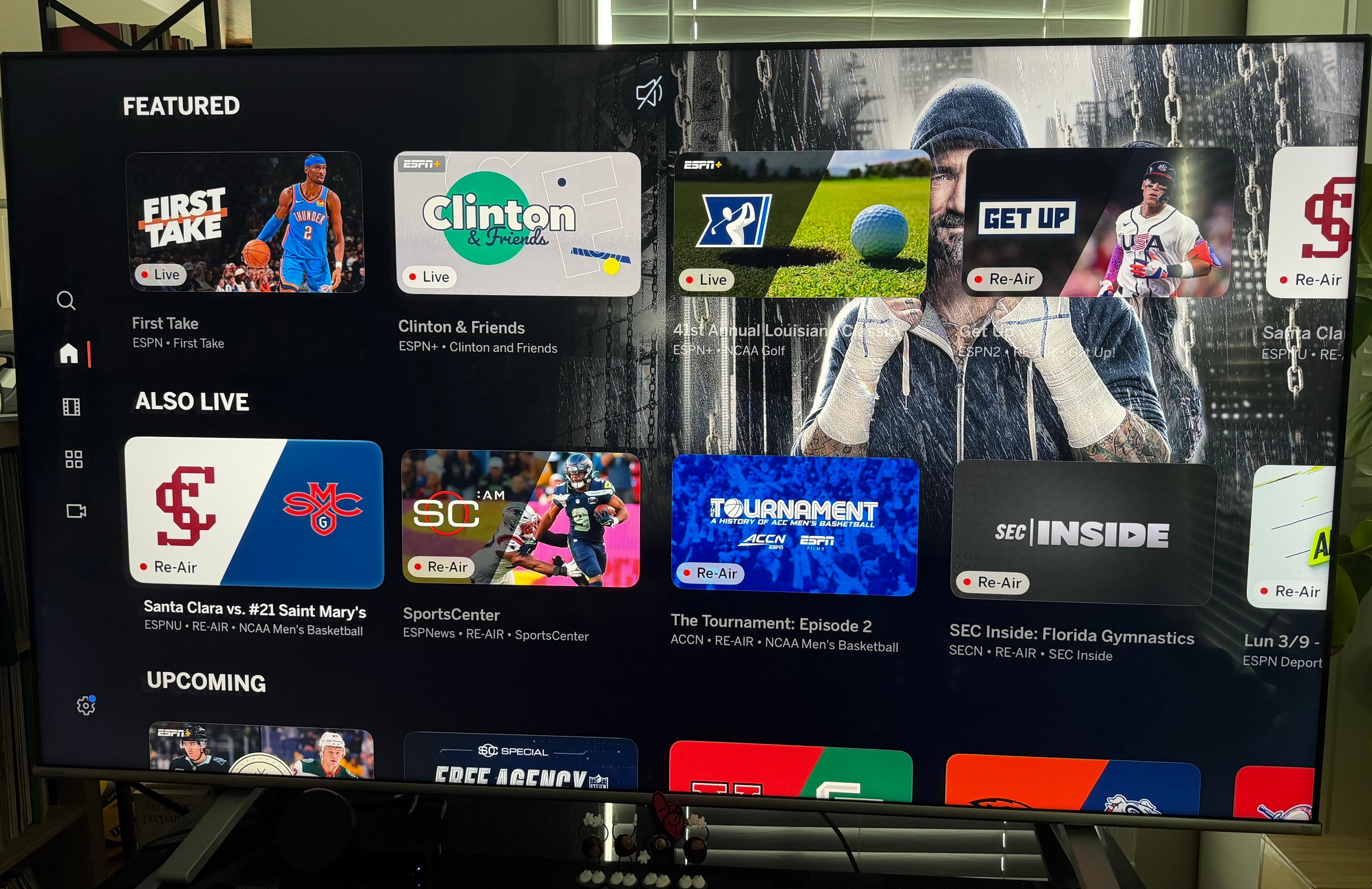
There are two things that you need to know about me. First, I am not especially known for my patience. And, second, during my teenage years, I was extremely into professional wrestling. Those two facts came together a week or so ago when I decided that I wanted to watch WWE Elimination Chamber, but didn’t have access to the ESPN Unlimited streaming service. I have been a longtime YouTube TV subscriber, and when the worldwide leader in sports’ new streaming platform launched last fall, I had hoped that my YTTV log-in credentials would grant me access to the service, like those for DIRECTV, Fubo, Hulu + Live TV, and a variety of major cable companies did.
However, that was not the case, and at $30 per month, I didn’t think that there was enough added value to justify paying for the service when I could already watch all of the ESPN channels on YouTube TV. Then, when YouTube announced that its customers would get complementary access to the ESPN streamer later this year, I resigned myself to simply wait it out for the fall.
Of course, I could have switched to one of the other live TV streaming services that offered authentication from the jump, but I have been with YTTV for years for one very specific reason: the multiview. As someone who attempts to watch as much college football as humanly possible every fall, I appreciate… no, I need the ability to watch up to 12 different games on my three living room TVs every fall; it is at best an obsession, at worst, a sickness. So, since no one else offers a multiview that rivals YouTube’s, I don’t have any desire to change services, even temporarily.
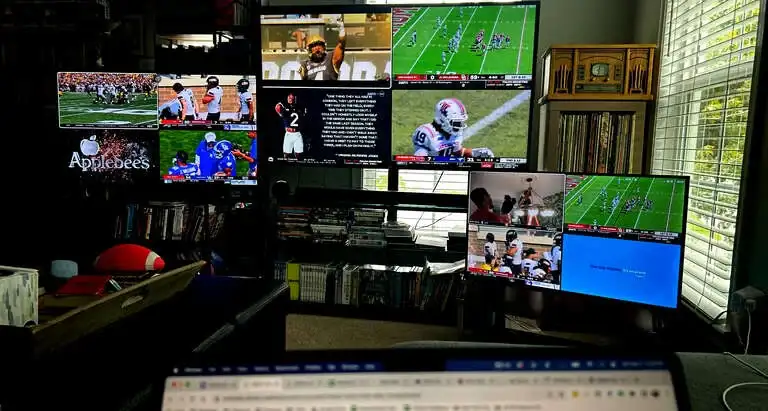
So, I have stuck with YouTube TV for this functionality, but I started to get a bit frustrated when the WWE moved its Premium Live Events from Peacock to ESPN three months ahead of schedule last fall. Now, I am far from the devoted wrestling viewer that I was in the late ’90s and early 2000s, but I do enjoy checking in on the PLEs now and then, and when they were on a streaming service that I already paid for, I got used to firing up Peacock on a Saturday night once a month to catch up on all of the unhinged action.
However, since YTTV was not one of the streamers that granted immediate access to ESPN Unlimited thanks to their existing carriage deal, I skipped the PLEs last fall and at the start of 2026, except for November’s Survivor Series, which I watched via a free trial to a different live streamer that does grant access to ESPN Unlimited (thanks, DIRECTV).
But, when it came time for Elimination Chamber, the last PLE on the road to WrestleMania, I had neither the time nor the wherewithal to jump through the hoops to take advantage of another free trial, so I simply sucked it up and paid the $30 in order to watch the event. Was it worth it? For that specific PLE? Probably not. But in the long run? We’ll see.
If I decide to keep the ESPN streamer, at most, I will have to pay for it for six or seven months, because YouTube has said that it will integrate the ESPN platform into its service this fall. So, if I want to watch the upcoming PLE’s, including WrestleMania, Backlash, and SummerSlam, I’ll have to fork over $30 every month, which is admittedly still cheaper than the WWE shows were back in the pay-per-view era.
So, if I’m going to make my latest subscription worthwhile, I figured I should take a spin around the rest of the ESPN app to see if it is worth the extra expense, especially considering that I am already paying for via YouTube TV.
Now, my colleague David Satin has already done a full review of the new ESPN app user experience, so I recommend you check that out. I will try not to be too redundant and duplicate his work, but I do want to focus on things that matter most to me when I am streaming sports.
How is the ESPN App multicast experience?
As I mentioned earlier, the feature that is first and foremost on my sports streaming must-haves list is a multiview functionality. ESPN calls it multicast, and, as far as I am concerned, they can call it whatever they want, because it is a significant upgrade over the YouTube TV version of the feature. There is no doubt in my mind that during the upcoming NCAA Women’s Basketball Tournament and this fall’s college football season, I will be making this a more consistent part of my viewing setup.
There are a number of large and small elements that make this experience better than YouTube’s. Chief amongst them is the fact that it is completely customizable in ways that the version I am used to is not. ESPN’s multicast comes with five different display options that allow you to not only pick the games and shows you watch, but how you watch them, as well.
Not every game that you can watch on YouTube TV is available to be in a multiview together, so sometimes you have to pick and choose between multiple events, sacrificing something that you want to watch due to broadcast contracts. That is not an issue inside the ESPN app. Unlike YTTV, it doesn’t have to worry about various licensing agreements, since the worldwide leader in sports owns all of the rights to the shows and events it carries.
When picking how to construct your multicast, a menu of all available options populates under your current selections. Below your choices, you can add other feeds to your multicast, and above, you can change the layout. Unlike with YouTube TV, making changes to your multiview is quick. With ESPN, adding feeds is as close to instantaneous as you can get in streaming, while on YouTube, the whole screen goes black, and it takes multiple seconds for the new multiview to appear.
Additionally, on YouTube TV, when you pick the feeds that you want to combine into a multiview, you have no control over how they appear on your screen; all of the screens are the same size, regardless of how much blank space that leaves, and the order is determined by YouTube.
In the ESPN experience, when users select three or four feeds to multicast, they have the option to choose one as the primary video, making it larger, with the others offset to the right side of the screen. This way, if there is one game you are especially interested in, while you want to just keep tabs on the others, you can do that without having to squint to see the details on your main game.
And for those viewers old enough to remember the forefather of modern multiview and multicast technology, you are able to set up an old-school picture-in-picture view as well.
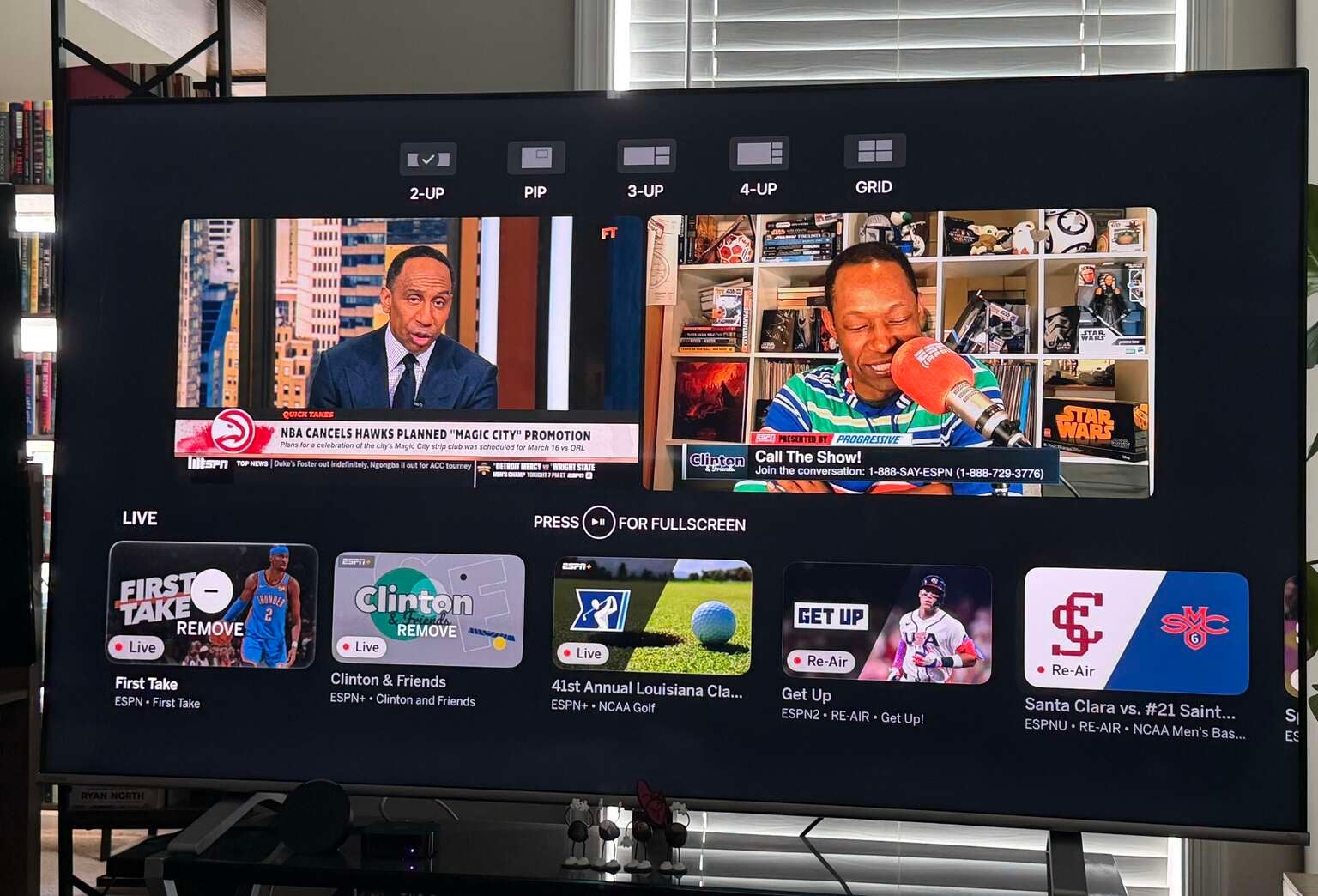
Multicast 2-Up menu
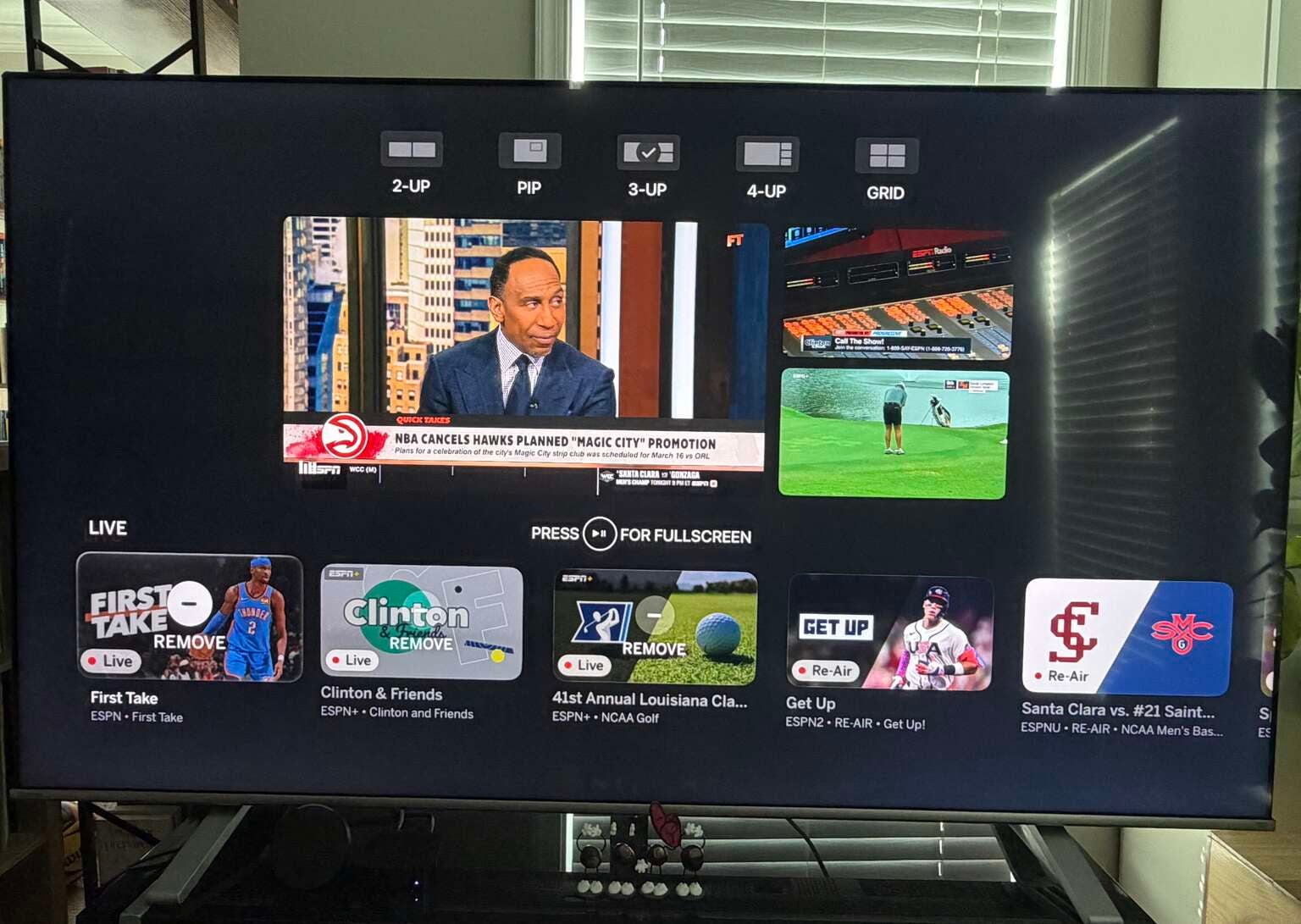
Multicast 3-Up menu
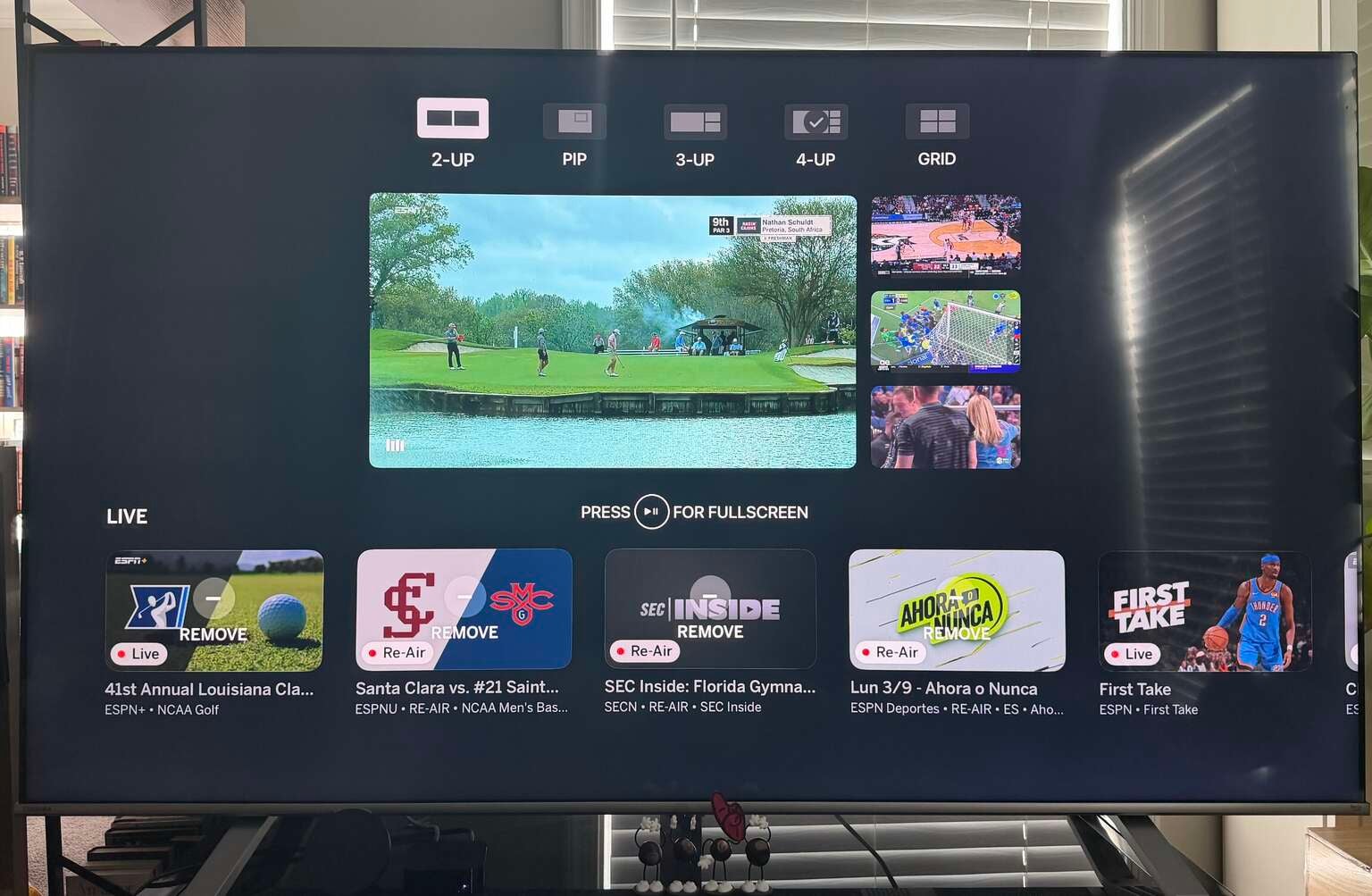
Multicast 4-Up menu
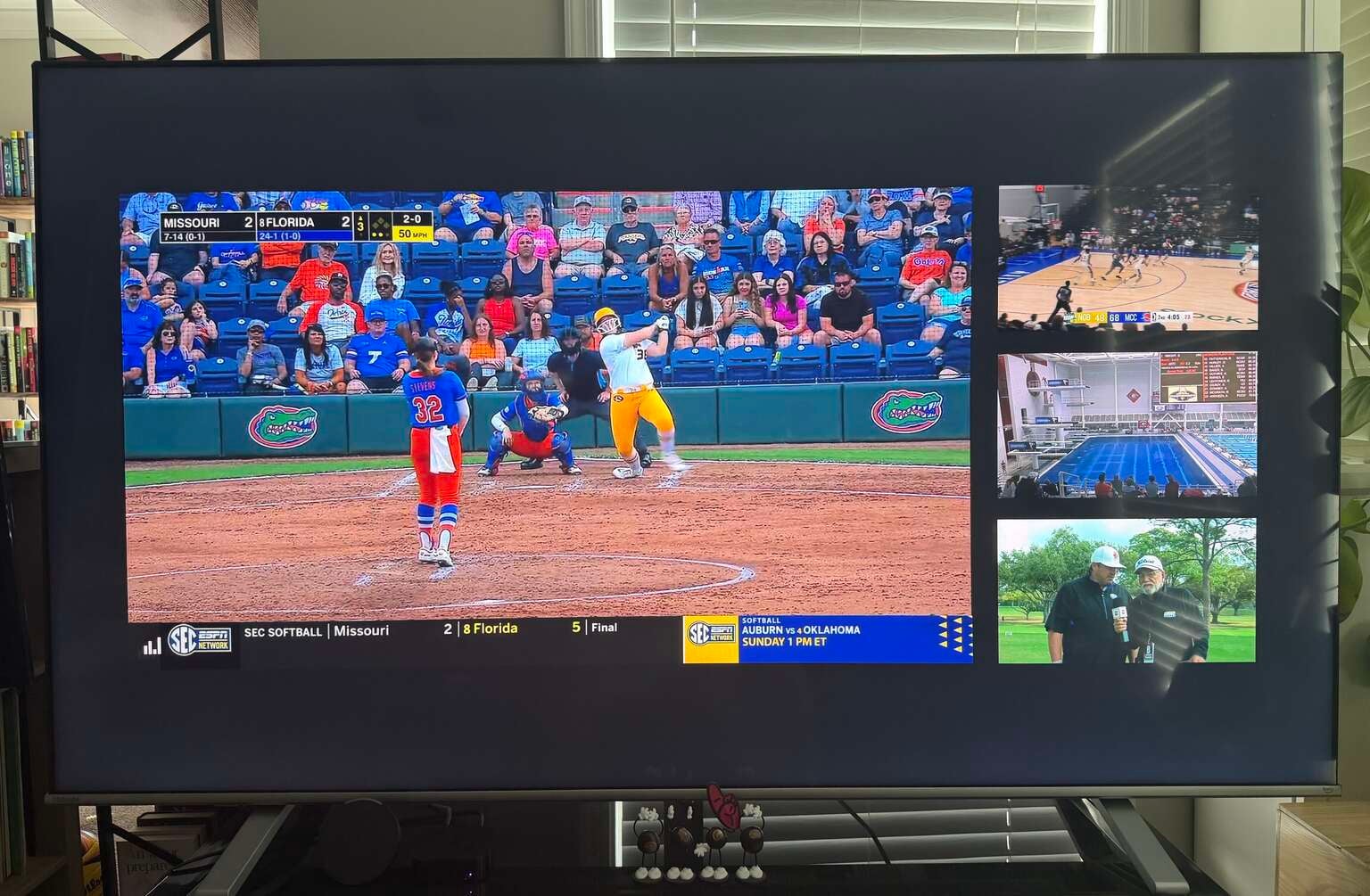
Multicast 4-Up full screen
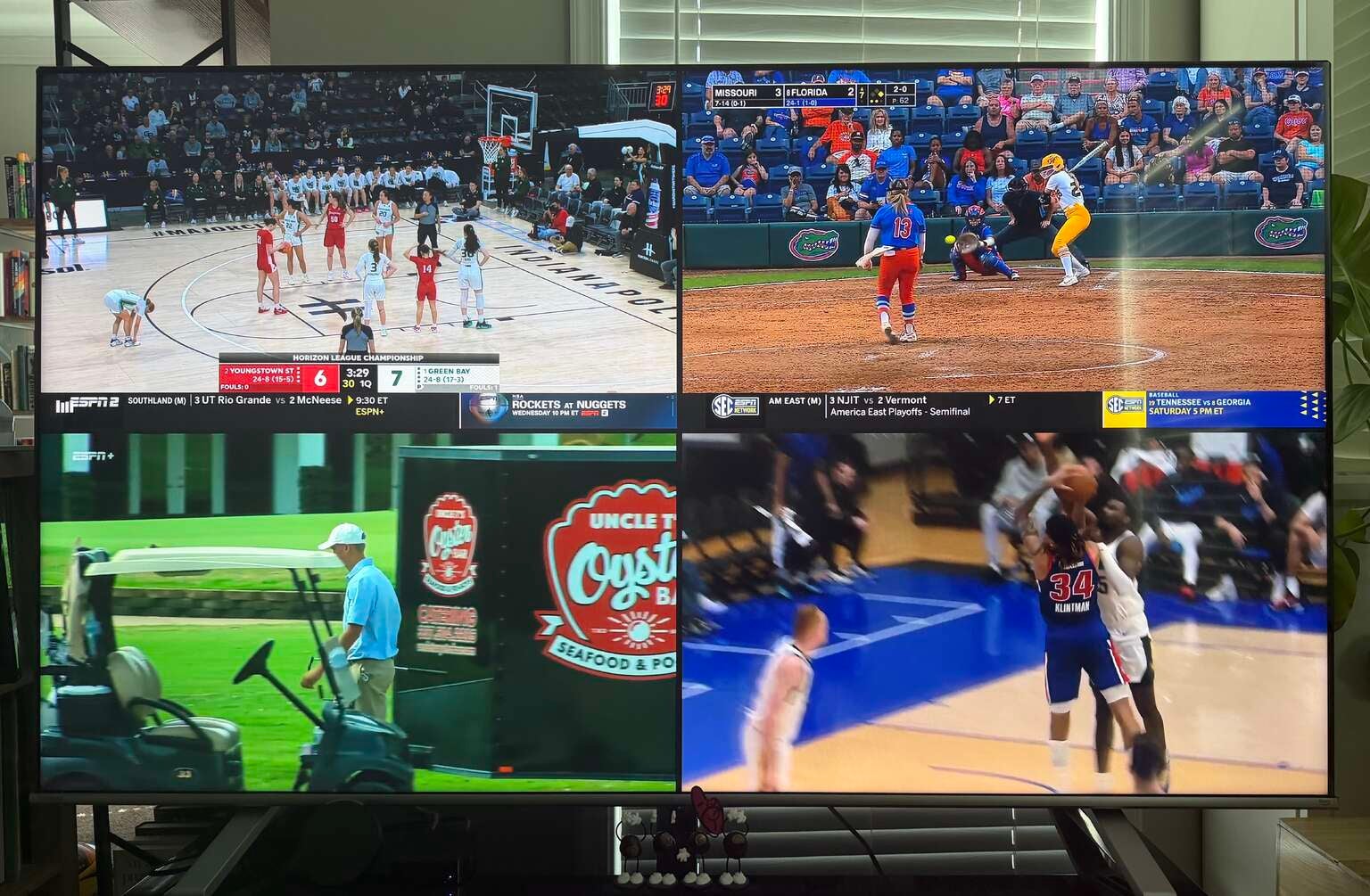
Multicast Grid
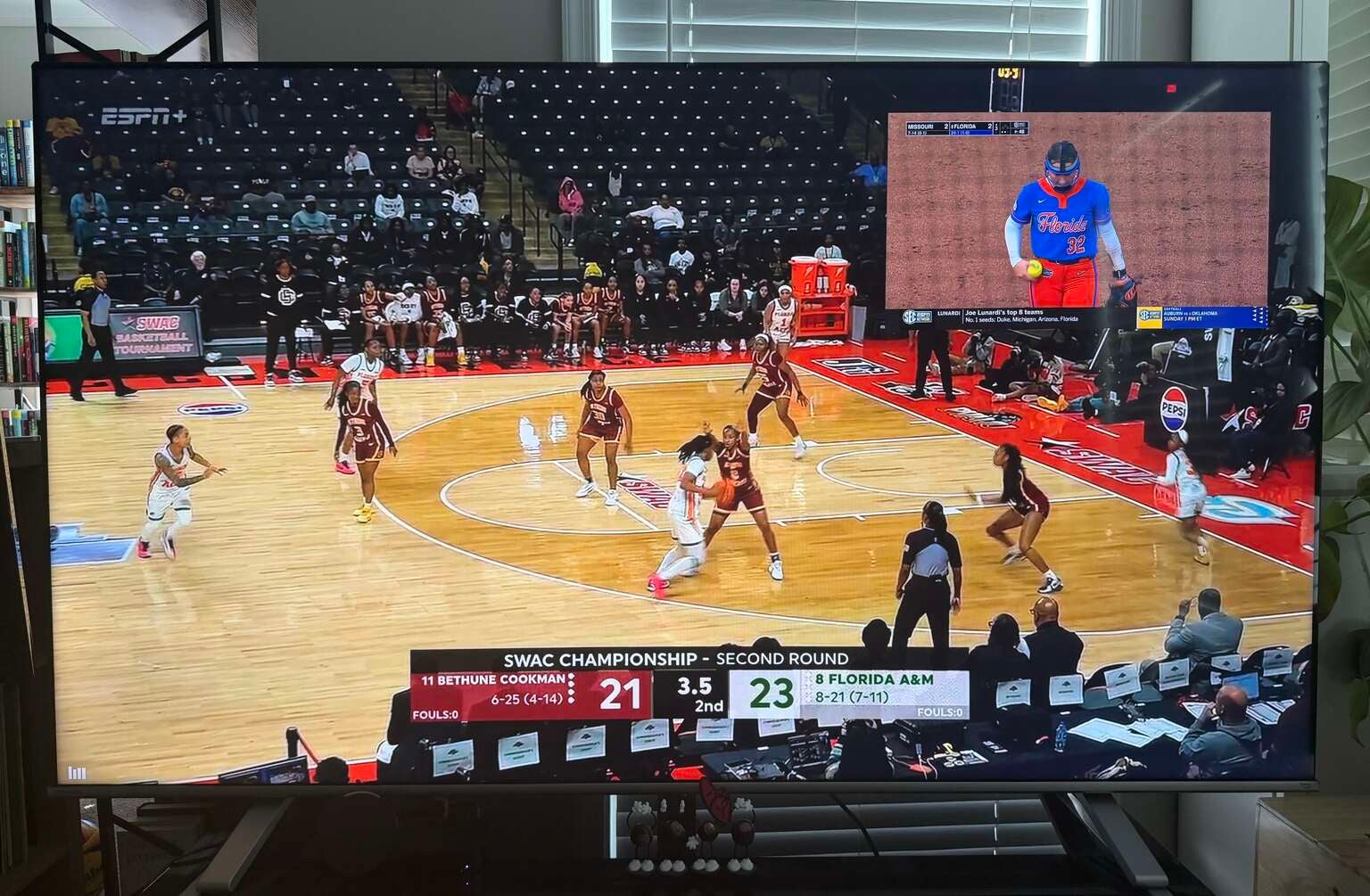
Multicast Picture-in-Picture
Click on the images to expand to full size.
Another area where ESPN’s multicast excels is in the ability to move things around. As I mentioned above, when building your multicast, you can select one to be the primary feed in the 3-Up and 4-Up layouts. However, you also have the flexibility to move feeds around in the Grid layout.
If you want to have golf in the lower right, basketball in the top left, soccer in the top right, and gymnastics in the bottom left, you can rearrange the feeds whichever way you want without having to wait through any tedious screen refreshes. YouTube TV does not give you the option to move the feeds around at all, so this is another major bonus in ESPN’s favor.
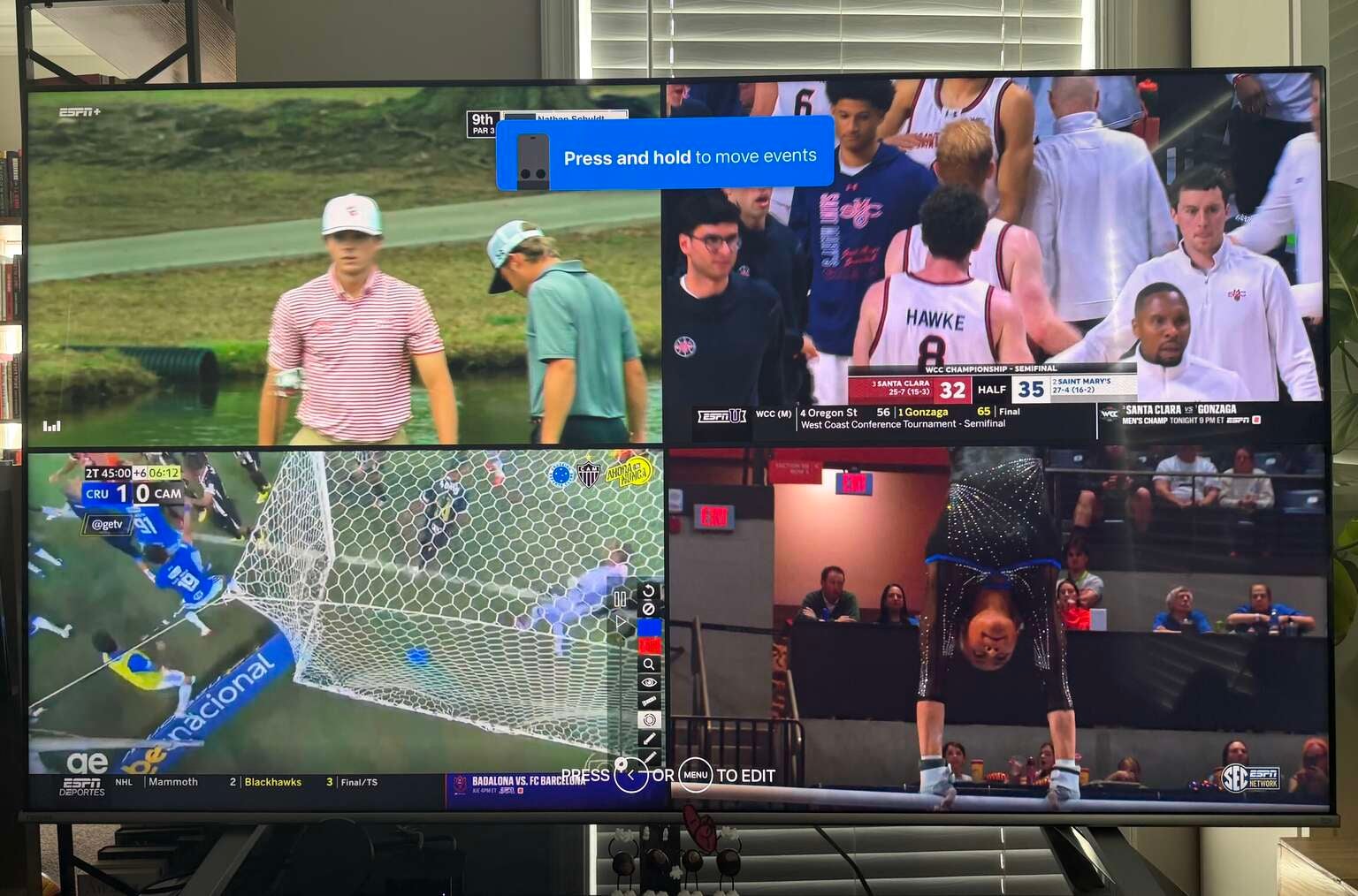
Click image to expand to full size.
Of course, there are downsides to the ESPN multicast experience. Despite the ease of use and customization options, you can still only stream games and events available via the ESPN family of networks. So, ESPN Unlimited will be of no use to you when it comes to watching the NCAA Men’s Basketball Tournament (although it will be clutch when watching Women’s March Madness) or NFL Sunday afternoons. And with major college football games airing on Fox, CBS, and NBC, the ESPN app will only be a part of my viewing plans on Saturdays this fall.
Admittedly, it will be a significant part of those plans, given all of the games airing on ABC, ESPN, ESPN2, ESPNU, the ACC Network, the SEC Network, and more. So, all in all, ESPN’s multicast was a bit of a revelation and provides me with some hope for what the functionality can become if other platforms continue to innovate and up their metaphorical game.
How is the watching experience on ESPN Unlimited?
While the bells and whistles that come with streaming are nice (and I will talk about those more in a minute), ultimately, what makes or breaks my viewing experience is always video quality, especially when it comes to sports, where the details are so important to your overall enjoyment. I found the quality of ESPN’s picture to be in line with what I would hope for from a $30-per-month service. The video — both live and on-demand — behaved like streaming video often does and took a few seconds to get to its high-definition quality. While that is annoying, it is essentially baked into the viewing proposition in streaming these days.
After that, the picture quality was crisp and clear with no discernible ghosting or motion blur.
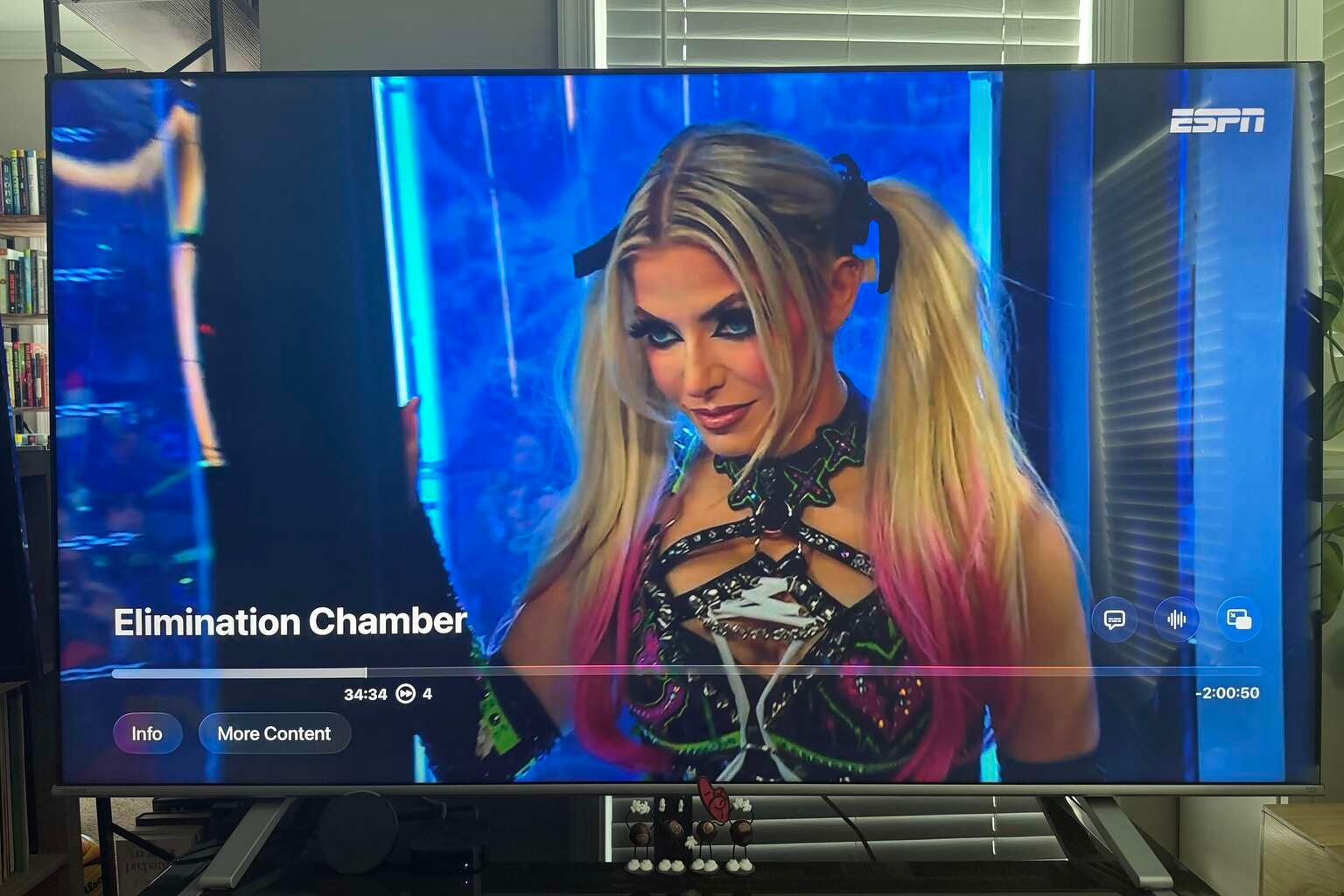
Click image to expand to full size.
One annoying aspect of the ESPN playback, however, is how slow the fast-forward and rewind functionalities are. For various technical reasons, streaming has never been able to recreate the ease and effectiveness of the old-school cable remote, and this is one of the most frustrating areas where it is obvious. The ESPN app allows you to go forward or backward in 10-second increments with the touch of a button, and to go 2x, 3x, or 4x speed by holding the button down.
However, when you are trying to get to an exact moment in a three-hour game or event, it can be painstakingly tedious to skim through hours of action. I feel like there needs to be another option to more quickly scrub through the video in order to get to the moment you want to see without having to waste minutes at a time (and the feeling in your finger) trying to find what you are looking for.
Beyond that, though, two of the best game-watching features that ESPN offers are not unique to the service, as Prime Video, YouTube TV, and other streamers offer variations of them as well. However, I appreciated the way that ESPN presents its Key Plays feature and its stats-infused live viewing option.
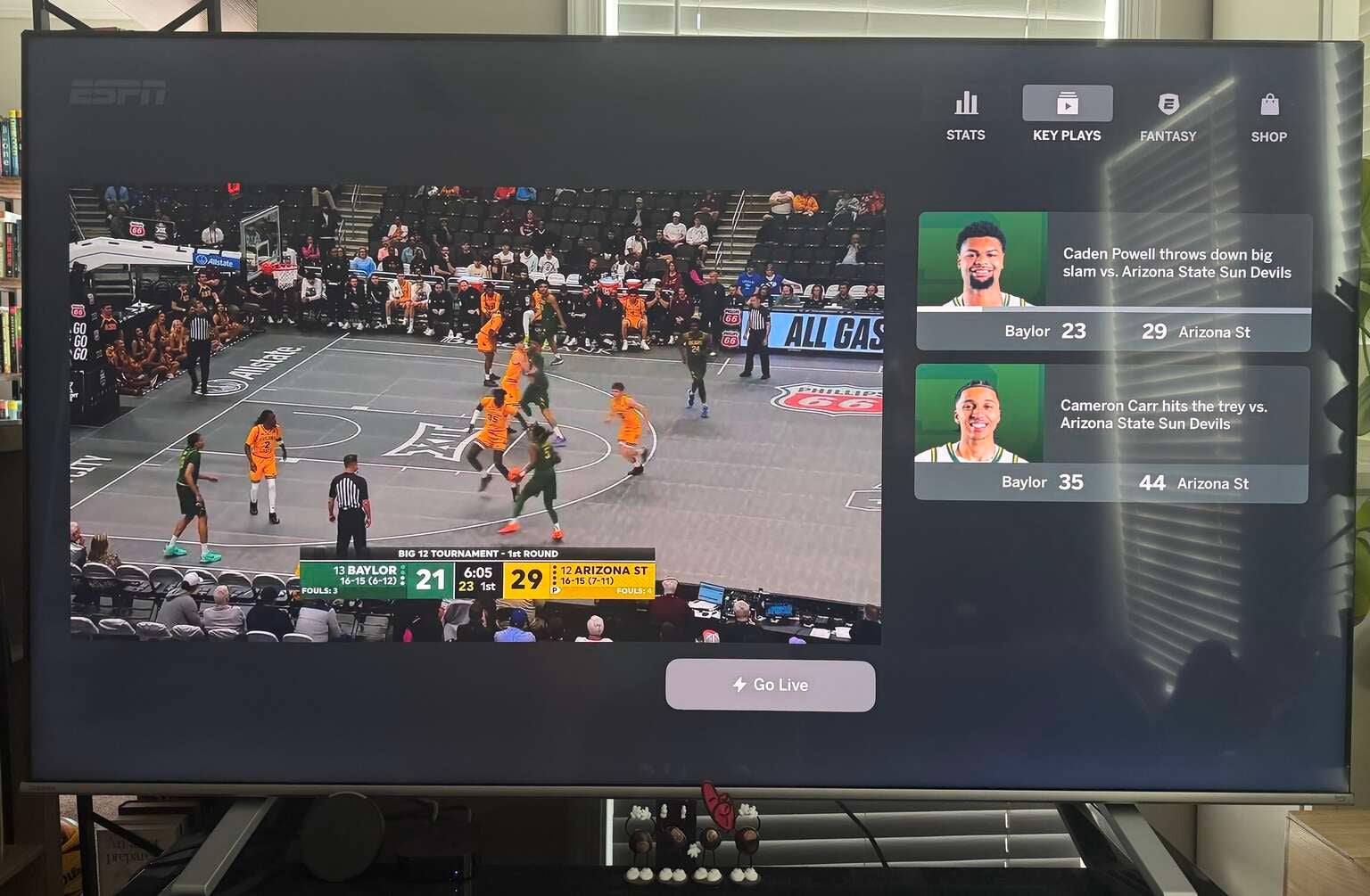
Click image to expand to full size.
When selecting a game to watch, ESPN presents you with the option to catch up to the live action by watching key plays. Depending on the perceived importance of the game in question and how far into the action you are joining the broadcast, you could have anywhere from two to a dozen highlights available to watch first.
The series of plays is available on the right-hand side of the screen, allowing you to browse through them to watch only the ones that you are most interested in, and ESPN gives you the option to jump to the live broadcast at any time. While I am someone who is usually too anxious to get right into the action to catch up via highlights, the ease and functionality of this feature will almost certainly be attractive to many viewers.
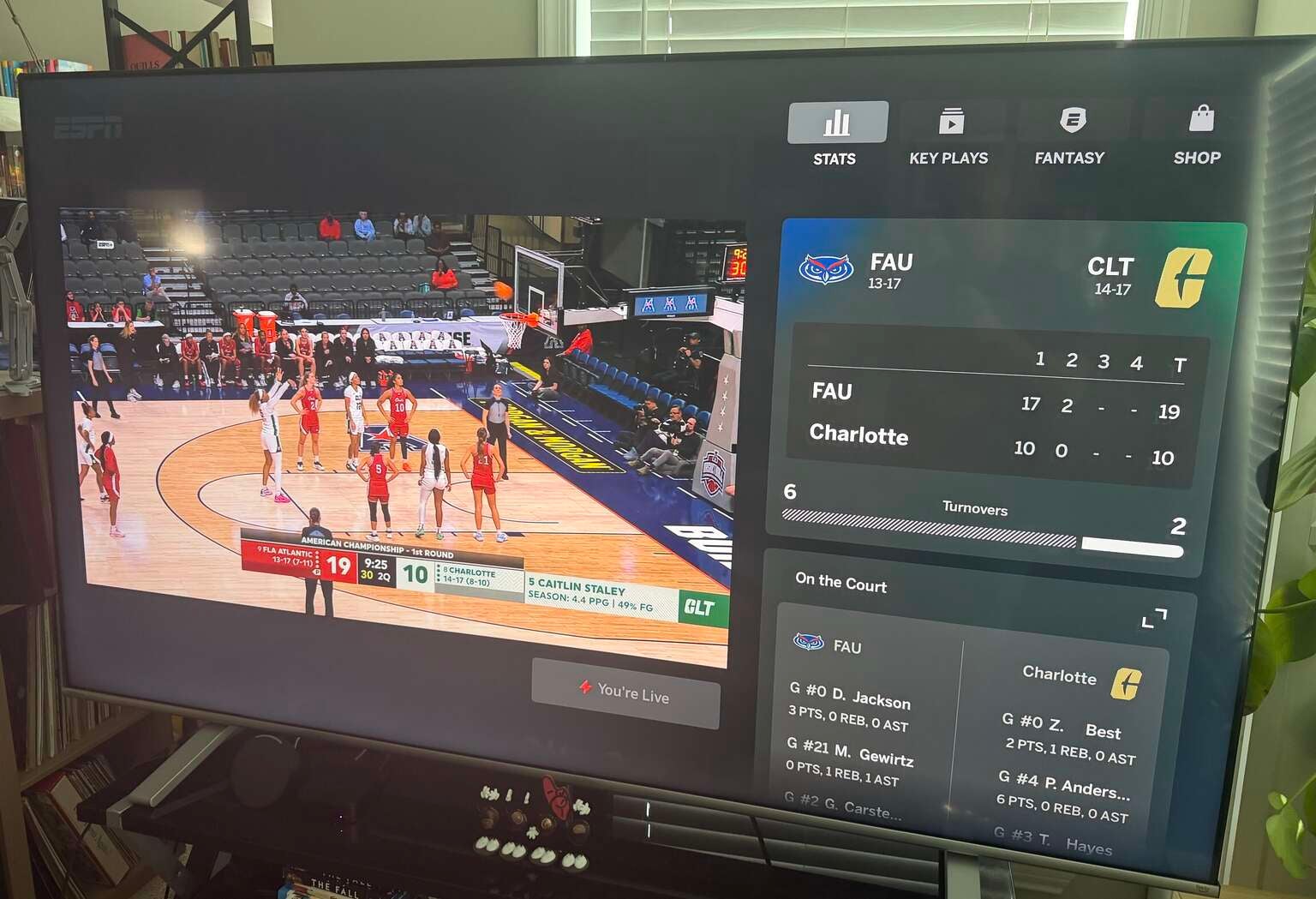
Click image to expand to full size.
Then, whether it is for fantasy or gambling purposes, the “Watch Live With Stats” feature is also very smooth on the app. For the majority of major live events, you will be able to select this option that updates the box score on the right side of the screen in real time. In my experience, the stats were more or less kept up to date with the action, which is not always the case with other streamers.
Both the Key Plays and Stats features came with ESPN’s signature style and simplicity, enhancing the broadcast without making the screen cluttered or confusing.
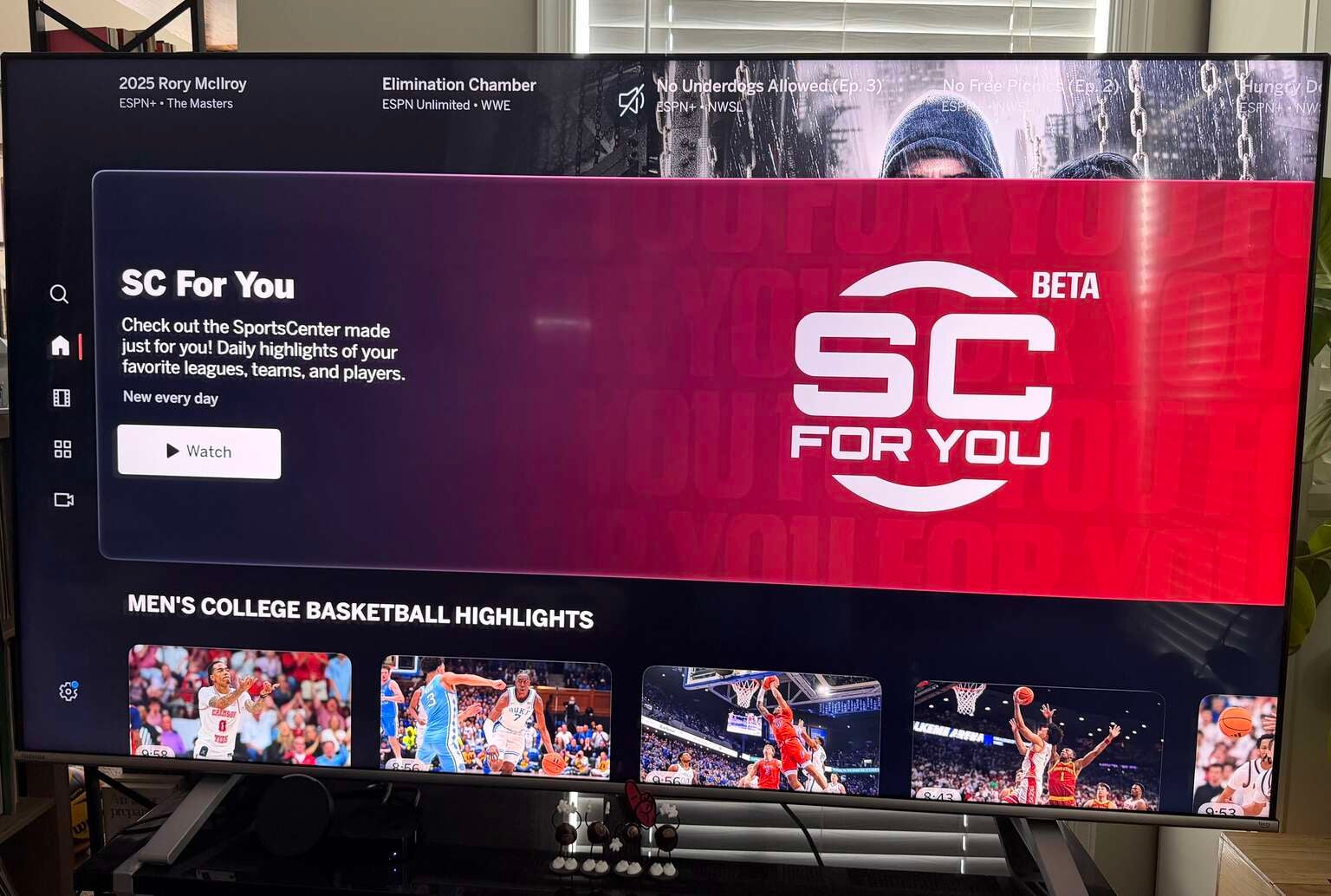
Click image to expand to full size.
I am of the age that watching “SportsCenter” on a daily basis was a requirement during my childhood. Heck, I would watch the same broadcast multiple times in a row for hours on end during school breaks and summer vacations, but with today’s social media and online society, the traditional highlight show is not as necessary as it once was.
However, I was intrigued by the “SC For You” feature on the ESPN app that is designed to pull highlights and segments about the teams and sports you are most interested in, based on your ESPN profile, and then to create an AI-generated “show” using the uncanny valley deepfaked voice of Hannah Storm to narrate.
While I assume that this will improve over time, especially during the seasons when my favorite teams are playing, this was a big miss for me. On a handful of viewings, there did not appear to be any actual personalization. While I have enjoyed the short-form, real-human, non-AI “SC+” on Disney+ to catch up on the biggest highlights and happenings around the sporting world, I was hoping that the promised customization would provide something unique for my specific interests, but — at least for now — it fell dramatically short.
Final thoughts on the ESPN Unlimited app
For $30 per month, the ESPN Unlimited streaming service is pricey, especially considering that I already get all of the ESPN channels via my YouTube TV subscription. However, until Disney and Google figure out when they are going to roll out the service to YTTV customers, I think I can justify paying that monthly amount.
In addition to access to the WWE Premium Live Events, ESPN has tons of basketball, hockey, and college sports that I probably wouldn’t watch on their own, but would be happy to throw up in a multicast on my second screen. The viewing experience — on both multicast and individual events — is strong and far smoother than nearly every other streamer I have tried, so it does bring a high-quality viewing experience.
While I am hoping that ESPN Unlimited will be included as part of my YouTube TV subscription by the time football season rolls around this fall, the flexibility that ESPN’s multicast provides will assuredly become a part of my Saturday viewing habits, whether I have to pay extra for it or not. So, while I have smaller concerns and complaints about the platform, not the least of which being its pricepoint, I was pleasantly surprised by how much I enjoyed the experience of watching sports (and sports entertainment) on ESPN Unlimited.

ESPN Unlimited
ESPN launched its highly anticipated direct-to-consumer streaming service on August 21, 2025. For the first time, this service gives sports fans access to its full lineup of linear channels without a traditional cable or satellite subscription.