How to use Prime Video’s Watchlist feature
How to use Prime Video’s Watchlist feature
If you need to save shows and movies for later with Prime Video, we’ll show you how to do it right here.

The Prime Video library is already one of the largest in all of streaming on its own, and customers can make the inventory of TV shows and movies they can watch on the streamer even larger. Prime Video allows customers to add subscriptions to Apple TV, HBO Max, Paramount+, Peacock, and many other streamers, and watch all of the content found on those streamers within the Prime Video app.
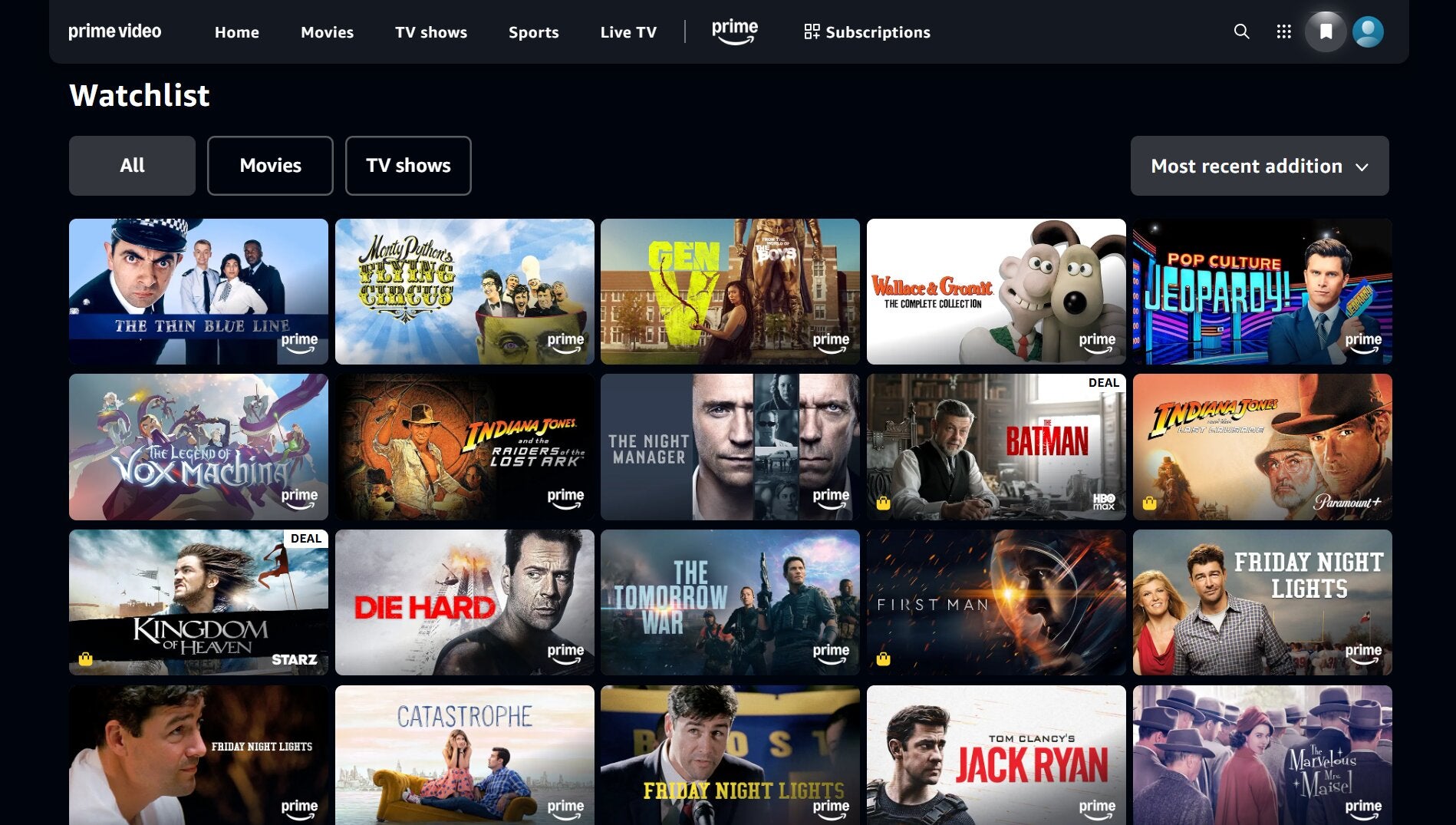
To bring a level of organization to that content chaos, Prime Video has a Watchlist that allows viewers to save TV shows and movies to watch whenever they like. We’ll explain how to use the Watchlist on Prime Video below!
How to use Prime Video’s Watchlist
How to save shows and movies using Prime Video’s Watchlist
The Prime Video Watchlist feature is simple to use, no matter which platform you choose to stream TV shows and movies with the service on. Whether you’re watching on the Prime Video mobile app, connected TV app, or on the Prime Video website using a laptop or other device, adding titles to your Watchlist on Prime Video is easy.
What you’ll want to be on the watch for is a + button that you can find on the details page of any show or movie you can add to your Watchlist on Prime Video. You’ll see this + button on a title’s details page, and you can also hover over any eligible tile on the Prime Video website and see it pop up as well.

As on most other streamers, Prime Video users will want to keep an eye out for a + button when adding titles to their Watchlist.
How to watch TV shows and movies on your Prime Video Watchlist
Watching titles on your Watchlist on Prime Video can be a somewhat different experience from platform to platform. On the streamer’s website, you’ll want to seek out the small bookmark icon in the top-right corner of the screen to open your Watchlist and choose the title you want to stream.
On the Prime Video connected TV app, this bookmark icon is located in the left-hand menu, and is labeled My Stuff. Click it, and you will see all the titles on your Prime Video Watchlist, as well as any TV shows or movies you have purchased from Amazon to stream on demand.
On the Prime Video mobile app, you’ll have to click your profile icon at the bottom of the screen to pull up and watch any movies or shows from your Watchlist.
How to delete titles from your Watchlist on Prime Video
The easiest way to delete a title from your Prime Video Watchlist is to head back to the streamer’s website. From here, there are two methods of removing a title from your Watchlist: you can go to the Watchlist section, hover over the title in question, and click the checkmark button that pops up in the details; or you can go to the details page and seek out the checkmark and press it. Once it turns back into a +, you’ll know that title is removed from your Prime Video Watchlist.

Prime Video
Prime Video is a subscription video streaming service that includes on-demand access to 10,000+ movies, TV shows, and Prime Originals like “The Lord of the Rings: The Rings of Power,” “Jack Ryan,” “The Marvelous Mrs. Maisel,” “The Boys,” and more. Subscribers can also add third-party services like Max, Showtime, STARZ, and dozens more with Prime Video Channels. Prime Video also offers exclusive live access to NFL Thursday Night Football.