Stream Netflix without limits on flights, road trips, or hotel stays
Stream Netflix without limits on flights, road trips, or hotel stays
Hit the road, not pause. Keep Netflix streaming with downloads and travel-ready tricks

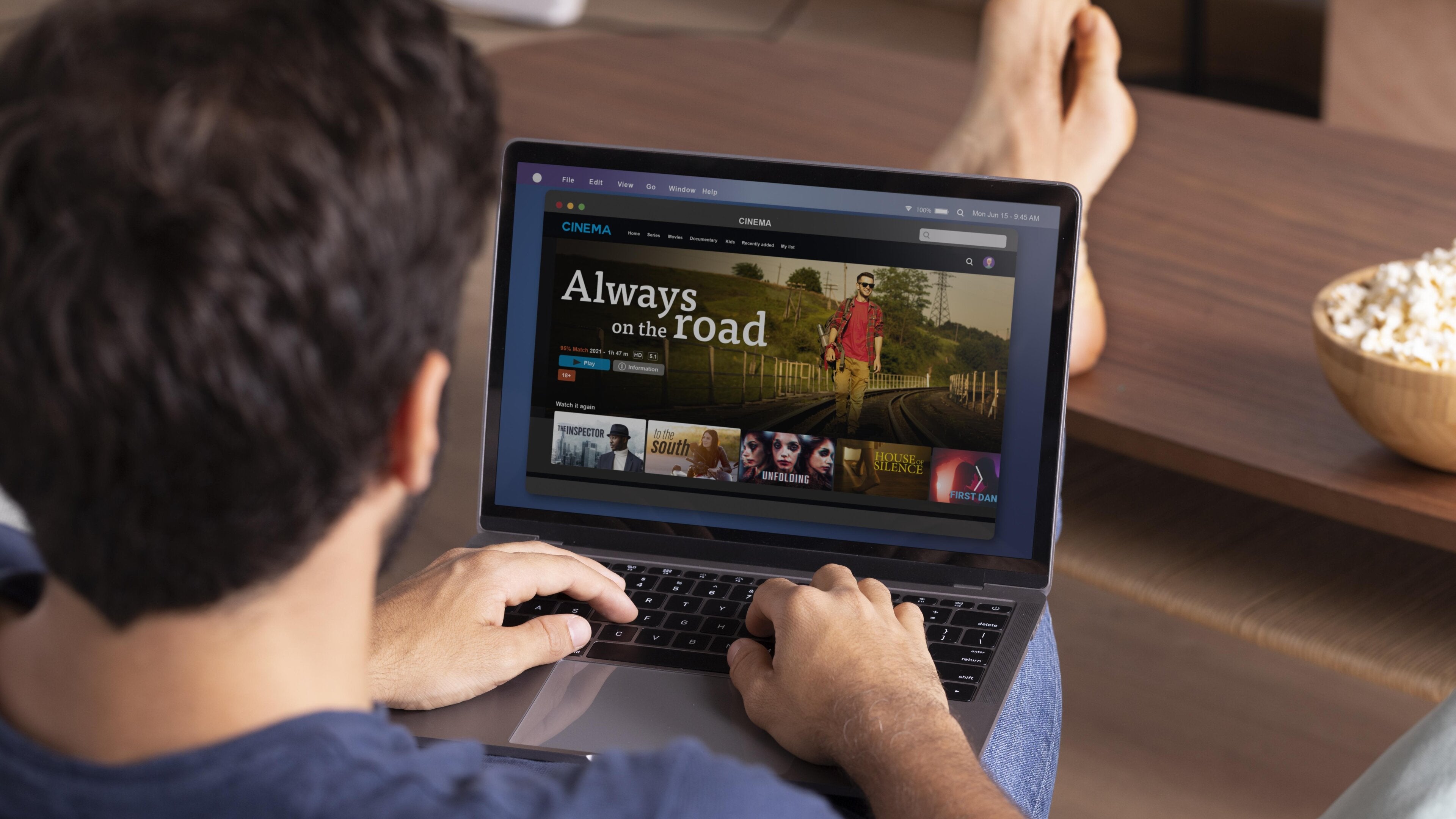
Traveling shouldn’t mean missing out on binge-worthy shows, blockbuster movies, or the latest must-watch series. Netflix makes it possible to carry your favorite entertainment wherever your journey leads, from hotel rooms and road trips to long flights and second homes. Understanding how to manage downloads, verify devices, and navigate Netflix household settings keeps streaming smooth and uninterrupted. Offline downloads turn idle travel hours into prime viewing time, and regular check-ins with your devices prevent sudden streaming interruptions.
With a few simple steps, Netflix becomes a travel companion, ready to deliver familiar favorites and new discoveries no matter where life takes you.
Download shows and movies for offline viewing
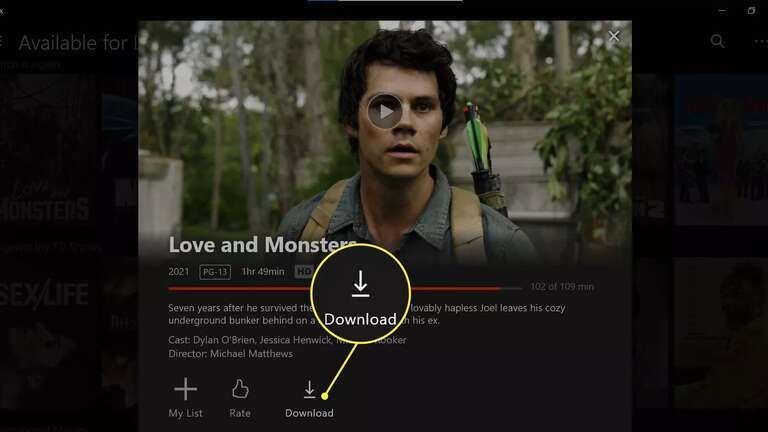
Offline downloads are the easiest way to keep Netflix close while traveling locally or on the road. A phone or tablet can store movies and episodes for flights, long drives, or spots with limited Wi-Fi.
How to download:
- Open the Netflix app on your mobile device or tablet
- Select a movie or show
- Tap the Download icon. For series, pick specific episodes
- Check progress in the Downloads tab
- Watch offline anytime
Pro tips:
- Reconnect to the internet at least once every 30 days to maintain downloads
- Adjust download quality and storage settings to manage space and speed
- Offline downloads are available only on supported mobile devices and require certain Netflix plans
Managing Netflix during frequent travel
Frequent travelers or those with a second home can prevent interruptions by keeping devices regularly connected to Netflix:
- Connect a mobile device or computer to your main WiFi
- Open the Netflix app or website and stream a show or movie for a few seconds
- Repeat the same steps at your travel location
Checking in at least once a month keeps offline downloads active and prevents the “not part of your Netflix Household” messages. Separate profiles for family members can help manage offline content for multiple users.
Understanding Netflix household settings

A Netflix household links devices to the main internet connection at your primary location. Household settings control device access and prevent interruptions when traveling.
Update Netflix household on a TV:
- Navigate to Get Help or Settings, then Manage Netflix Household
- Tap Update Netflix Household
- Send a verification email or text and confirm the code
- Refresh the TV screen to resume streaming
Mobile devices or computers may need temporary verification via Watch Temporarily and a code sent by email if away from home.
Troubleshooting Netflix household errors

Error: “Your TV isn’t part of the Netflix Household”
- Scan the QR code with a mobile device camera to verify the TV
- Make sure the mobile device uses the same WiFi as the TV
- Generate a new QR code and retry if needed
Error: “Your device isn’t part of the Netflix Household”
- Check that the device connects to the same network as a household TV
- Update the Netflix household on the TV or connected device
- Restart the Netflix app or refresh the website after verification
Devices that cannot be verified may need a separate account to maintain uninterrupted access.
Streaming Netflix abroad
International travel introduces additional considerations. Available shows, movies, audio options, subtitles, and My List content can vary by country. Maturity ratings also adjust to local standards, which may affect parental controls.
Tips for traveling abroad:
- Use a VPN
- Download content in advance to watch offline
- Verify mobile devices or computers using temporary codes if streaming away from home
- Expect minor differences in content selection and recommendations
Offline downloads remain the most reliable way to access Netflix in locations with inconsistent internet.
How to watch Netflix with a VPN
If you’ll be away from home, you can still watch Netflix like you were back on your couch, no matter where you are in the world, with a VPN. A VPN can be used on your phone, tablet, or computer, making you appear to be back home, even when you’re not, so you feel at home no matter where you are. A VPN is a safe and secure way to stay protected online while streaming your favorite content on the go. In addition, you’ll stay safer on public Wi-Fi networks in hotels, airports, or wherever your travels take you.

ExpressVPN is one of the best providers around, at one of the best prices. Currently, you can get a month of service for as little as $5. ExpressVPN is the most-trusted VPN on the market and comes with a 30-day money-back guarantee. ExpressVPN has servers in 94 countries, best-in-class encryption, 24/7 live support, and the fastest speeds available.
Moving or relocating internationally
Moving or staying long-term in a new country requires updates to your Netflix account:
- Cancel the current account at the end of the billing cycle
- Restart Netflix in the new country to access local content and payment options
- Update maturity ratings and parental controls as needed
- Retain viewing activity, recommendations, and account details, which Netflix saves for 24 months
Temporary verification codes may still be needed to watch on mobile devices or computers until the new account setup is complete.
Additional tips for smooth streaming
- Keep Netflix apps updated on all devices
- Delete old downloads to free storage
- Plan downloads ahead of long trips
- Use separate profiles for different family members to organize offline content
- Review active devices regularly to prevent unauthorized access
Keep Netflix ready anywhere
Netflix provides multiple ways to maintain uninterrupted entertainment on the go. Download content for offline viewing, verify devices when traveling, and manage your Netflix household for smooth access. Local commutes, flights, road trips, and international stays become opportunities for seamless binge sessions. With preparation and knowledge of key settings, favorite shows and movies remain ready and reliable wherever the journey takes you.

Netflix
Netflix is a leading subscription-based video streaming service that offers on-demand access to an extensive library of over 3,000 movies, 2,000+ TV shows, and a growing collection of acclaimed Netflix originals. Renowned for producing groundbreaking content, Netflix has become a cultural powerhouse with hit originals like “Stranger Things,” “Wednesday,” “Squid Game,” “The Crown,” “Tiger King,” “Bridgerton,” “The Witcher,” and “Black Mirror.”