Do Netflix’s secret codes really improve your streaming?
Do Netflix’s secret codes really improve your streaming?
We’ll explain what these codes do, and how you can use them to upgrade your Netflix user experience.


Netflix has put a great deal of work into improving its user experience. It’s even employed AI in attempting to help connect viewers to new titles, but it has a more secretive way of letting users browse for specific TV show and movie categories. Netflix has an elaborate system of secret codes that allow subscribers to search by category. If this is all news to you, we will explain everything you need to know about this unique feature below.
Everything you need to know about Netflix’s secret category codes
What are Netflix’s category codes?
Category codes allow Netflix customers to browse the streamer in a whole new way. Typically, opening the Netflix app or navigating to its home page brings up a screen filled with content tiles, sorted into rows to help make sense out of the hundreds of available shows and movies.
Unfortunately, the Netflix user interface doesn’t appear to offer a way to see only particular categories of titles, like “Gentle British Reality TV” or “Highbrow Horror” on the screen at any given time. That’s where the streamer’s secret codes come in; these codes allow viewers to browse by genre as no other Netflix shortcut does, making it easier to search within one specific category for a new title.
What codes does Netflix have available?
There are dozens of Netflix codes available for some genres, so we won’t list them all here. But a selection of the most popular codes available includes:
- 29809 - Classic dramas
- 8646 - Slasher and serial killer movies
- 10659 - Education for kids
- 10118 - Comic book and superhero movies
- 9702 - Screwball Comedies
- 11079 - Experimental movies
- 35800 - Steamy romantic movies
- 4734 - Cult Sci-Fi & fantasy
- 67879 - Korean TV shows
- 52147 - Teen screams
For a more complete list of Netflix’s 4,000+ genre codes, check with WhatOnNetflix.com.
How do Netflix’s secret codes work?
To use a Netflix code, you first have to know the genre code you want to use handy. Then:
- Open a web browser on any device.
- Enter the URL: netflix.com/browse/genre/
- After the final slash, type in the code you want to use.
- Hit or tap enter to be taken to the page you want to see.
Why use Netflix’s secret codes?
Netflix’s secret genre codes are a fantastic way to browse the streamer more efficiently, narrowing down the choices you see when you first navigate to its home screen. You’ll see fewer content rows when browsing by genre using codes, helping you reach a decision much faster and with less FOMO.
Are Netflix codes permanent?
No need to worry that using a Netflix code will permanently change the view you see on your home screen the next time you click to the streamer. If you want to remove it, just delete the code from the end of the URL on your browser, or go back to the Netflix home page.
Do Netflix codes really work?
They do indeed! Use any code found above or in the provided link to narrow down your Netflix category. I used the Classic dramas code on my browser, and (after clicking through the profile selection screen), this is the result that Netflix surfaced:
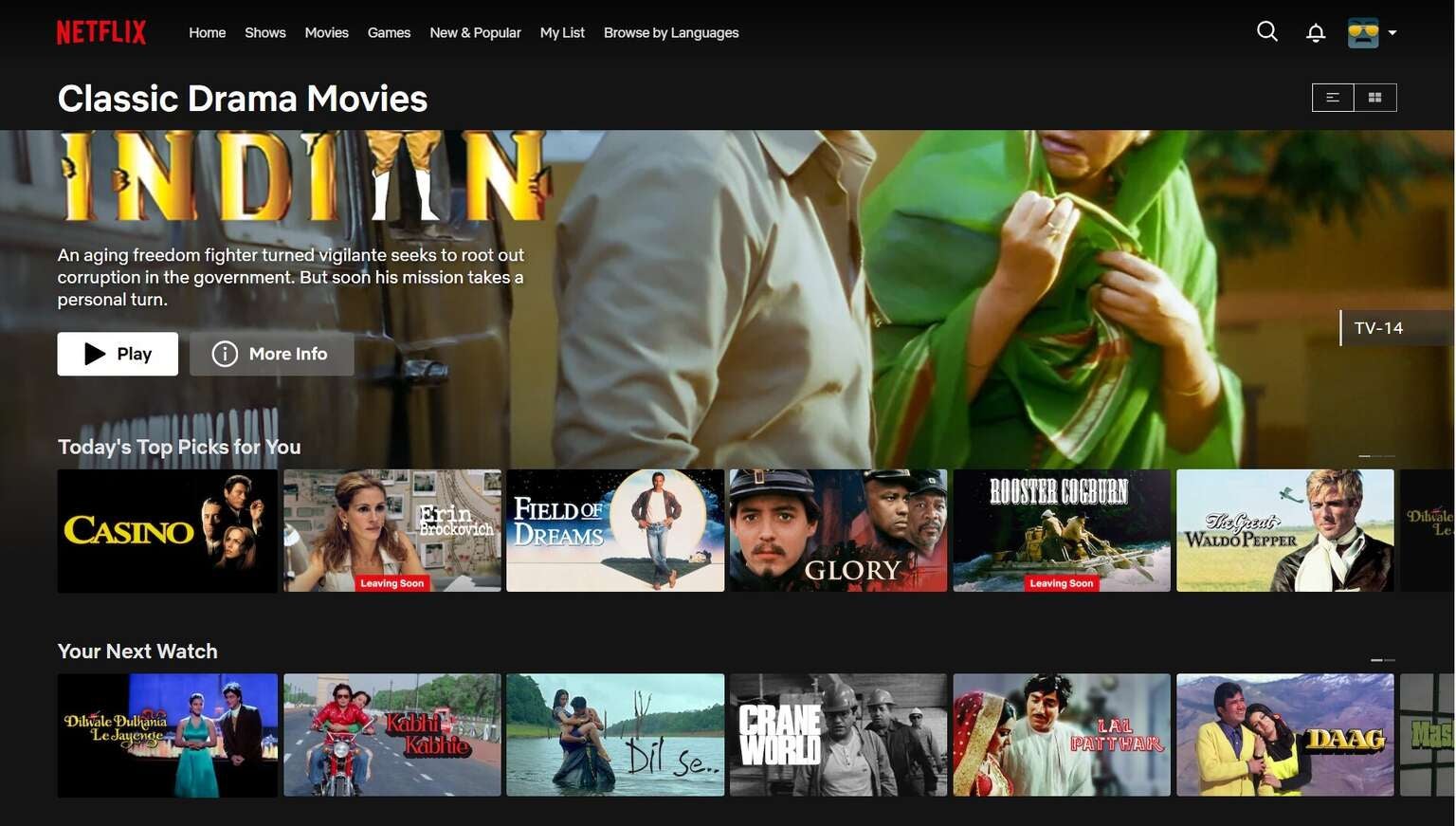
Click to expand.
Do Netflix codes work with all plans?
Yes, there are no restrictions on using Netflix’s genre codes, regardless of which plan you subscribe to. The Netflix Standard with Ads plan does not have some titles that are found on other Netflix tiers, however, so browsing by genre on this plan may surface fewer overall results.

Netflix
Netflix is a leading subscription-based video streaming service that offers on-demand access to an extensive library of over 3,000 movies, 2,000+ TV shows, and a growing collection of acclaimed Netflix originals. Renowned for producing groundbreaking content, Netflix has become a cultural powerhouse with hit originals like “Stranger Things,” “Wednesday,” “Squid Game,” “The Crown,” “Tiger King,” “Bridgerton,” “The Witcher,” and “Black Mirror.”