Roku Zones make finding your streaming favorites easier than ever
Roku Zones make finding your streaming favorites easier than ever
Did you know Roku has genre-specific zones tailored made for all of your interests? Here’s how to find them.


Roku streaming devices deliver a ton of content in a small package, giving you access to your favorite shows and movies via their free channels or through your favorite streaming apps. While there is plenty to watch, figuring out what you want to watch isn’t always an easy decision.
Even if you know you’re in the mood for an action movie, you might not really have an idea of which movie you’re in the mood for. Likewise, if you’re hanging out with friends, you may need to come up with a title that you’re all excited to sit through. Rather than scrolling and debating for 20 minutes before you even start your search in earnest, there is another option.
That’s where Roku Zones comes in. This often overlooked feature delivers various movies and TV shows grouped into categories, making it easy to find something to watch when you only have a vibe or genre in mind. So, if this concept of streaming zones is all new to you, you might be wondering, “Where are these zones?”, “How do they work?”, and “What types of zones exist?” Fortunately, we’ve got the answers to those and many more questions here.
Everything you need to know about Roku Zones
What is a Roku Zone?
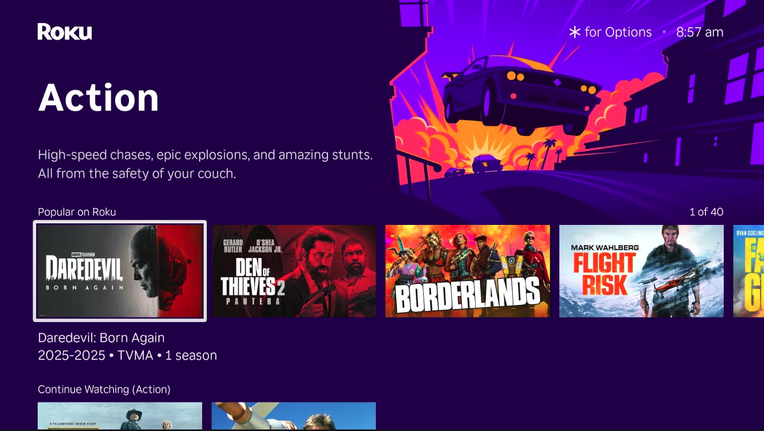
Roku Zones is a feature that delivers collections of TV shows and movies, grouped by a common genre or topic. These include options like new releases and free options, as well as genre zones that bring together Western or Horror titles. This means that if you know you’re in the mood for a specific type of movie or show, but don’t have a specific one in mind, you can simply scroll through a zone until you find something to scratch your itch.
As convenient as that is, zones aren’t just for genres; you can also use specific movie and show titles to search for similar and related content. While not every movie and show has an associated zone, some of them do. Searching for the beloved, long-running TV drama “Supernatural” delivers an option to check out the horror zone, but there isn’t a “Supernatural” zone. Meanwhile, options like “Legally Blonde” have their own zones that include similar movies or other shows and films featuring the original cast.
How to access Roku Zones
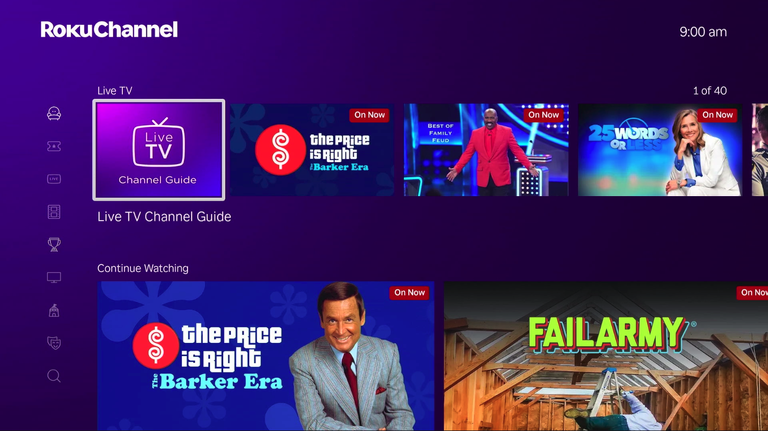
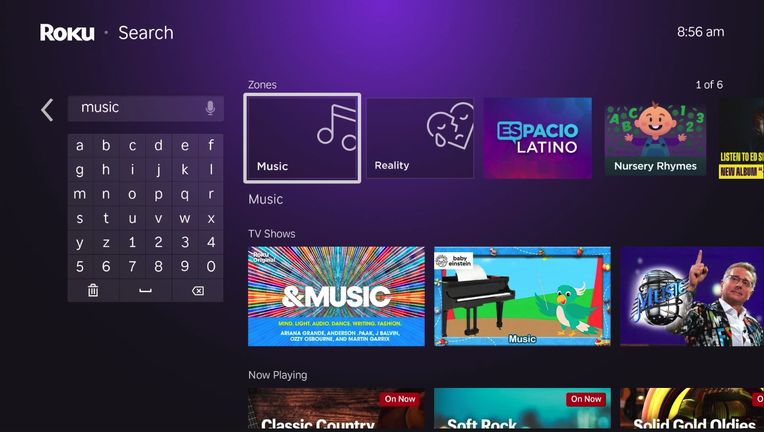
To access Roku Zones, head over to the search function on your Roku menu. There, you can enter a search term like “music,” and the Music Zone will appear in the results.
Once you select a zone, you’ll see the collection of organized content within the zone. Along with finding zones using the text search, you can also use Roku Voice to find new zones. Simply search for a genre or topic, and the associated zones will appear in the results, letting you choose a zone and scroll through the programs collected there.
The one thing to be aware of here is that zones don’t always appear at the top of your search history. You may need to scroll down a bit to see if there is a zone for the program or genre you’re looking for, as it can get buried under show and movie results. Thankfully, it seems like most search options have a zone. We looked for a variety of genres, types of programs, and specific shows and movies, and almost everything had a zone option available.
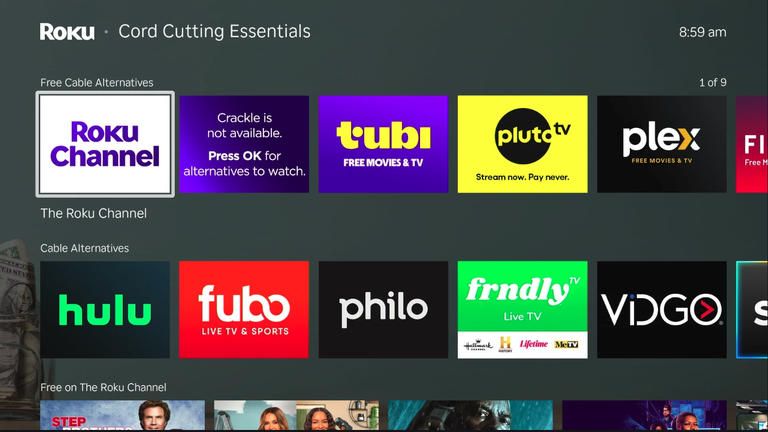
Within the different zones, you’ll also find shows and movies organized in an easily scrollable way. The top recommendations are often featured shows or channels that have the content you’re looking for. However, if you scroll down, you can find groups like free shows or recommended shows through subscription services like Netflix or Peacock. Thankfully, Roku makes it easy to tell whether a particular show is free or is only available through a subscription-based app. That way, you can always choose something that you have access to instead of running into the frustrating experience of getting excited about a title, only to open it up and realize it’s actually behind a paywall.
Roku Zones to check out
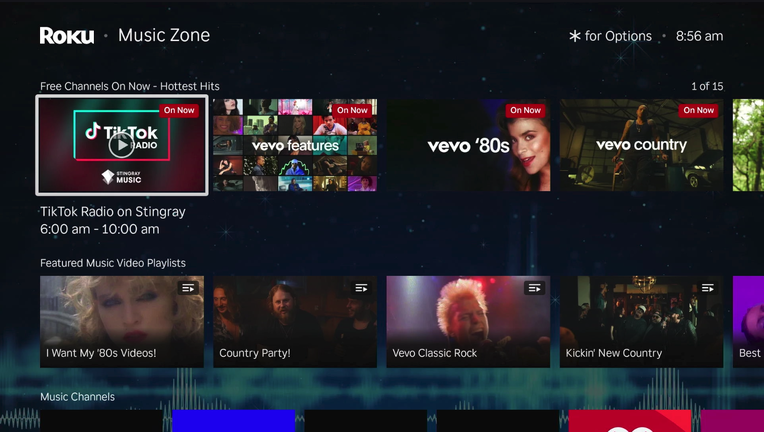
Roku has assembled countless zones worth exploring, but with so many options, it can be difficult to decide which one to visit first. That’s why we’ve included a few zones worth checking out here!
Free Movies and TV
Roku delivers access to more than 300 channels for absolutely free. When you check out the free zone, you’ll see the top movies and shows from various channels. All of these programs are free to watch, but you should expect limited commercial interruptions in exchange.
Sports, and News
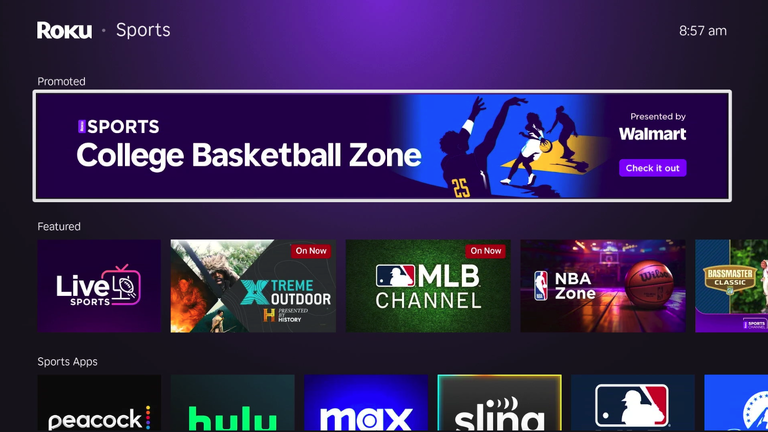
If you’re looking for the best of the real world, there are even zones for that! From sports like baseball to the most recent news, you can find a zone filled with the type of content you’re looking for. The baseball zone includes documentaries, movies, and even live sports. Meanwhile, with news, you can find various options for live news or recent broadcasts from various outlets.
Genre Zones
You’ll find collections of movies and TV shows by searching for genres like Action, Horror, Western, Comedy, or Reality. The options include new releases, classic options, and free programs as well. There are even zones like Based on Books or Friendship. Just keep in mind that some zones may be more niche than others. The broader the category, the more options you’ll find inside it.
Roku delivers an excellent home entertainment hub, letting you access free movies and shows, music, and easy access to the apps you’re already paying for. Whether you’ve been using a Roku for years or you’re just adding this streaming device to your home, it’s well worth the price tag. It’s got music, movies, TV shows, and plenty of content that is absolutely free to the viewer since it’s ad-supported.
Roku Zones makes finding shows or movies easy, whether you know what you’re looking for or just have a vibe to go off of. This function can help you to find new shows you didn’t know existed or rediscover old favorites. All it takes is a simple search to find what you didn’t know you were looking for.