Here’s how to use YouTube Music on your smart TV
Here’s how to use YouTube Music on your smart TV
Want to stream your YouTube Music account on your smart TV? We’ll explain how do it here!

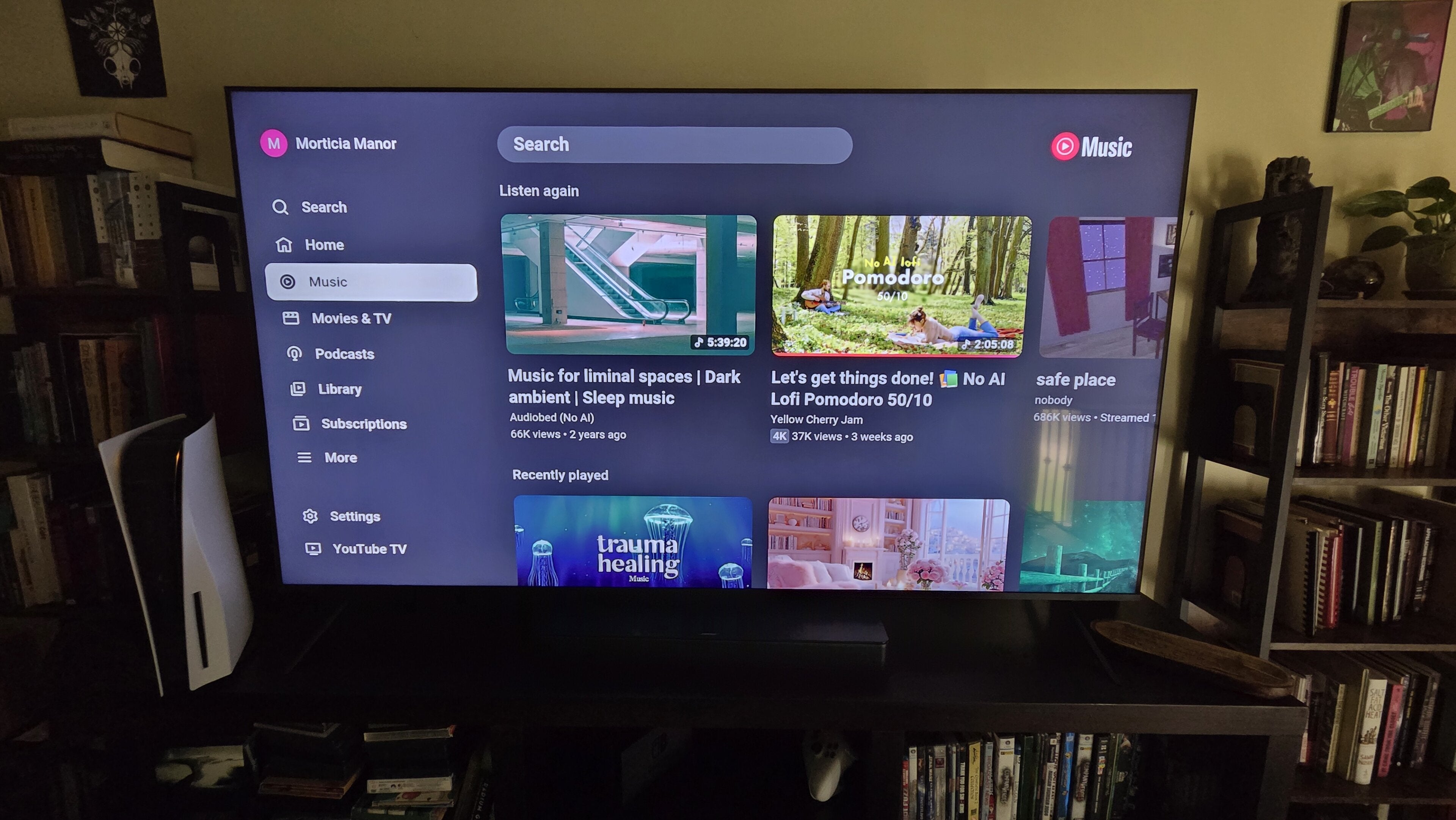
Having a YouTube Music account means you can take your favorite songs with you anywhere you go. The streamer’s mobile app is available for both Android and iOS devices, allowing subscribers to download it and listen to their music library anywhere they can take their phone.
But what about home use? Does the YouTube Music app allow customers to listen on their smart TV? We’ll explain everything you need to know about using YouTube Music on a smart TV below.
What you need to know about using YouTube Music on a smart TV?
Can you listen to YouTube Music on a smart TV?
Yes, you can listen to a YouTube Music subscription using your smart TV if you want to turn your living room into your personal, private concert hall. But there’s a major caveat to be aware of if you want to do this: YouTube Music doesn’t have a dedicated connected TV app.
Instead, YouTube Music is accessed through the main YouTube app on all smart TV operating systems. Make sure you have this app downloaded and updated at all times if you want to listen to your YouTube Music subscription on your smart TV.
How to get YouTube Music on your smart TV
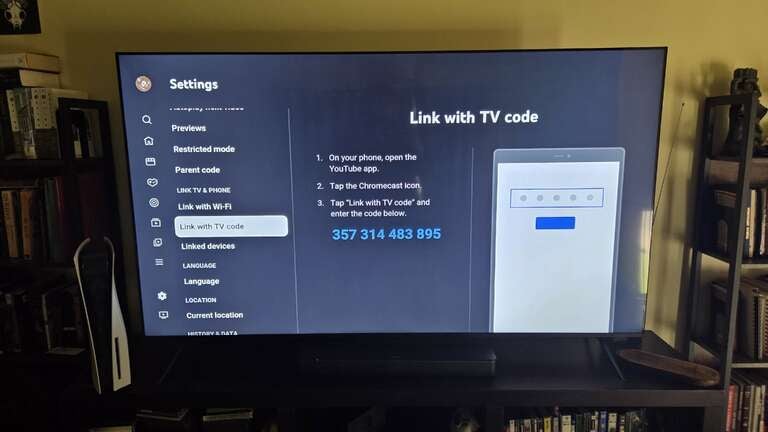
To use YouTube Music on your smart TV:
- Go to your smart TV’s app store.
- Download the YouTube app.
- Open the app and sign into your account.
- Open YouTube Music on your mobile device.
- Press the Cast button at the bottom of the screen.
- Open Settings on your YouTube app for TV.
- Scroll to Link Phone with code, and copy down the code displayed.
- Enter the code into your phone to connect your account.
If you are signed into your Google account on your smart TV, you can also open the YouTube app and scroll to Music in the left-hand menu.
Which smart TVs are compatible with YouTube Music?
All smart TV operating systems that support the YouTube app are compatible with YouTube Music. This includes major brands such as:
- LG
- Samsung
- VIZIO
- Amazon Fire TV
- Google TV
- Roku
Why listen to YouTube Music on your smart TV?
YouTube Music offers a library of hundreds of millions of songs, and listening to that library on your smart TV’s speakers can help you pump the volume through every room of your house, if you desire. Put on your favorite album while you clean or do other household chores, or simply relax and enjoy the day.
Your smart TV’s speakers are often capable of delivering your favorite songs in a much higher audio quality — some sets even have built-in speakers that support 5.1.2 surround sound. Why not listen to your YouTube Music subscription in premium audio quality when you’re at home?
Listening to YouTube Music on your smart TV also makes it much easier to share your top tracks with friends. Instead of making them crowd around a portable speaker with inferior sound quality, you can introduce them to your favorite new track the way it was meant to be heard.