How to download TV shows and movies on Peacock
How to download TV shows and movies on Peacock
Which plans let you download on Peacock? How many titles can you have downloaded at one time? We have the answers for you here.

Peacock has some of the most bingeable shows of the last few decades in its library, including titles like “The Office,” seasons of “Below Deck” and its various spinoffs, and a lot more. There’s also a great selection of Universal movies found on Peacock, including a large library of titles that are great for kids to enjoy.
If you’re hoping to use Peacock to stay entertained on a long flight or in another scenario where you won’t necessarily have full access to an internet connection, good news! The streamer does indeed allow you to download titles for offline viewing; we’ll show you how to do it and answer any questions you may have about the process below.
What you need to know about downloads on Peacock
What devices can you use to download shows and movies on Peacock?
Customers can download TV shows and movies exclusively on phones and tablets with a Peacock subscription. The streamer is compatible with Android 7.0 or iOS 15 devices, so if you’re running one of these, you’re probably good to go to download TV shows and movies for offline viewing with Peacock.
Which plans can download titles on Peacock?
Peacock currently allows customers of its Premium Plus ad-free plan to download TV shows and movies. No other Peacock subscribers may download titles on the streamer.
How to download a TV show or movie on Peacock
- Open the Peacock app on your device.
- Find the TV show or movie you want to download.
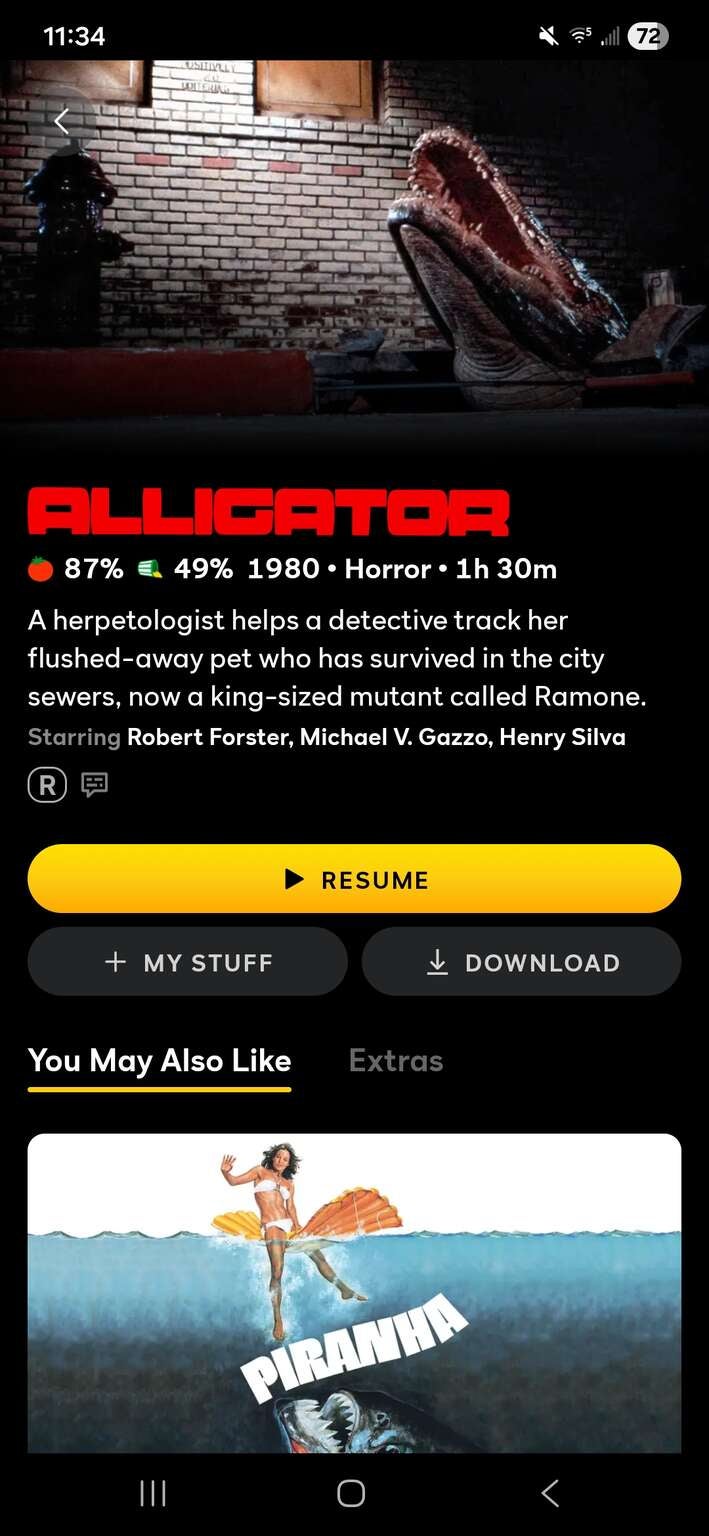
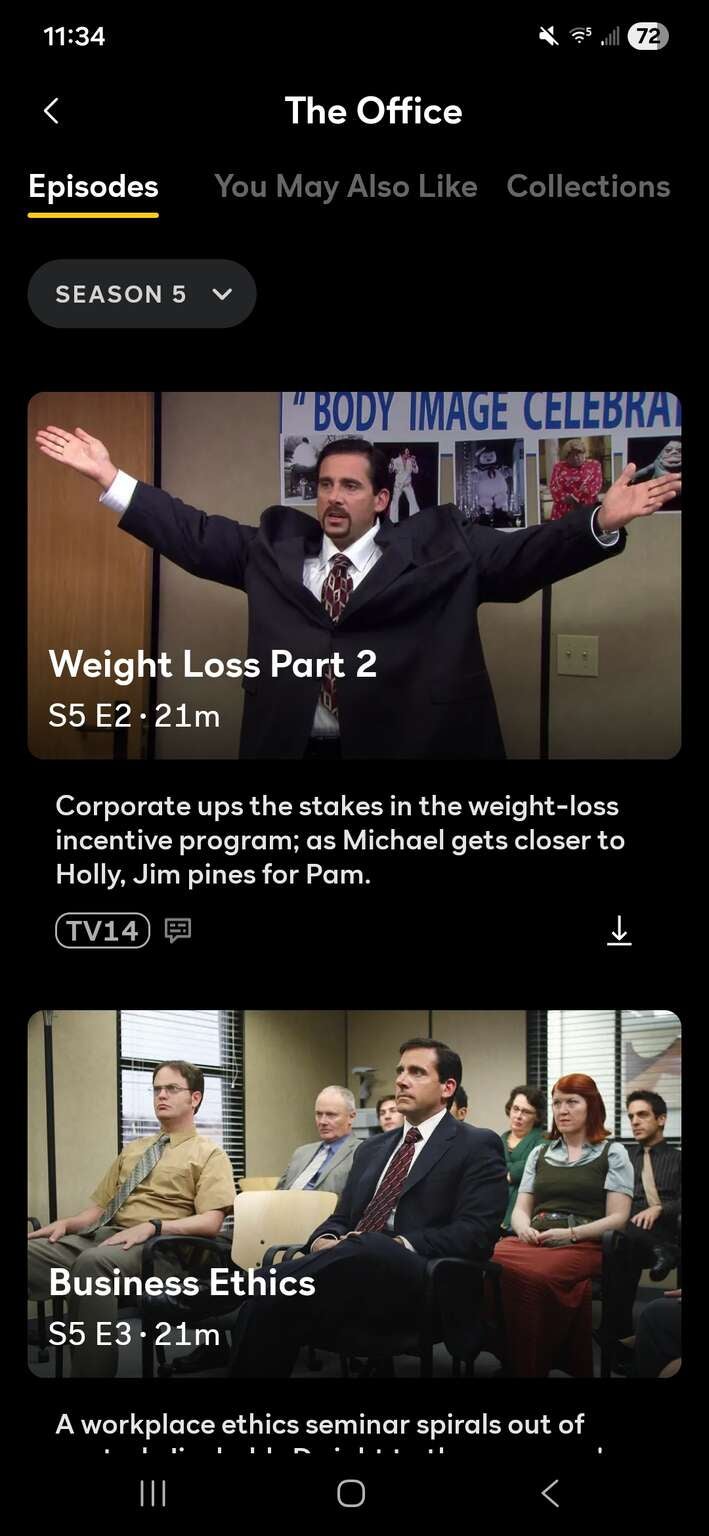
- Locate the download button; for TV shows, it will be in the episode listings, and for movies, it will be under the play button.
Download buttons are easy to locate on Peacock’s app, whether for TV episodes or movies.
Click an image to expand to full size.
How to watch downloads on Peacock
Your downloads will be available in the Downloads tab at the bottom of the screen in the Peacock app.
How long do you have to watch downloads on Peacock?
Your downloads will be automatically removed from your Peacock account after 30 days if you do not watch them. Any titles you start but do not finish will be removed from your downloads after 48 hours.
Is all content on Peacock available for download?
No, there are some titles you will not be able to download with your Peacock subscription. In addition, some movies and shows that are eligible to be downloaded can only be downloaded up to 10 times per account.
How many titles can you download with Peacock?
Peacock will allow you to download up to 25 TV episodes and movies at a time.
How to delete a downloaded TV show or movie on Peacock
- Open the Peacock app.
- Select the ‘Download’ icon in the bottom-left corner.
- Select the content you want to delete.
- At the bottom of each downloaded content, select the icon that says ‘Downloaded’ with a checkmark and select the ‘Delete Download’ option.

Peacock
Peacock is a subscription video streaming service from NBCUniversal that includes original shows, blockbuster movies, and classic television series. Peacock is home to “Yellowstone,” “The Office,” and original hits like “Poker Face” and “Bel-Air.” You can also watch live sports and NBC programming, including the NFL, MLB, WWE, the Olympics, the Premier League, NASCAR, the French Open, college football and basketball, and the PGA Tour. Premium Plus subscribers can stream their local NBC feed in all 210 markets.