The new Roku Streaming Stick is your perfect streaming companion, at home or on the go
The new Roku Streaming Stick is your perfect streaming companion, at home or on the go
Taking your Roku wherever you go has ever been easier.


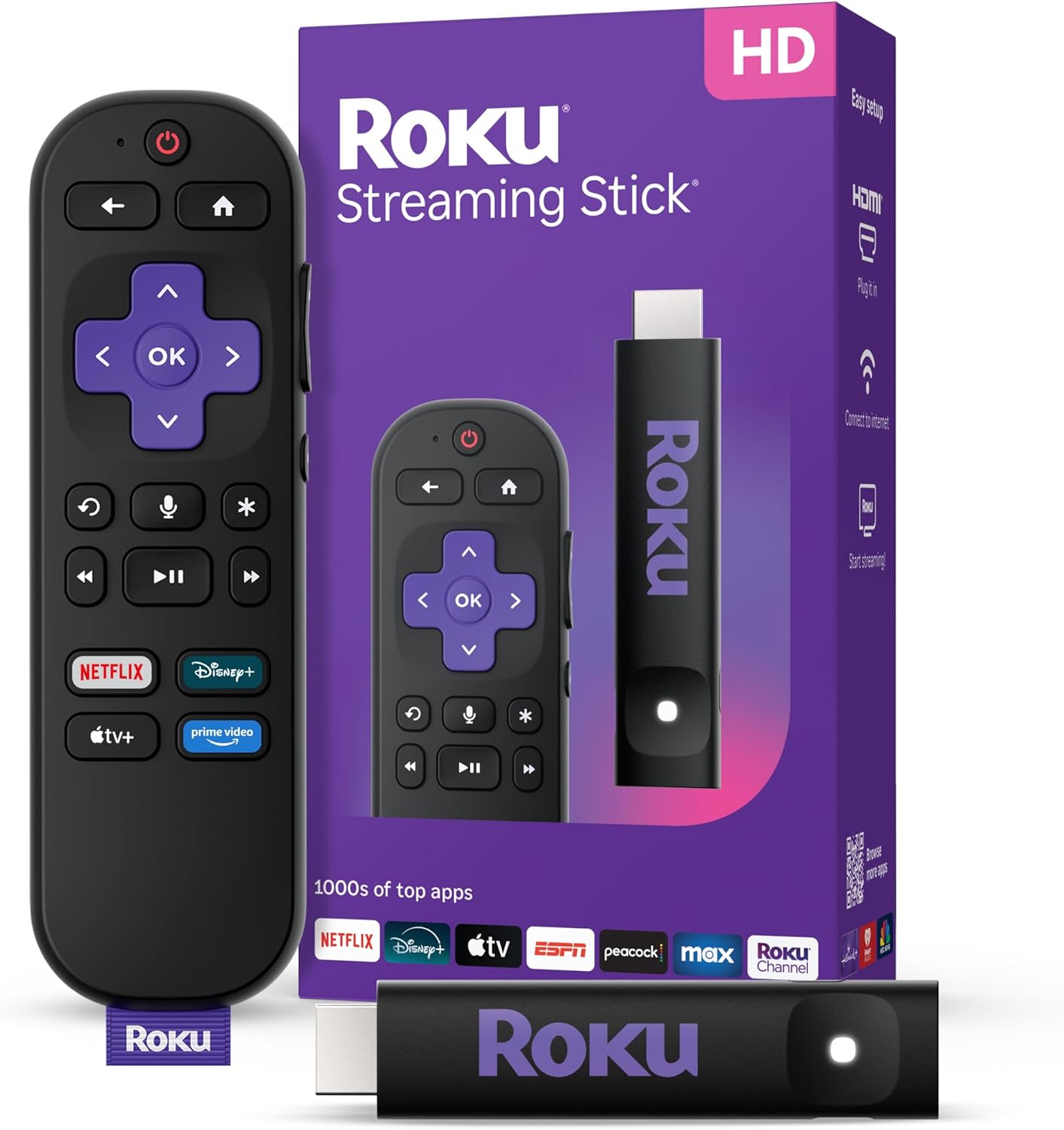
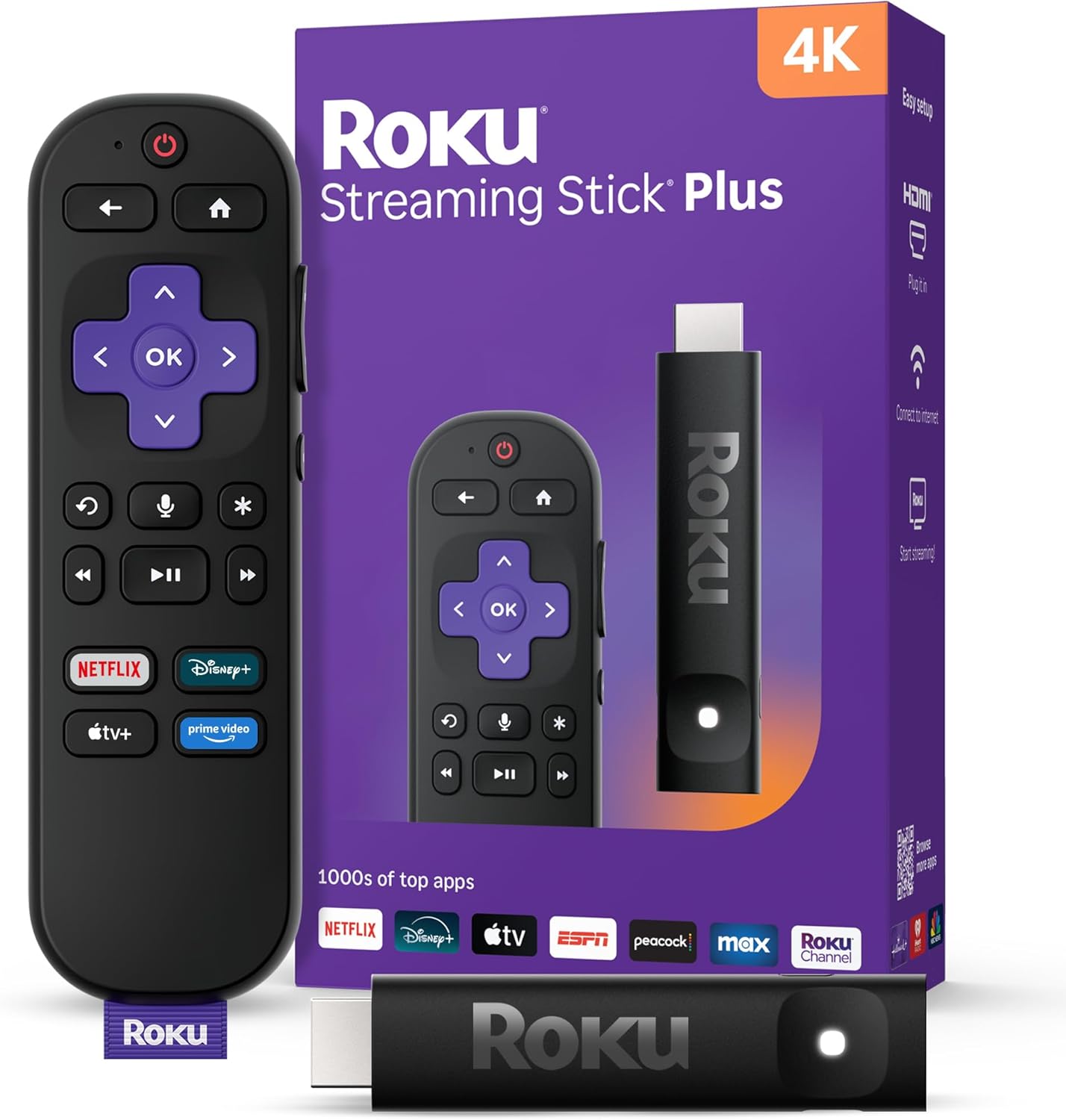
Roku has been rather busy in the past few weeks. In addition to billions of hours streamed and the acquisition of streaming service Frndly TV, the company has also unveiled new streaming hardware in the form of the Roku Streaming Stick and Roku Streaming Stick Plus. Both devices feature a smaller form factor than previous hardware, but much of the software is left unchanged, and that’s not necessarily bad for Roku fans. Read on to see what’s new and why you’ll want one of these budget devices for your next road trip.
Roku Streaming Stick 2025 review
First impressions

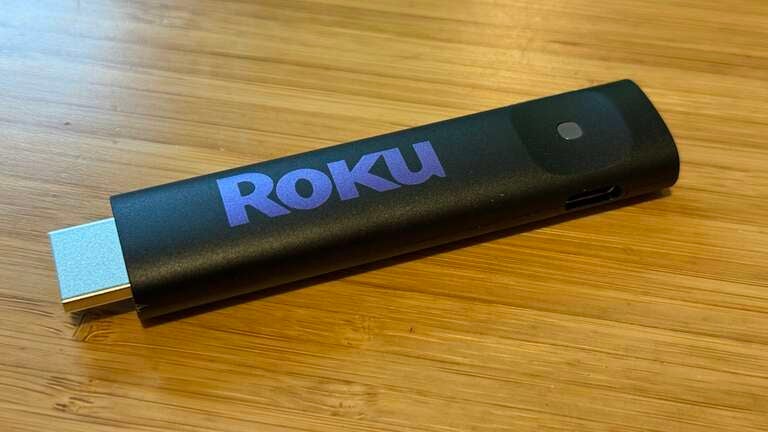
Right off the bat, you’ll notice that the device is much smaller than previous versions. Roku aims to make these devices easy to travel with, and they’ve done a great job at that. For years, I have kept my old Fire TV stick in my carry-on baggage to make streaming easy on the go, but when it comes to portability, the new Roku device takes the cake. You can streamline even further by leaving the remote at home and using the Roku app when you’re on the go. What makes this new device so attractive, beyond its diminutive size, is that you’ll be able to pack down smaller than ever before, but still have your favorite streaming platform with you, no matter where your travels may take you.
Then again, you may want to take the remote along for the ride as well. The Roku Streaming Stick and Roku Streaming Stick Plus both come with the Roku Voice Remote, giving you easy access to media controls and volume buttons, as well as quick launch buttons (for pre-determined services).
I typically use my remote when at home, but when I travel, I do find it much easier not to have to worry about leaving the remote in my hotel room or having to find somewhere to replace the batteries if and when they die. So, I tend to think that just using the very robust Roku mobile app makes the most sense. I have had issues from time to time with hotel WiFi networks, but overall, not having the remote hasn’t been too much of an issue.
Roku Streaming Stick promo
In the box
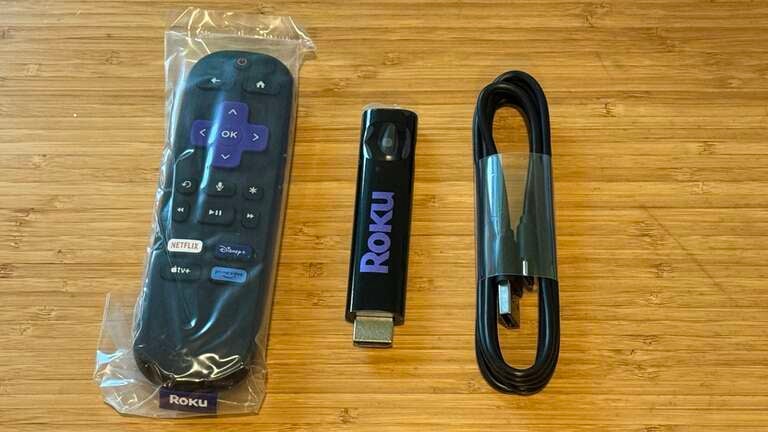
With a small device comes small packaging. Contained within the minimal rectangular box is the Roku Streaming Stick, Roku Voice Remote (with preinstalled batteries), and a USB-A to USB-C power cable. There’s no power brick to be had, which surely saves on price and packaging space. You can easily plug the cable into any USB power source, including most modern TVs. Instructions are also basic, but I appreciate how the initial setup steps are printed on the inner packaging. No boring manuals to flip through — just easy, four-step instructions to get up and running in minutes.
Specs
Whether you’re a longtime Roku user or exploring new streaming options, the Roku Streaming Stick offers a compelling mix of affordability, performance, and ease of use. Priced at just $30, it’s an excellent way to enhance your streaming experience without breaking the bank, while also being one of the smallest streaming devices you’ll find.
Plug the Roku Streaming Stick into any device with an HDMI port and you’ll have instant access to Roku’s intuitive, user-friendly interface. A quick setup takes only a few minutes and you’ll be up and running. Existing users will have an even quicker go of it. Once set up, there’s really nothing left to do but start streaming.
Navigate easily through a vast catalog of streaming apps (called “channels” on Roku), including Netflix, Hulu, Disney+, and hundreds more. Use the search function from the home screen or on your voice remote to find what you need and install it. You’ll also get access to free ad-supported streaming TV (FAST) channels, curated content collections, and the Roku Channel loaded with movies, shows, sports, news, and more.
If you want to take things up a high-definition notch, the Roku Streaming Stick Plus is a worthy upgrade. For just $10 more (still just $40), it adds support for stunning 4K HDR resolution. You’ll enjoy sharper picture quality, more vibrant colors, the same streamlined Roku interface, an extensive app library, live TV options, and the same voice remote. If you are trying to decide between these two devices, just go straight to the Plus as it’s the better buy in my opinion.
User interface and experience
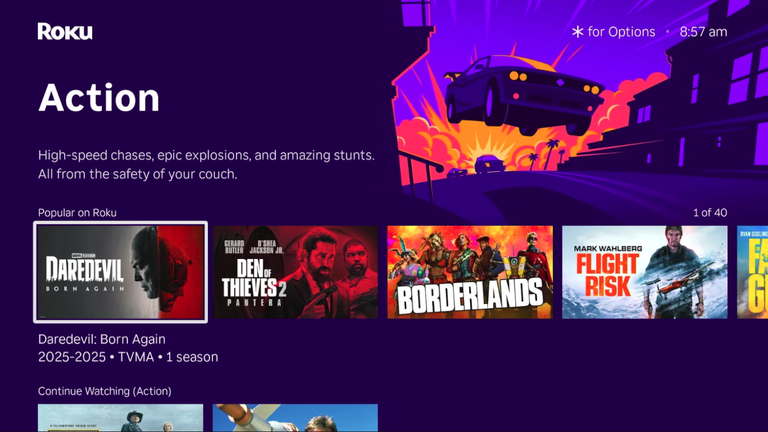
If you’ve used a Roku device before, you’ll feel right at home — the user interface and core features remain unchanged. Roku has stuck with its tried-and-true design, so from a software perspective, there’s nothing dramatically different you will have to get used to. This familiarity makes transitioning from an older model to a newer one seamless.
Once you power up the device, you’re greeted by the signature Roku home screen. The layout is intuitive and straightforward; the main navigation menu is positioned on the left side of the screen, giving you quick access to your Home, Settings, Search, and other key areas. On the right, your installed apps — “channels” in Roku’s ecosystem — are arranged in a clean, scrollable grid.
From this central hub, you can do just about everything: add or remove channels, adjust system settings like display type and network preferences, initiate searches across multiple streaming services, and check out personalized recommendations. You can also manage inputs, pair Bluetooth devices, set up parental controls, or restart or update your device directly from the settings menu.
Roku’s minimalistic approach helps keep things straightforward, whether you’re a longtime user or just getting started. It’s not flashy or packed with gimmicks, but it works — and that reliability is a big part of what keeps users returning.
Roku OS key features
- Discover Sports Zone: Stream live events, exclusive broadcasts like MLB Sunday Leadoff, and top sports apps all in one place.
- Stream Live TV with ease: Explore 500+ free live TV channels with the Live Guide, now with a highlights row for quick access to favorite content.
- Transform your TV: Enjoy Daily Trivia or elevate your screen with stunning Backdrops.
- Personalized to you: From live TV to sports, food, and home content, find fresh and exciting content tailored to you in our curated destinations.
- Voice search made simple: Click a button, say a title, and dive into your next watch.
Voice control & mobile integration
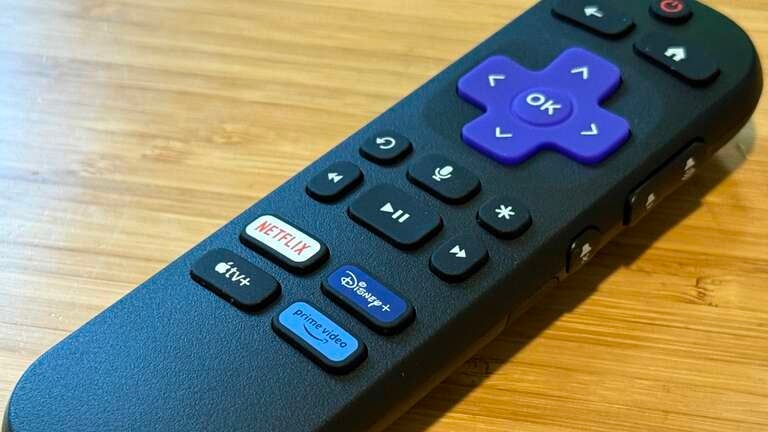
While the core interface hasn’t changed much, Roku has continued to expand its feature set behind the scenes. Voice control is now more integrated than ever. You can use the Roku remote with built-in voice support to search for titles, open apps, control playback, or even switch inputs by speaking. You can pair your Roku with a compatible intelligent assistant like Alexa, Google Assistant, Home Assistant, or Siri (via AirPlay and HomeKit), giving you hands-free control as part of your smart home setup.
In addition to voice features, the Roku mobile app adds another layer of convenience and — as I’ve said — is my preferred remote when traveling. Available for both iOS and Android, the app effectively turns your smartphone into a fully functional Roku remote. It also offers private listening via headphones, keyboard input for easier text searches, and the ability to browse and launch content directly from your phone. Plus, with features like casting photos and videos from your device to the TV and using voice search through the app, it becomes a powerful companion to the on-screen experience.
As I said earlier, I love being able to use the mobile app in lieu of the physical remote, but you still might want to pack the remote as WiFi can be finicky when traveling, especially in hotels and rental properties, which could leave you stuck with no way to control your Roku device.
Portability
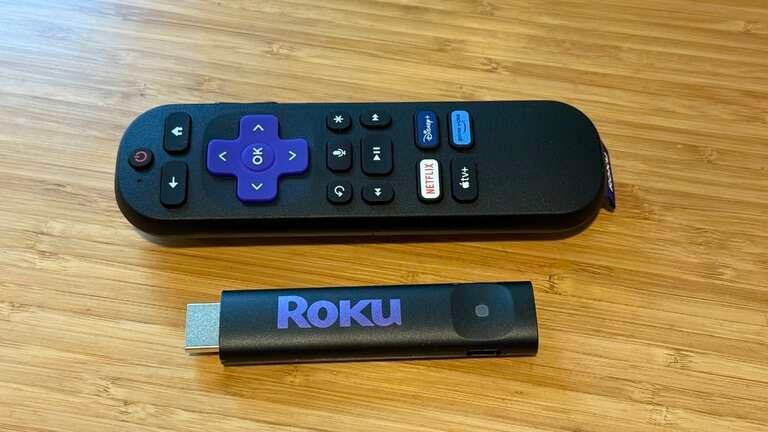
You’ve probably realized at this point that the Roku Streaming Stick and Roku Streaming Stick Plus’ best feature is their new streamlined size. While previous devices from Roku (and others like Amazon’s Fire TV Stick) were already small, these new devices make taking them along for any length trip much easier than before.
You can even ditch the physical remote when you hit the road and use the Roku app as you’re universal control. Remember that this may be finicky depending on WiFi networks and other factors, so if you want a sure thing when on the go, take the remote along as well. Of course, you’ll also need an accompanying USB power adapter as well.
All that being said, these really are the best devices from a portability perspective that you can currently buy. They aren’t much bigger than a USB drive (longer, yes), but the pocketability factor is 10 out of 10.
Final thoughts
Overall, while the new Roku Streaming Stick and Roku Streaming Stick Plus aren’t huge upgrades over existing hardware, they are both great examples of how small and budget-friendly a streaming device can be. I had no problems packing up my old Roku Express and hitting the road, but with the Roku Streaming Stick, I can now easily put it into my tech pouch and take up even less space than before.
Sure, there are no crazy updates to the UI or experience when using a Roku device, but that’s not what Roku was aiming for here. Pushing out this new hardware at a budget price will certainly entice new and existing users to pick one up for streaming at home or traveling across the country. You’ll be able to enjoy the same Roku streaming experience no matter where you land, making it a no-brainer for many frequent travelers.
Do you need to buy one of these right away? For most people, maybe not. I have Roku devices on three TVs in my house that I don’t plan to upgrade anytime soon. This Streaming Stick will go right in my travel bag for my next road trip, but there’s no need to swap out any of my other devices for now. If you’re still rocking old hardware and want to bump up your experience, the Roku Streaming Stick Plus is a worthy upgrade to get 4K HDR streaming.
That also begs the question as to why there needed to be two versions of the new device. I get that $10 is a decent price difference that some may not want to spend, but with the only true benefit from the base model to the Plus being the 4K HDR upgrade, I’m not sure there’s a solid reason to have two variations without other benefits for the beefier model.
The Roku Streaming Stick and Roku Streaming Stick Plus are available for purchase today at various retailers.
Shop Roku devices