Here’s how you can use Apple Music on your Roku TV
Here’s how you can use Apple Music on your Roku TV
If you own a Roku streaming device or smart TV, we’ll show you how to use it to access your Apple Music subscription!

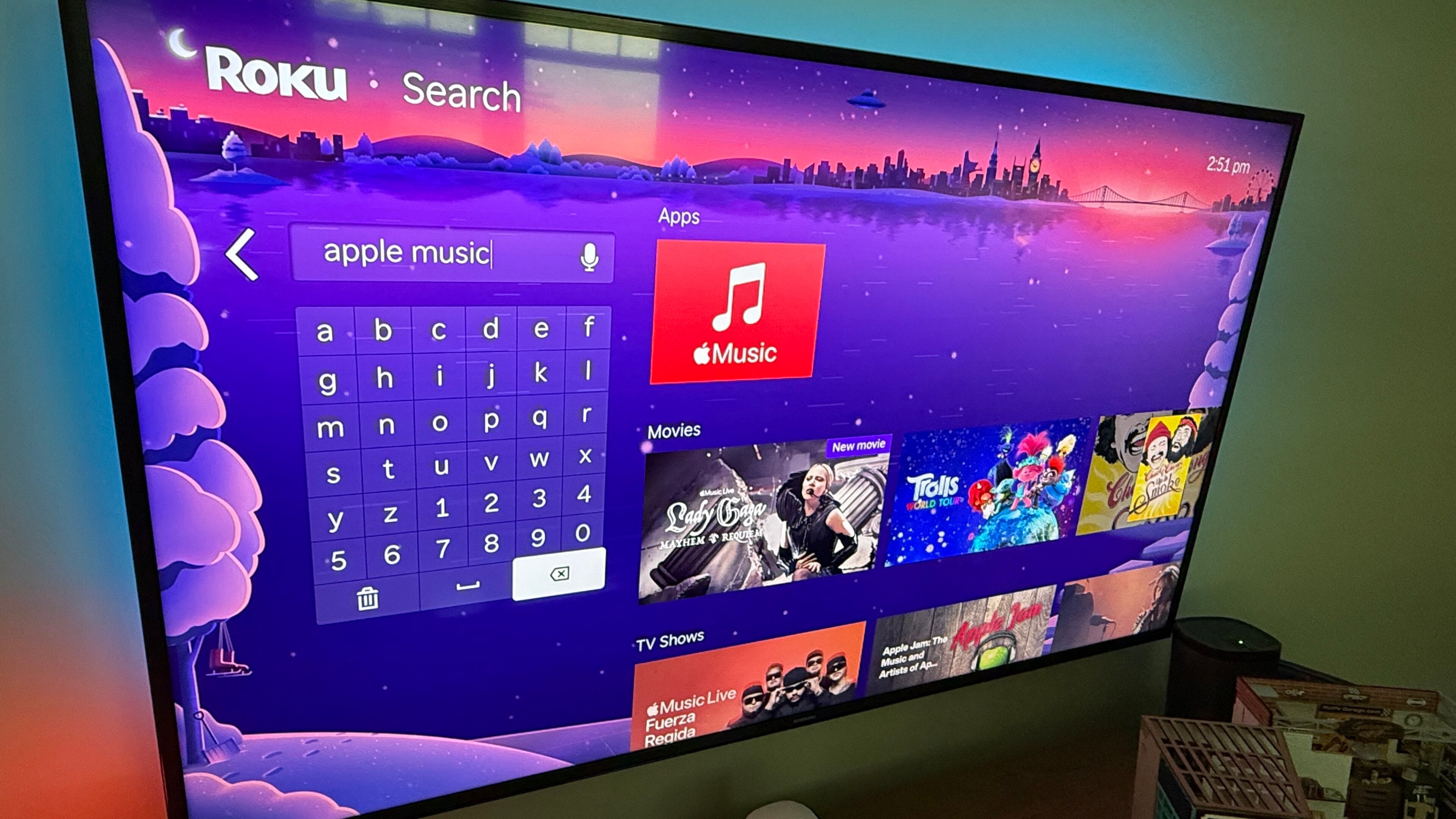
Roku is one of the most-used connected TV operating systems in the United States. Viewers keep coming back to Roku because of its ease of navigation, multiple customization options, and the availability of thousands of top TV, movie, and music streaming apps.
Apple Music is also one of the most-used products in its market. The streamer offers a library of hundreds of millions of songs, high-quality audio, exclusive content, and other features.
But do they work together? How can a Roku device be used to get the most out of an Apple Music subscription? Find out everything you need to know to use Apple Music with your Roku smart TV or streaming device below.
Everything you need to know about using Apple Music on Roku
How to connect Apple Music to your Roku device
It’s a very simple process to link your Apple Music account to your Roku device, as long as you have your mobile phone handy.
Just follow these step-by-step instructions to get started:
- Press Home on your Rok remote, then scroll down to search.
- Search for the Apple Music app.
- Install the app on your device.
- Open Apple Music and follow on-screen prompts to connect to your account with your phone, or type your login credentials into the appropriate fields.
What voice commands can you give Roku when listening to Apple Music?
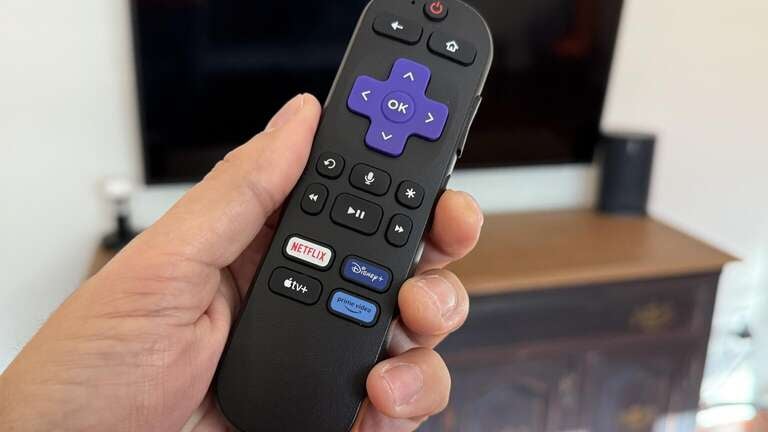
You can use the voice assistant built into every modern Roku remote to exercise control over your Apple Music session with a lot less clicking around. Just press and hold the microphone button on the Roku voice remote to enter voice commands.
Then, you can use Roku voice to:
- Open and close Apple Music.
- Start playback on a specific song or genre.
- Call up more information about a specific track.
- Manage playlists.
- Search for artists or albums.
- Pause, rewind, fast-forward, or repeat songs.
- Rate and choose favorite songs.
Can you play Apple Music on multiple Roku devices at once?
You will not be able to log into the same Apple Music account and play the same content simultaneously. However, Apple Music Family Plan subscribers can stream on up to six devices at once, so listeners can access their own account on a Roku device even if another family member is listening on a different device.
Do you need an Apple Music subscription to listen on Roku?
Yes, Apple Music is a subscription-only audio streaming service. To use it on a Roku device or on any other device or web browser, customers will have to have a subscription to an Apple Music Individual or Family plan.

Why listen to Apple Music on your Roku device?
Using your Roku device to listen to Apple Music can harness your TV’s speakers to turn your living room into your personal concert venue. Any soundbars or speakers connected to the set your Roku is plugged into will only enhance this experience, unlocking a high-quality listening session every time you want to find a new favorite song or dig up a comfort album.
Apple Music also includes a large library of music videos, many of which support UHD 4K playback. If your Roku and TV also support 4K display, using your Roku to watch videos on Apple Music will let you watch them in the best resolution possible.
Roku devices such as the Roku Ultra support spatial audio through Dolby Atmos, and it just so happens that Apple Music offers thousands of songs in this premium configuration. Listening to Apple Music through your Roku device will allow you to hear these tracks in the best possible audio quality if it supports spatial audio and Dolby Atmos.
And don’t forget, you can use the Roku mobile app to connect your headphones to a smartphone and listen to your Apple Music session privately on your phone. Roku Streambar and Ultra players allow for direct Bluetooth connection as well.
Making your Roku your primary Apple Music listening device is a shrewd way to make sure you’re having the best experience every time you want to listen. It’s easy to do, and highly rewarding once you’ve got your account linked.