Fire TV vs. Apple TV: which device is right for you?
Fire TV vs. Apple TV: which device is right for you?
We’ll explore all the important facets of each streaming device, so you can decide which is the best fit for your streaming needs.

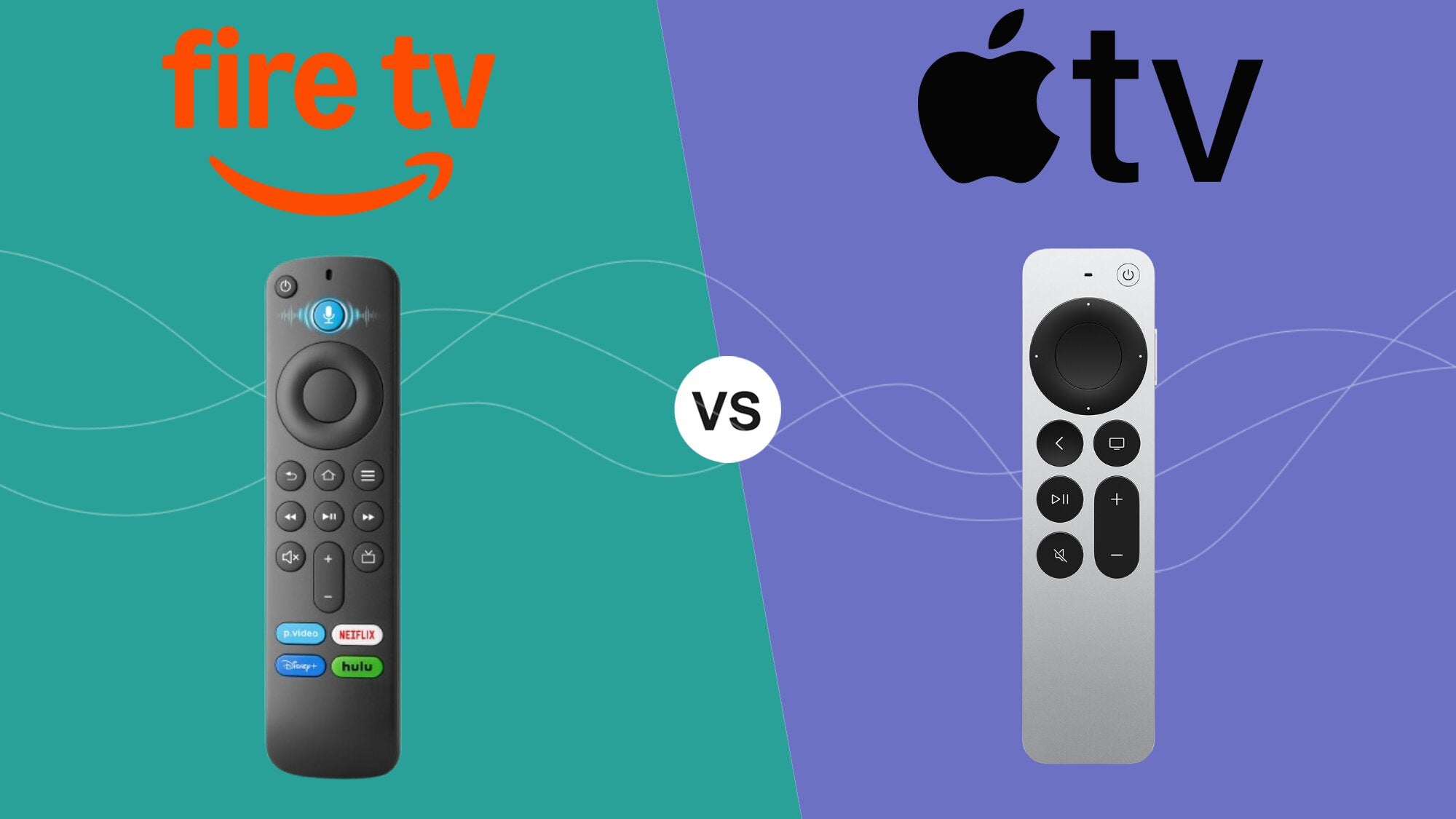
It’s hard enough to know in this streaming-first entertainment world which services to subscribe to. Picking between streamers can be a full-time job, as can keeping track of the subscriptions you have and the content available on each one.
Choosing the hardware you’re opting to stream on can be just as difficult, which is why The Streamable wants to step in to help our readers pick. If you’ve narrowed down your choices to an Amazon Fire TV player or an Apple TV, but aren’t sure which is the best choice for you, let us help you sort through it.
Check out our guide below to find out all the details you need to know about the Apple TV and Fire TV user interfaces, the capabilities and technical specifications of each device, and much more. Keep scrolling to find out everything you need to know to choose between an Apple TV or a Fire TV device!
Apple TV or Fire TV — which is right for you?


2026 device lineups
Amazon Fire TV
| Stick HD | Stick 4K Select | Stick4K Plus | Stick 4K Max | Cube | |
|---|---|---|---|---|---|
| Video | 1080p Full HD | 4K Ultra HD | 4K Ultra HD | 4K Ultra HD | 4K Ultra HD |
| Audio | Dolby-encoded | Dolby-encoded | Dolby Atmos | Dolby Atmos | Dolby Atmos |
| Remote | Alexa Voice | Alexa Voice | Alexa Voice | Alexa Voice Enchanced | Alexa Voice Enchanced |
| Storage | 8GB | 8GB | 8GB | 16GB | 16GB |
| Connectivity | Wi-Fi | Wi-Fi | Wi-Fi | Wi-Fi | Wi-Fi & Ethernet |
Apple TV
| Apple TV 4K (64GB) | Apple TV 4K (128GB) | |
|---|---|---|
| Video | 4K Ultra HD | 4K Ultra HD |
| Audio | Dolby Atmos | Dolby Atmos |
| Remote | Siri voice | Siri voice |
| Storage | 64GB | 128GB |
| Connectivity | Wi-Fi | Wi-Fi & Ethernet |
Comparing remotes
Streaming device remotes are always a little jarring when first unboxing them. Older TV remotes seemed to follow the philosophy that more is more, with so many buttons that not even experts could tell you what all of them were supposed to do.
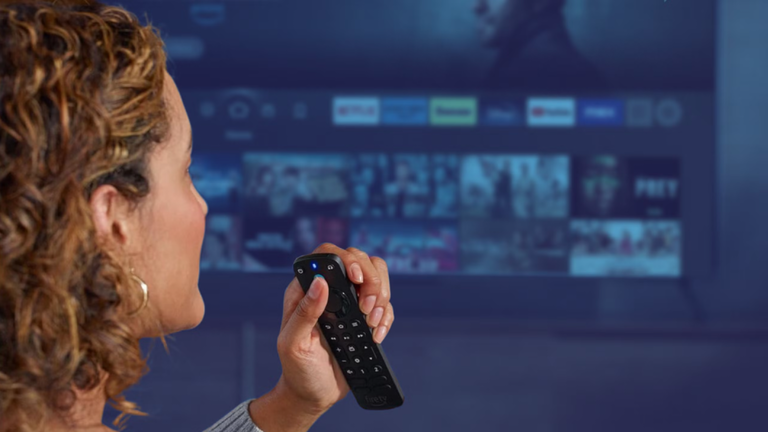
These days, streaming device remotes remove most of the superfluous buttons for a more slimmed-down experience. The Fire TV remote is a good example; it’s got all the buttons you need, from volume controls to a D-pad for easy navigation to shortcut buttons at the bottom for faster access to favorite streaming apps. It’s a little slim in the hand, but other than that, I can say I’ve had few complaints about my many Fire TV remotes over the years.
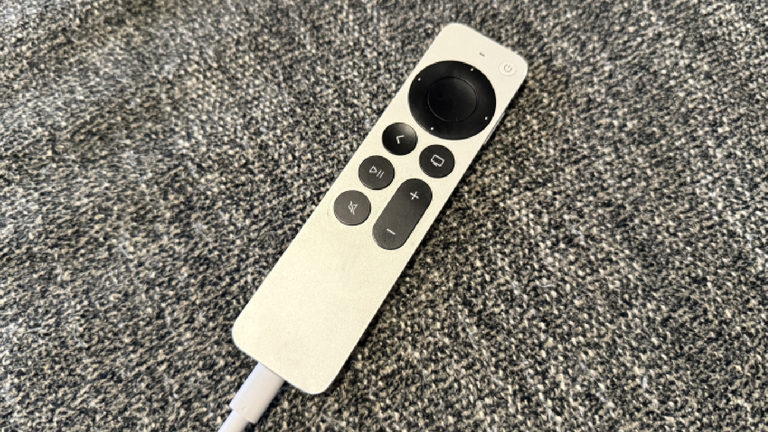
The Apple TV remote is a different beast altogether. It shares some of the same buttons that the Fire TV remote has, including volume controls, a D-pad, a home button, a play/pause button, a mute button, and a microphone button. But the remote also samples from Apple’s trademark minimalist style, with no shortcut buttons for streaming apps.
There are certainly more buttons found on a Fire TV remote, though Apple TV aficionados would likely argue that the device’s remote doesn’t need as many buttons to be effective. The Siri button is palced on the side of the Apple remote, as well, making the user experience more streamlined for some, but likely leading to a few accidental presses as well.
Neither of these remotes is objectively “better” than the other, and both are easy to use after a short adjustment period. But there are key differences for shoppers to be aware of.
UI and navigation
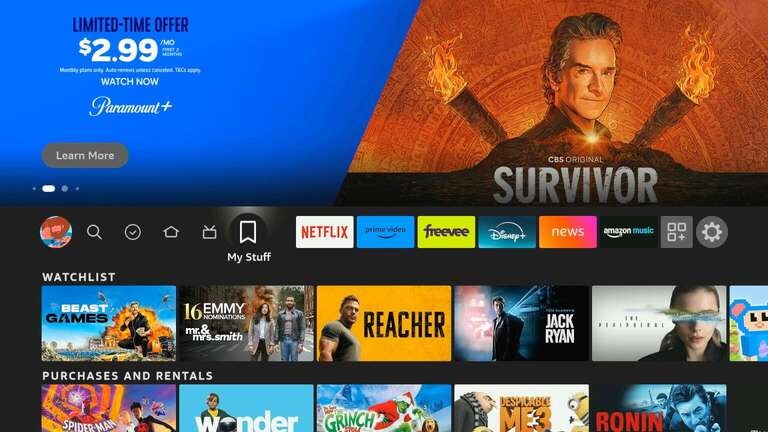
The Fire TV user interface is pretty easy to dive right into, though it can feel like Amazon is trying to advertise at you at basically every turn. A massive hero banner at the top of the screen begins autoplaying a carousel of videos that will include ads, placements for content on Fire TV, and more.
There are lots of shortcuts on the Fire TV home page, including rows for your most-recently used apps, a Continue Watching row that aggregates content from across Prime Video and participating third-party streamers, and more. Its user interface is clearly intended to guide viewers to content, but it can feel a bit cluttered, or even worse, like Amazon is just trying to sell you something and disguising it as an attempt to give you more to watch.
Once again, Apple TV does things very differently. It has a top-of-screen hero banner with a carousel of titles that it scrolls through, but past that, the Apple TV user interface feels a lot more like an iPhone than an Apple TV player. Viewers will see content from the Apple TV streaming service prominently, but can also shift the Apple TV home screen to customize their view a bit more.
Apple TV may feel a bit more tech-forward, but that can sometimes leave users feeling a little left behind. The Fire TV interface, on the other hand, is a content-first experience, though it sometimes encourages the notion that Amazon wants you to buy things more than it wants you to watch TV.
Voice
Voice assistants are a key way to unlock all the features of your streaming player. They can help you search for content, open apps more easily, and get the most out of your smart home devices. Amazon’s new AI-augmented voice assistant Alexa+ takes voice assistant technology to the next level, allowing for a conversational user experience.
Alexa+ allows customers to use queries like “Show me rom-coms with a retro feel” or “Which movie starring Denzel Washington is about police corruption?” Plus, it will help viewers exert total control over Ring doorbell cameras, Echo smart speakers, and other smart home gadgets. Viewers can even go hands-free with the voice assistant using the Fire TV Cube.
The Siri voice assistant is also highly advanced, allowing viewers to switch between apps, play music, navigate to live sports channels, or even find an iOS or macOS device. It will also allow the user to control their Apple Home products with simple voice commands.
Consumers may find that Alexa+ gives them more functionality and a smoother user experience than Siri for the moment. In late April 2026, reports spread that Apple was delaying the launch of its next 4K TV model so that it could build a more advanced version of Siri to offer with the device.
Features
Basic functionality is a must with any streaming device, but having great features can really put a streaming player over the top. So, is it Fire TV or Apple TV that offers the best features?
Free TV
Here, the advantage is all with Fire TV. Customers can find a live TV guide filled with free streaming channels within the Fire TV user interface, complete with a grid-style layout that pay-TV customers of old will be quite familiar with. Fire TV offers hundreds of free streaming channels in dozens of different genres.
Customers who have an over-the-air receiver, such as an antenna, can plug it into their set, then see the channels unlocked included in their Fire TV live guide as well. Fire TV collates all live channels into one spot for easy navigation, and when you install free streaming apps like Tubi and Haystack News, their channels will be integrated with Fire TV’s guide as well.
Apple TV does not offer this kind of layered approach to free TV. Viewers can still download free streaming apps to their Apple TV device to watch, but these channels will not be folded into a live guide. Viewers will have to seek out the apps themselves to find and watch free TV with the Apple TV device.
App ecosystems
Both Apple TV and Amazon Fire TV offer thousands of apps, including all of the top streaming apps on the market. It’s pretty difficult to sideload apps onto either device now, particularly as Amazon’s new VegaOS specifically prevents users from doing so.
Both device types are also pretty integrated with their specific ecosystems. Amazon, for example, will show you pictures from your Amazon Photos account in its ambient experience, but won’t be as functional with other photo apps. Apple TV also works best with Apple Home products, but viewers can use bridging software like Homebridge to add non-Apple products to their HomeKit.
Gaming
Most people don’t buy a streaming video player because of how much access to video games it offers, but it’s worth pointing out that Amazon Fire TV players offer access to the Luna app, unlocking a rotating selection of free games for Prime customers without needing a console.
Apple TV will also let customers play games with an Apple Arcade subscription. But there are no free games for Apple TV owners; Apple Arcade subscriptions start at $7 per month. A max refresh rate of 60Hz limits the Apple TV as a gaming platform, however.
Which should you choose?
If you’re still left wondering whether the Apple TV 4K or Amazon Fire TV is right for you, let us help give you some additional clarity. If you want a high-quality streaming device that offers a tech-first interface and expert functionality, the Apple TV 4K is the best choice for you. It’s especially handy for those who already have an expensive home theater setup that demands perfection; the Fire TV Cube is the only truly comparable model in the Fire TV line to the Apple TV 4K, and Apple’s player has at least four times the internal storage of the Cube.
But if shoppers are looking for a device with a range of price options and a really simple user interface, Fire TV is the best choice. Fire TV devices range in price from less than $50 to over $100, allowing buyers to tailor their purchase more specifically to their needs. Apple TV may have a more slick visual style, but Fire TV provides a meat-and-potatoes streaming experience that most customers will get along just fine with.