What are the best streaming devices for casting and mirroring?
What are the best streaming devices for casting and mirroring?
Want to cast content from your smartphone to your TV? Here are the devices that support it.


Depending on your age and level of tech savviness, you might not be familiar with the terms “casting” or “mirroring,” but you‘ve probably already been doing it for years. For example, when you click an icon to send the YouTube video you’re watching on your smartphone to your living room TV, that’s casting — it dates back to the original Chromecast device in 2013, long before smart TVs and other streaming devices supported it.
Casting has become more sophisticated and widely available since then, but it’s still pretty simple, and these days, almost every streaming device supports it. There are numerous reasons you’d want to cast from one device to another — your phone, tablet, or computer — to your TV, for instance. Let’s look at the casting capabilities of Roku, Amazon Fire TV, Google TV, and Apple TV gear.
Everything you need to know about casting and mirroring
Roku
Roku Ultra
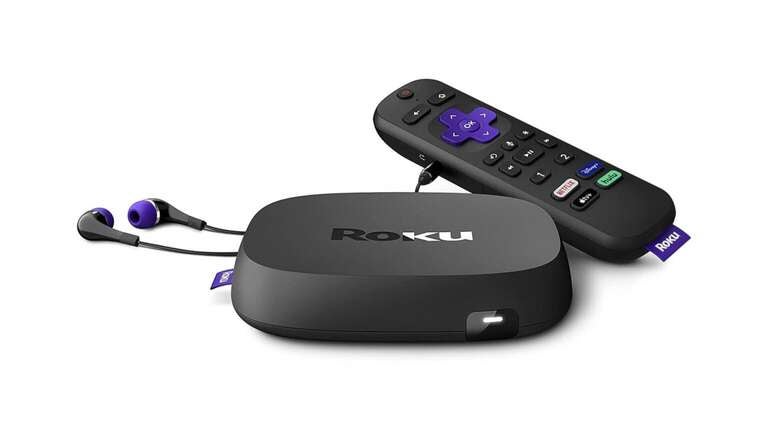
- Price: $100
- Size: 4.9 x 4.9 x 0.9 inches
- Resolution: HD, 4K, HDR, Dolby Vision
- Audio: Digital Stereo, Dolby Atmos, DTS Digital Surround
- Ports: HDMI, USB, Ethernet
- Remote: Roku Voice Remote Pro
The Ultra, Roku’s top-of-the-line streaming box, comes with 4K, Dolby Vision, and Dolby Atmos capabilities, as well as a USB-C rechargeable Roku Voice Remote Pro. It also features a USB port for viewing outside content and an Ethernet port for a direct internet connection.
The Roku Ultra also supports casting from mobile apps to their related streaming TV apps. YouTube, YouTube TV, and YouTube Music can be cast through the Roku Ultra, as can Google TV, Netflix, Hulu, HBO Max, Twitch, Spotify, Apple Music, Plex, and many more.
Like all Roku devices, the Ultra is Android-based, supporting casting from most apps.

Roku Streambar
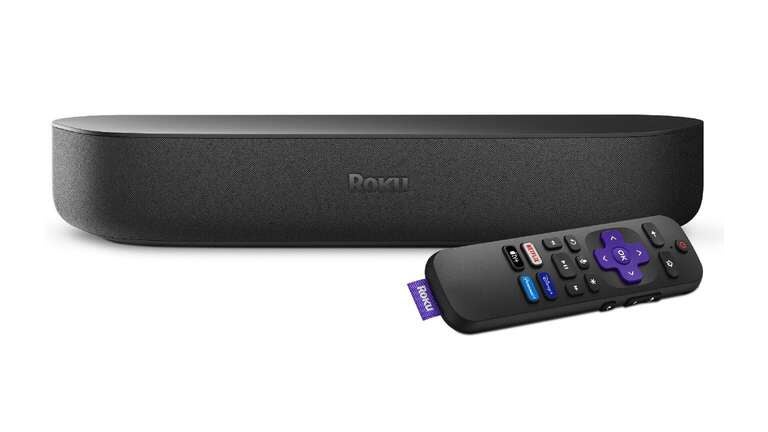
- Price: $130
- Size: 14.0 x 4.2 x 2.4 inches
- Resolution: HD, 4K, HDR
- Audio: Digital Stereo, Dolby Audio, PCM
- Ports: HDMI, USB, optical audio
- Remote: Roku Voice Remote
The Roku Streambar and the smaller Streambar SE are streaming devices and soundbars rolled into a single package. They’re not as full-featured as the Ultra or some of Roku’s Streaming Sticks, but they can get the job done in tighter spaces like dorm rooms and apartments with richer audio.
All Roku devices support casting from mobile devices like phones, tablets, and laptops, including apps like YouTube, YouTube TV, YouTube Music, Google TV, Netflix, Hulu, HBO Max, Prime Video, Spotify, Apple Music, Paramount+, and many more.

Roku Streaming Stick 4K
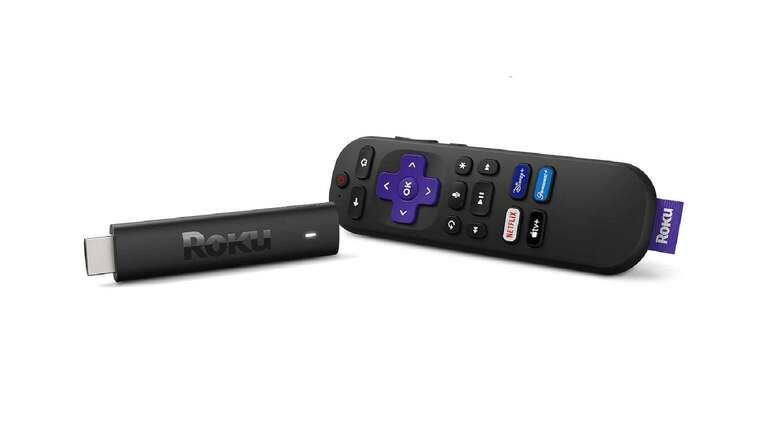
- Price: $50
- Size: 3.7 x 0.8 x 0.5 inches
- Resolution: HD, 4K, HDR, Dolby Vision
- Audio: Digital Stereo, DTS Digital Surround
- Ports: HDMI, USB
- Remote: Roku Voice Remote
Despite its tiny dimensions, the Roku Streaming Stick 4K can do almost everything the Ultra can, including Dolby Vision and DTS Digital Surround. It’s the most powerful of Roku’s Streaming Stick line and great for both stay-at-home and on-the-go viewing.
The Streaming Stick 4K has all of the casting capabilities of Roku’s other models — just press the rectangle with airwaves on the top right of the app, and you’re casting. While casting, you can fast-forward, rewind, turn on captions, and operate other controls from your mobile device.

Roku Streaming Stick Plus
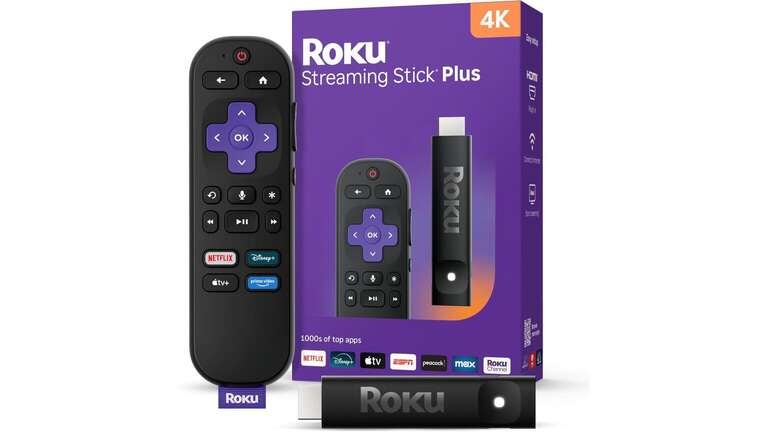
- Price: $40
- Size: 3.7 x 0.80 x .45 inches
- Resolution: HD, 4K, HDR
- Audio: Digital Stereo, DTS Digital Surround, Dolby Audio
- Ports: HDMI, USB-C
- Remote: Roku Voice Remote
The new-for-2025 Roku Streaming Stick Plus sits between the Streaming Stick 4k and the Streaming Stick in features and pricing. According to Roku, the Streaming Stick Plus was designed with older 4K TVs in mind as an easy and inexpensive upgrade in place of a new TV purchase (though they’d probably still like you to buy a new Roku TV).
The Streaming Stick Plus can cast the same apps as the rest of the Roku family, including YouTube, YouTube TV, YouTube Music, Google TV, Netflix, Hulu, HBO Max, Paramount+, Prime Video, Twitch, Spotify, Apple Music, Plex, and other apps.

Roku Streaming Stick
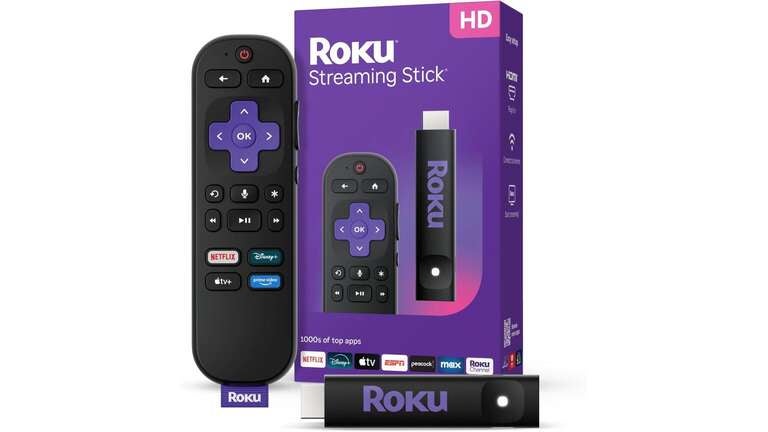
- Price: $30
- Size: 3.7 x 0.80 x .45 inches
- Resolution: HD
- Audio: Digital Stereo
- Ports: HDMI, USB-C
- Remote: Roku Voice Remote
The no-frills Roku Streaming Stick, also new in 2025, only features standard HD picture and digital stereo audio capability, and it replaces the Roku Express as the brand’s budget device (though with a little digging, you can still find cheap Expresses online). It fits in your pocket and can be replaced for just $30 if you forget it at a hotel — an excellent travel streamer, in other words.
The Roku Streaming Stick can also cast from your phone, tablet, or laptop just as its more-expensive counterparts can.
Amazon Fire TV
Amazon Fire TV Cube
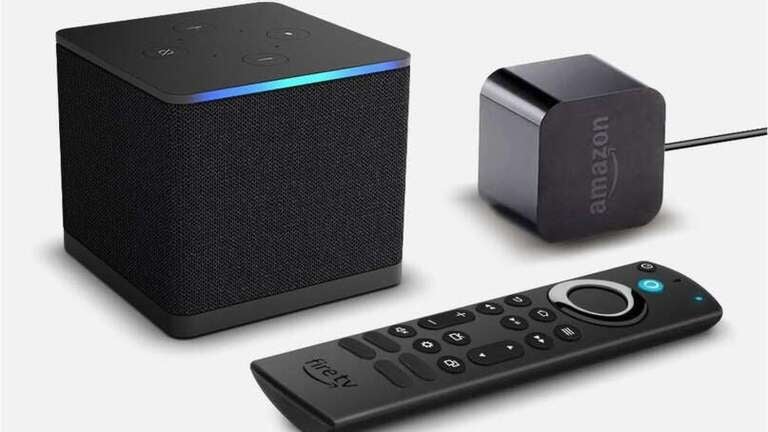
- Price: $110
- Size: 3.4 x 3.4 x 3.0 inches
- Resolution: HD, 4K, HDR, Dolby Vision
- Audio: Digital Stereo, Dolby Atmos
- Ports: HDMI, Ethernet, USB
- Remote: Alexa Voice Remote Enhanced
The Fire TV Cube is Amazon’s luxury streaming device, featuring 4K, Dolby Vision, and Dolby Atmos capability, as well as Wi-Fi 6 and Bluetooth 5.0 LE. Amazon hasn’t released a new Fire TV Cube model since 2022, which means an update may possibly be coming this year or next.
But that update could affect the Fire TV Cube’s casting capacity. It’s been reported that Amazon is moving away from its Android-based operating system to a proprietary system called Vega OS. Should that shift happen, app developers will have to rewrite their current systems to run on Vega OS, which won’t happen overnight.
Until then, Amazon Fire TV’s Android OS allows casting for YouTube, YouTube TV, YouTube Music, Google TV, Netflix, Hulu, HBO Max, Paramount+, Prime Video, Twitch, Spotify, Apple Music, Plex, and most other apps.

Amazon Fire Stick 4K
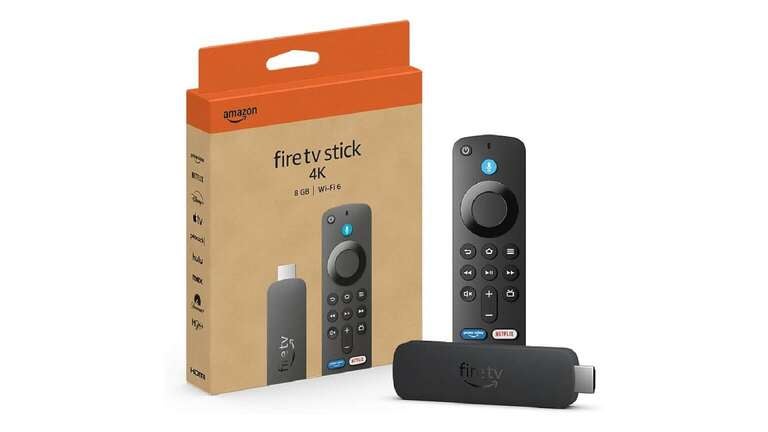
- Price: $30
- Size: 4.25 x 1.18 x 0.55 inches
- Resolution: HD, 4K, HDR, Dolby Vision
- Audio: Digital Stereo, Dolby Atmos
- Ports: HDMI, Micro USB
- Remote: Alexa Voice Remote
The Amazon Fire TV Stick 4K and the double-storage Fire TV Stick 4K Max are full-featured streaming sticks that can handle 4K and Dolby Vision picture, as well as Dolby Atmos audio. They’re a bit chonkier than Roku’s sticks, but they’ll still fit in most tight spaces behind a smart TV.
As for casting, the Fire TV Sticks face the same potential roadblocks as the Fire TV Cube as Amazon rolls out its Vega OS. However, Amazon may have new deals in place with app developers by the time Vega OS arrives — it’s obviously in Amazon’s best interest to make it happen — and the new system’s casting capabilities could be an improvement on the current Android OS.

Apple TV
Apple TV 4K
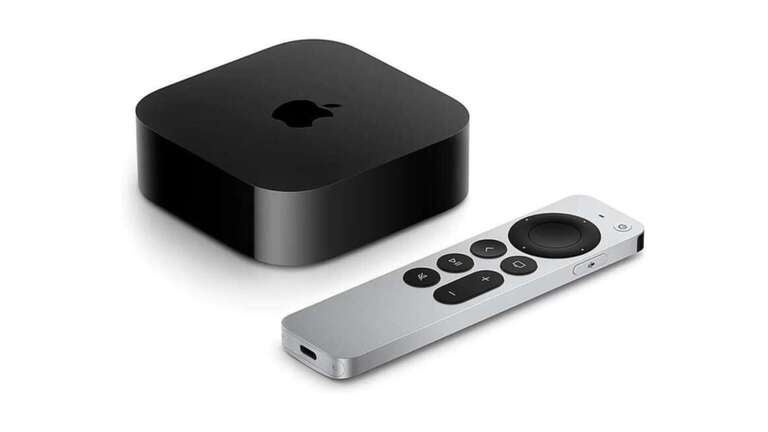
- Price: $160–$190
- Size: 3.7 x 3.70 x 1.2 inches
- Resolution: HD, 4K, HDR, Dolby Vision
- Audio: Digital Sound, Dolby Audio, Dolby Atmos
- Ports: HDMI, Ethernet
- Remote: Siri Remote
The Apple TV 4K, Apple’s premier (and only) streaming box, utilizes Apple’s own AirPlay protocol for casting, meaning it works seamlessly with Apple devices but not all Androids and Android-based apps. Popular Android apps like YouTube can be cast from an iPhone or iPad, but to use an Android device to cast to an Apple device, you’d need a third-party workaround app like AirDroid.
But who are we kidding? If you have an Apple TV 4K, you’re likely already all-in on iPhone, iPad, and Mac. You probably also know your way around Apple’s built-in AirPlay and its ability to cast and mirror content from your mobile device.

Google (Android) and smart TVs
Roku, Amazon Fire TV, and Apple TV aren’t the only devices from which you can cast. One obvious omission from that list is Google’s own ecosystem. You can absolutely cast content to any Android-powered Google TV or Chromecast device, including Chromecast with Google TV. These platforms support casting from a wide variety of apps on both Android and iOS, making them highly versatile. Nearly all smart TVs allow casting as well — Samsung, LG, Sony TCL, Vizio, Hisense, and more.
In addition to these major players, several other hardware devices support casting or have built-in casting capabilities. These include:
Google TV Streamer 4K: The next evolution from the excellent-but-discontinued Chromecast with Google TV is the Google TV Streamer 4K, which replaces the circular dongle with a set-top box featuring 4K, Dolby Vision, and Dolby Atmos capability. Like the Chromecasts of the past, the Google TV Streamer 4K features Android-based casting and can also be set up as a smart home hub.

TiVo Stream 4K: They still make the physical DVR boxes that store terabytes of recordings, but TiVo also has a streaming device to compete with Roku and Amazon Fire TV sticks. The TiVo Stream 4K is a fatter dongle emblazoned with the 2000s-infamous cartoon TV buddy and controlled by a smaller replica of TiVo’s ergonomic “peanut”-shaped remote. It’s also Android-based and features built-in Chromecast.

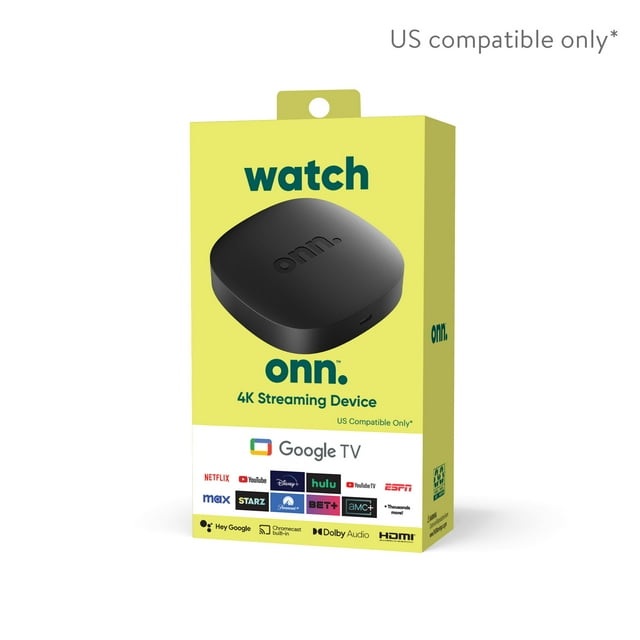
Onn Google TV 4K Streaming Box: Walmart’s Onn Google TV 4K Streaming Box has made waves for its dirt-cheap pricing (as low as $20 direct from Walmart) and wide-ranging app compatibility (like most of the devices covered here, it runs on Android). It’s not the most aesthetically pleasing streamer on the market, but the Onn Google TV 4K Streaming Box is a serious contender in the device wars.
What to know about casting
The difference between casting and mirroring
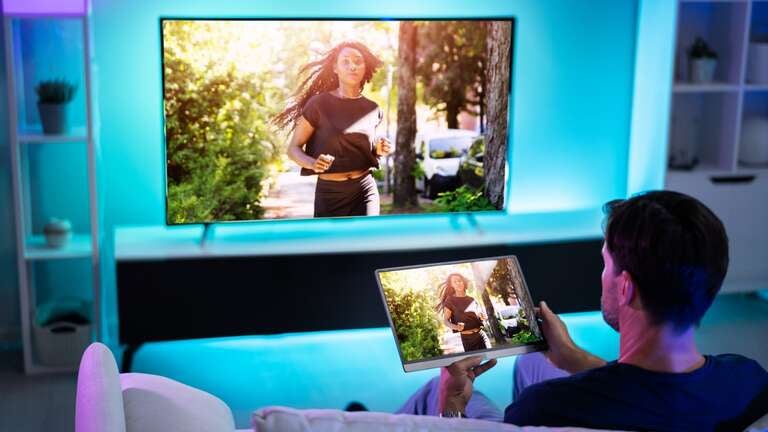
Casting entails sending content from an app, like a video from YouTube, to your TV. Mirroring replicates your device’s entire screen — background, other apps, and all — on your TV screen. Casting is better suited to watching videos, TV shows, and movies; mirroring is more like what you endure in an office meeting with spreadsheets and video conferencing.
Wi-Fi casting vs. cable connection
Current streaming devices and smart TVs support casting through your home Wi-Fi network as long as your mobile device is connected to the same Wi-Fi network. But if your TV is older and you don’t have a streaming device, you can connect a laptop directly to the TV with an HDMI cable for a mirrored (not cast) experience. If your TV is extremely vintage, you’ll probably need an RCA cable adapter (yes, you can still buy them).
Streaming device vs. smart TV casting
Newer smart TVs and streaming devices feature casting apps, whether they run on Android (Roku, Amazon Fire TV, Google TV Streamer 4K, etc.) or iOS (Apple AirPlay). If they were made within the last five years or so, casting should be no problem.
But you’re more likely to buy a new, up-to-date streaming device than you are a brand-new TV. Smart TVs can display pristine pictures for years, sometimes decades, while their apps expire and refuse to be updated because of the TV’s age. Since new smart TVs are far more expensive to replace, a separate device is the safer bet to keep your streaming (and casting) current.