These are the best streaming devices to use when traveling
These are the best streaming devices to use when traveling
If you need a streaming TV device to take on the road, we have a couple of solid picks — and one you’ll want to leave at home.


Whether you are traveling for work or vacationing, staying in a hotel or Airbnb, you never know what kind of TV setup you’re going to get — it could be staticy cable or satellite TV with 20 channels max, or maybe an old antenna covering several rooms. Unless you’re staying at a White Lotus resort, it’s not going to compare to your comfy home TV experience.
Fortunately, most streaming TV device brands make portable models that you can easily carry with you on the go. These devices can fit in your pocket, but are just as powerful and full-featured as their larger device and smart TV counterparts.
If you have access to Wi-Fi (or a mobile hotspot through your smartphone), it’s simple to enjoy the same TV you have at home. So before you pack your bags, let’s see which Roku, Amazon Fire TV, and Apple TV devices are ready for the road.
Roku Streaming Stick 4K
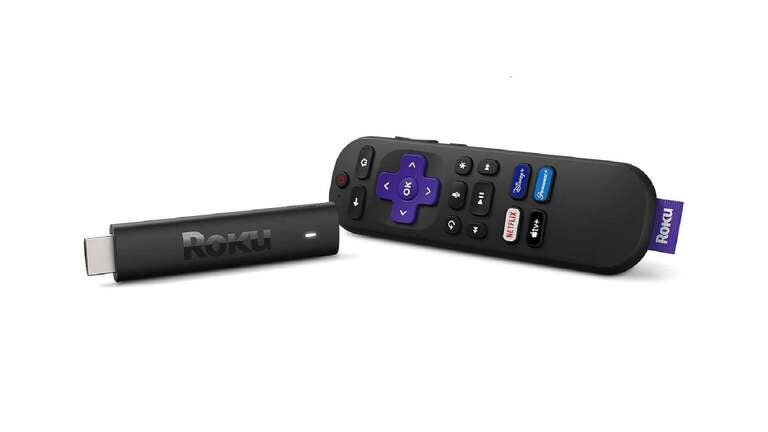
- Size: 3.7 x 0.8 x 0.5 inches
- Resolution: HD, 4K, HDR, Dolby Vision
- Audio: Digital Stereo, DTS Digital Surround
- Ports: HDMI, USB
- Remote: Roku Voice Remote
The Roku Streaming Stick 4K does almost everything that its bigger Ultra brother can — just plug it into a TV HDMI port, power up the AC adapter, and start watching. As long as you’re logged into your Roku account, you’ll be able to watch all the same apps you have at home — just be sure you update your settings and apps before you hit the road.
The cheaper Roku Streaming Stick is also a solid choice for traveling, even though it doesn’t do 4K and has more limited audio features.

Amazon Fire TV Stick 4K
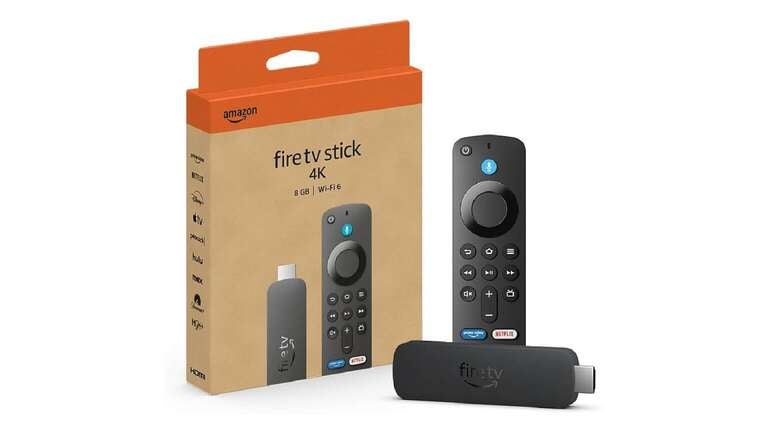
- Size: 4.25 x 1.18 x 0.55 inches
- Resolution: HD, 4K, HDR, Dolby Vision
- Audio: Digital Stereo, Dolby Atmos
- Ports: HDMI, Micro USB
- Remote: Alexa Voice Remote
The Amazon Fire TV Stick 4K is a travel-ready counterpart to the blocky Cube streaming device, with almost all of the same features and an interface that mirrors what you’re used to at home. All you need is a TV with an HDMI input, available AC power, and Wi-Fi, and you’ll have a better viewing experience than watching “Fallout” on your laptop or phone.
While that is a solid travel choice, the Amazon Fire TV Stick 4K Max might be an even better travel alternative, as it features more storage space (16 GB, compared to Fire TV Stick 4K’s 8 GB), but it’s also more expensive.

Apple TV 4K
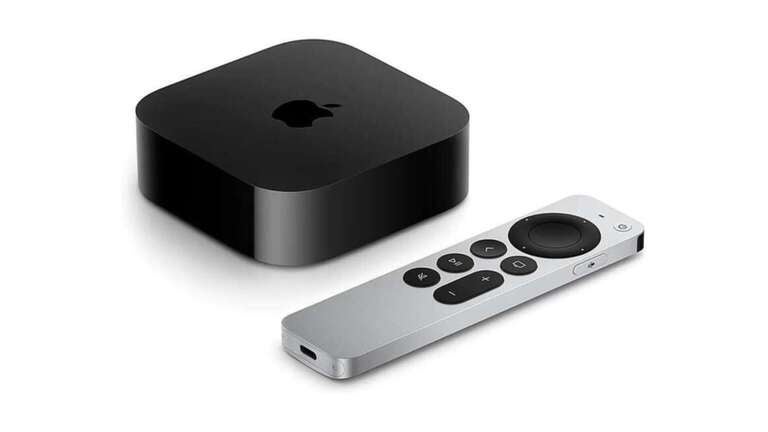
- Size: 3.7 x 3.70 x 1.2 inches
- Resolution: HD, 4K, HDR, Dolby Vision
- Audio: Digital Sound, Dolby Audio, Dolby Atmos
- Ports: HDMI, Ethernet
- Remote: Siri Remote
For some reason, the creators of the iPhone and AirPods haven’t come up with a smaller version of the Apple TV 4K streaming device. Sure, you could travel with it (as you technically could with the Roku Ultra or Amazon Fire TV Cube), but it seems like a waste of valuable suitcase space. The Apple TV 4K may be an excellent streaming device, but it’s not exactly road-ready. That being said, Apple die-hards may save room for this as their preferred streaming device.

Don’t forget to pack a VPN
When traveling, you can still stream as you normally would back home with the assistance of a VPN. Many VPNs can be used on your streaming device of choice and make you appear to be back home, even when you’re not, making sure you feel at home no matter where you are. A VPN is a safe and secure way to stay protected online while streaming your favorite sports, movies, and shows on the go.
NordVPN is one of the best providers around at one of the best prices. I use it every single day to surf the web. Currently, you can get two full years of protection for just $3.59 per month — plus you’ll get three extra months FREE. A high-speed VPN with best-in-class security that can be used on up to 10 devices at once — what more could you ask for? Simply sign up, install the software on your device of choice, and start streaming just as you would back home. It couldn’t be easier!
While NordVPN is our recommendation for the best VPN to use while you are traveling (and my preferred option), there are a number of other high-quality options available depending on what you are looking for.
- Best Features: ExpressVPN | Starting at $5 per month
- Best Budget Option: Surfshark | Starting at $2.50 per month
- Best Free Option: Proton VPN | Free plan available
Which is right for you?
The Roku Streaming Stick 4K and the Amazon Fire TV Stick 4K are portable devices that are great for travel but also powerful enough for your home entertainment center. You can’t really go wrong with either — just don’t forget and leave your device in the hotel room.
If Apple ever introduced a smaller, more easily portable version of the Apple TV 4K, it would undoubtedly be a killer on-the-go device. But today’s Apple TV 4K is too big and expensive to just throw into a travel bag.
What to consider when traveling with your streaming device
WiFi and internet connectivity
Even at the most high-end hotels, WiFi connectivity is rarely as fast or consistent as what you’re used to at home. To avoid streaming lag or outright dropouts, you may have to use your phone as a mobile hotspot; of course, that’s if you have a mobile plan that won’t max out your data limit. The easiest solution: Download the TV shows and movies you’ll want to watch in advance so you won’t have to rely on a connection.
WiFi security
Hotels and public WiFi, in general, are rife with security risks. You can protect your personal data by using a Virtual Private Network (VPN) while traveling or even while you’re at home. Basically, VPNs are a good idea no matter where you are.
Bandwidth
Streaming high-definition content takes a hefty chunk of bandwidth. Now imagine dozens of other hotel guests using the same WiFi as you are during the “Grey’s Anatomy” season finale — be prepared for buffering and low-grade picture quality when already-sketchy WiFi is shared across several rooms.
Content availability
Streaming services sometimes limit the content you can access due to your geographic location, both domestically and internationally. As mentioned previously, downloading TV shows and movies in advance can help you work around this. A VPN also comes in handy, but it doesn’t work in all situations.
Device compatibility and setup
Most hotel rooms have a TV with available HDMI ports, but you’ll want to bring your own HDMI cable in case you’re not using a streaming stick and the room has none (the TV could be getting its signal through a coaxial cable, for example). Also, remember to bring your own power supply for your device, and don’t forget the remote.
Hotel TV settings
Not all hotel TV systems allow for the use of external devices. You can sometimes get around this by changing the hotel TV’s settings (if you can get to them) or asking the hotel’s guest services to change them for you. You’re paying for the room, so don’t hesitate to make a request.
Security
If you’re not using your own streaming device and have instead logged your credentials into the hotel’s smart TV to watch Netflix or another service you have an account with, don’t forget to log out when you leave. Otherwise, subsequent guests will access your streaming account and payment information.
Downloads for offline viewing
If you decide to download your viewing content to avoid using outside internet connections, check to see if your download settings are configured for lower resolutions. This will help you save data space on your device, especially if you’re downloading many TV shows and movies for a long trip.