Check out which streaming devices offer the best voice control
Check out which streaming devices offer the best voice control
Prefer talking to your TV rather than thumbing buttons? Read about the voice command features of Roku, Amazon Fire TV, and Apple TV.


Prefer talking to your TV rather than thumbing buttons? You’re not alone — voice commands are becoming a go-to way to navigate streaming devices like Roku, Amazon Fire TV, and Apple TV. Some of us still prefer typing things out (guilty — it’s a writer thing), but the trend is clear: more people are using voice to get things done. From sending texts to setting reminders and making grocery lists, voice assistants have come a long way. But can you really trust them with something as sacred as your TV time?
If you’re the kind of person who’d rather say, “Play the next episode,” than dig through menus, this is for you. We’ve broken down the voice control features of the three biggest names in streaming TV devices — Roku, Amazon Fire TV, and Apple TV — to help you find the one that listens best.
Roku
Roku Ultra
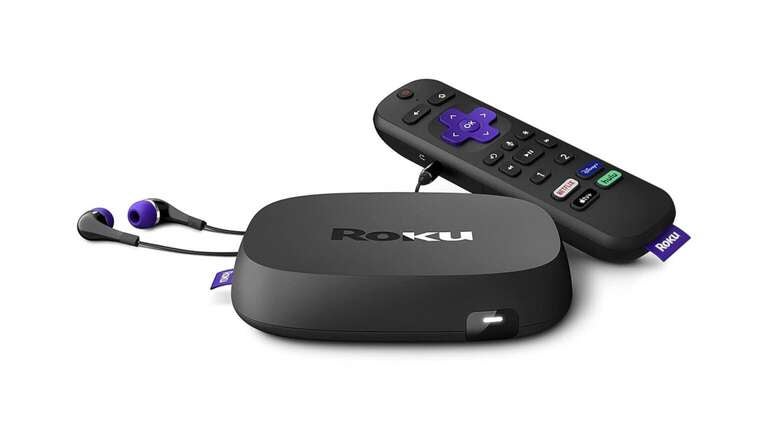
- Price: $100
- Size: 4.9 x 4.9 x 0.9 inches
- Resolution: HD, 4K, HDR, Dolby Vision
- Audio: Digital Stereo, Dolby Atmos, DTS Digital Surround
- Ports: HDMI, USB, Ethernet
- Remote: Roku Voice Remote Pro
In the Roku universe, the Ultra is the powerhouse device that rules them all. It’s loaded with features, including the Roku Voice Remote Pro, a simple but effective clicker with backlit keys and a rechargeable battery via USB-C.
But, compared to Amazon Fire TV’s Alexa and Apple TV’s Siri, Roku’s voice control capabilities come up a little short. After initiating voice command by speaking “Hey, Roku,” there’s a noticeable lag before you can ask it to find “The Real Housewives of Beverly Hills,” and it’s not because it’s questioning your viewing taste. Overall, the Roku Voice Control Pro is a great remote with so-so voice interaction.
But if you’re all-in on Roku streaming gear and willing to deal with its minor voice control issues, it can become a smart home hub in just a few steps. Unlike other devices, Roku is smart home agnostic and compatible with Apple AirPlay, Apple Home, Amazon Alexa, Google Home, and Roku Smart Home. If you want to stay within the purple ecosystem, Roku also offers its own line of security cameras, video doorbells, lights, power plugs, and monitoring systems.

Roku Streambar
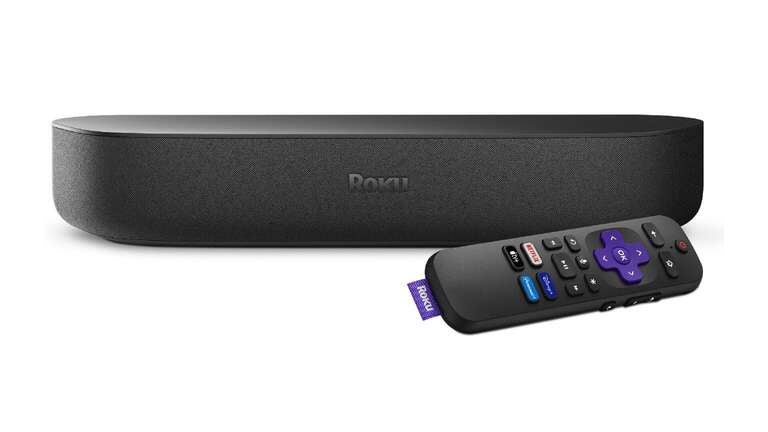
- Price: $130
- Size: 14.0 x 4.2 x 2.4 inches
- Resolution: HD, 4K, HDR
- Audio: Digital Stereo, Dolby Audio, PCM
- Ports: HDMI, USB, optical audio
- Remote: Roku Voice Remote
The Roku Streambar mashes up a streaming device and a soundbar into a single space-saving unit. However, it’s missing some of the Roku Ultra’s premium features, like the Voice Control Pro. The Streambar comes with Roku’s standard voice remote, which has the same vocal command shortcomings as the Pro.
If you opt for the smaller and less expensive Roku Streambar SE, the included remote does not include voice control features. However, Roku makes the Voice Control Pro available to buy separately, which is a cheap but substantial upgrade ($30) for any Roku device.
Like the Ultra, the Roku Streambar will work with Roku Smart Home, Apple AirPlay, Apple Home, Amazon Alexa, and Google Home smart home systems and the Roku line of smart home accessories.

Roku Streaming Stick 4K
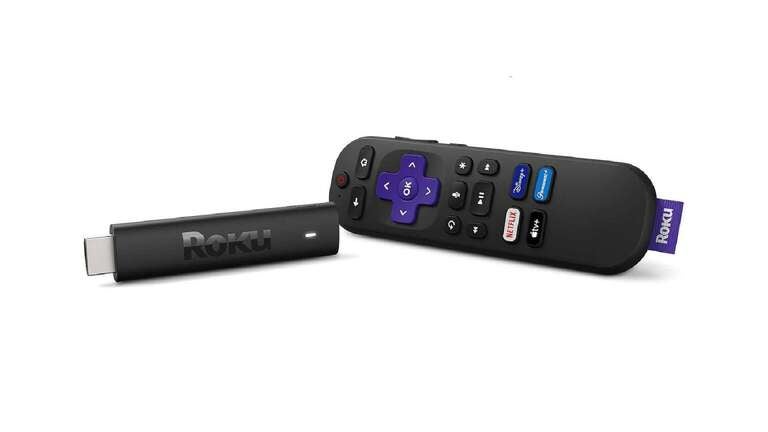
- Price: $50
- Size: 3.7 x 0.8 x 0.5 inches
- Resolution: HD, 4K, HDR, Dolby Vision
- Audio: Digital Stereo, DTS Digital Surround, Dolby Audio
- Ports: HDMI, USB
- Remote: Roku Voice Remote
The Roku Streaming Stick 4K is a close match for the Ultra, featuring 4K and Dolby Vision picture quality, but not Dolby Atmos audio capability. It also doesn’t come with the Ultra’s Voice Remote Pro, just Roku’s standard voice remote. Again, it’s relatively inexpensive to upgrade to the Voice Remote Pro.
Here’s what’s true of all Roku voice remotes: The microphone is small, and you have to speak somewhat louder into it than you would with an Amazon Fire TV or Apple TV voice remote.
But let’s hear it for consistency: The Streaming Stick 4K is as smart home-ready as all the other Roku devices, compatible with Apple AirPlay, Apple Home, Amazon Alexa, Google Home, Roku Smart Home, and Roku smart home hardware.

Roku Streaming Stick Plus
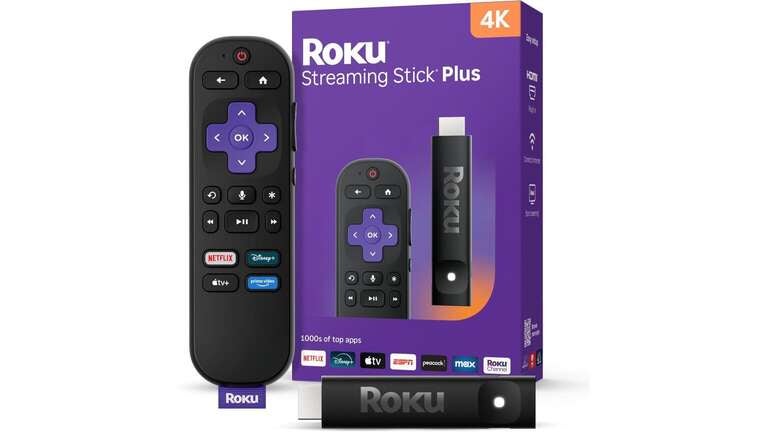
- Price: $40
- Size: 3.7 x 0.80 x .45 inches
- Resolution: HD, 4K, HDR
- Audio: Digital Stereo, DTS Digital Surround, Dolby Audio
- Ports: HDMI, USB-C
- Remote: Roku Voice Remote
The Roku Streaming Stick Plus is new in 2025. It is a slimmer version of the Streaming Stick 4K with all of the features, save for Dolby Vision picture capability. As Roku explains in its promo literature, the Streaming Stick Plus is an inexpensive workaround device for upgrading an older TV that’s not yet ready to be put out to the electronics pasture.
The Streaming Stick Plus comes with Roku’s basic voice control remote. Like its Roku siblings, it’s a smart home compatible with Roku Smart Home, Apple AirPlay, Apple Home, Amazon Alexa, Google Home smart home systems, and Roku smart home accessories.

Roku Streaming Stick
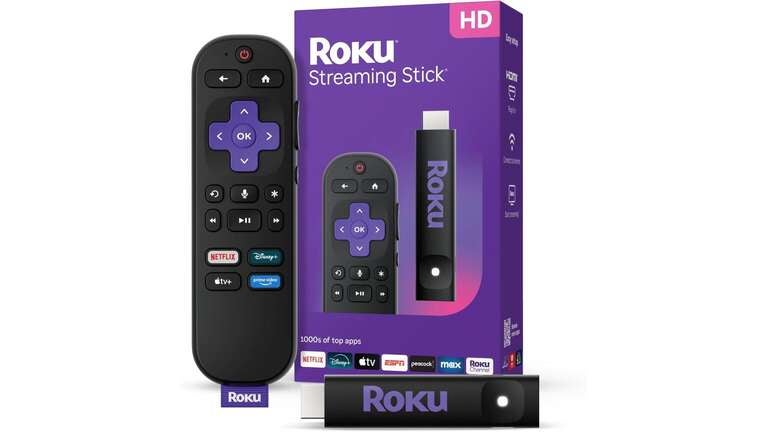
- Price: $30
- Size: 3.7 x 0.80 x .45 inches
- Resolution: HD
- Audio: Digital Stereo
- Ports: HDMI, USB-C
- Remote: Roku Voice Remote
The Roku Streaming Stick is also new in 2025, supplanting the old Express as the brand’s least expensive streaming device at $30. Like the Streaming Stick Plus, it sports a skinnier design that makes it perfect for traveling — just slip it in your pocket and go.
The Streaming Stick is bare-bones when it comes to features, supporting only standard HD picture quality and digital stereo audio. It also comes with Roku’s standard voice-control remote. Making the Voice Remote Pro available as a separate upgrade purchase is Roku’s smartest move since discontinuing the Express.
You might think such a feature-lite budget device couldn’t be a smart home hub, but you’d be wrong. The Streaming Stick is every bit as compatible with Roku Smart Home, Apple AirPlay, Apple Home, Amazon Alexa, and Google Home setups as the rest of Team Roku.
Amazon Fire TV
Amazon Fire TV Cube
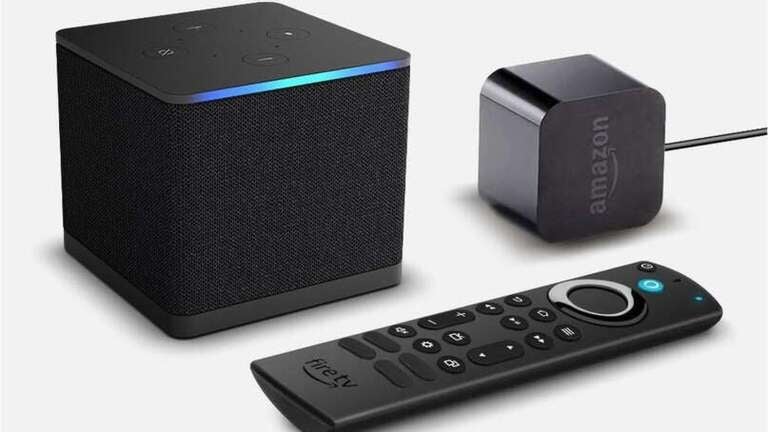
- Price: $110
- Size: 3.4 x 3.4 x 3.0 inches
- Resolution: HD, 4K, HDR, Dolby Vision
- Audio: Digital Stereo, Dolby Atmos
- Ports: HDMI, Ethernet, USB
- Remote: Alexa Voice Remote Enhanced
The Fire TV Cube is Amazon’s Cadillac of streaming devices, even though its blocky profile more resembles a Cybertruck. The Cube supports 4K, HDR 10, and Dolby Vision picture resolution, Dolby Atmos audio, and Wi-Fi 6E for lower latency and faster streaming.
The Amazon Fire TV Cube comes with an Alexa Voice Remote Enhanced, a narrow, button-loaded handheld with preset shortcuts, a live TV button, and Alexa voice command. If you’re already an Alexa fan, the Voice Remote Enhanced tracks and reacts to your speech as precisely as the standard Alexa Voice Remote and the premium Alexa Voice Remote Pro.
On the smart home front, the Amazon Fire TV Cube works seamlessly with the Alexa Home system. But, if you want to connect your Cube to Roku Smart Home, Apple AirPlay, Apple Home, Amazon Alexa, or Google Home smart home systems, no dice: Amazon Fire TV devices only want to talk to Alexa.

Amazon Fire Stick 4K
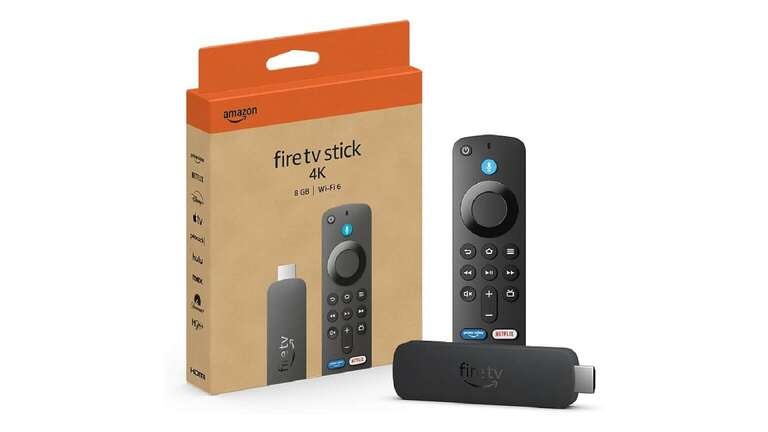
- Price: $30
- Size: 4.25 x 1.18 x 0.55 inches
- Resolution: HD, 4K, HDR, Dolby Vision
- Audio: Digital Stereo, Dolby Atmos
- Ports: HDMI, Micro USB
- Remote: Alexa Voice Remote
Amazon’s Fire TV Stick 4K carries over most of the larger Cube’s features, like 4K, Dolby Vision, and Dolby Atmos support. And, like every Amazon Fire TV streaming device, it features Alexa voice control. If you’re looking for a middle-ground streamer between the Fire TV Stick 4K and the Cube, check out the Fire TV Stick 4K Max, which comes with twice the storage space of the Streaming Stick 4K and half the cost of the Cube.
In the voice control department, as mentioned above, Alexa is a powerful contender up there with Apple’s Siri. You hear Alexa and Siri mentioned all the time in voice command conversations, but rarely Roku — there’s a reason for that.
As with the Cube, the Amazon Fire TV Stick 4K only works with Alexa’s smart home system. No Roku Smart Home, Apple AirPlay, Apple Home, Amazon Alexa, or Google Home smart home system compatibility here, either.

Apple TV
Apple TV 4K
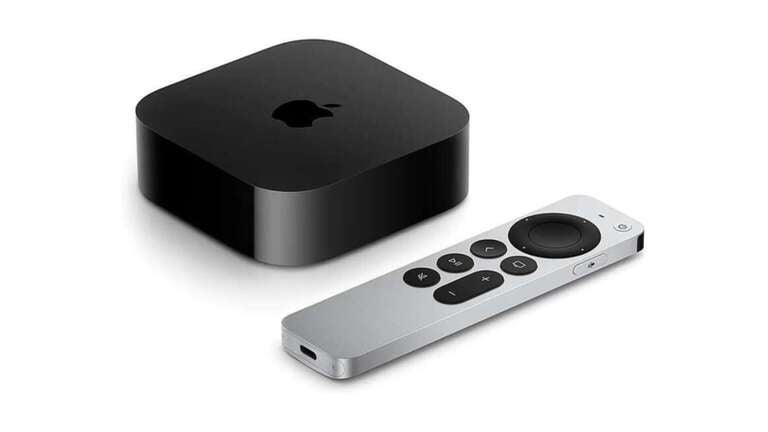
- Price: $160–$190
- Size: 3.7 x 3.70 x 1.2 inches
- Resolution: HD, 4K, HDR, Dolby Vision
- Audio: Digital Sound, Dolby Audio, Dolby Atmos
- Ports: HDMI, Ethernet
- Remote: Siri Remote
The Apple TV 4K streaming box hasn’t been updated for several years, but it’s still a formidable device with features like Dolby Vision and Dolby Atmos support, and the deceptively simple-looking Siri voice remote. Apple plans to unveil a new Apple TV 4K model, which is reported to be even faster and feature proprietary Bluetooth and Wi-Fi hardware under the hood, as well as AI capability.
Besides being rechargeable via USB-C cable — which should be standard across the remote board, enough with the disposable batteries, already — the best part of the Siri remote is easily its voice control. As it is with every other Apple device, Siri’s voice-command accuracy with the Apple TV 4K is impeccable, whether you’re asking to find a show, dispense weather info, or, as included with Apple’s promo materials, query “Is corn a fruit?” (Turns out it is.)
Unsurprisingly, the Apple TV 4K’s smart home capabilities begin and end with Siri voice control — Roku Smart Home, Amazon Alexa, and Google Home are unwelcome in the Appleverse. Which is good news if you can’t get enough of buying Apple gear, because the Apple HomeKit store features security cameras, video doorbells, and lights, as well as high-end equipment like thermostats, irrigation system controllers, and water leak detectors.

Which TV streamer does voice control best?
The real competition here is between Amazon Fire TV and Apple TV, and each has its own dedicated fan base. Both have excellent voice control capabilities, but the choice will depend on whether you’re an Alexa person or a Siri person. If you’re on the fence, you can hardly go wrong with either ecosystem. Shoutout to Google as well and their great Google Home ecosystem. While we didn’t include their standalone hardware here, the integration with Android and Google TV sports some good voice control and integrates well with Google’s smart home devices.
Roku, on the other hand, has plenty of strengths, but voice control isn’t among them. It’s good enough to help you find a missing remote and search for that one movie with that one actress, but it’s fairly limited compared to Amazon’s Alexa and Apple’s Siri. Roku didn’t even give its voice assistant a nickname — why not call it Rocky?