Amazon Improves Frustrating Full-Screen Ad Expansion on Fire TV Home Page
Amazon Improves Frustrating Full-Screen Ad Expansion on Fire TV Home Page
The Fire TV home screen now gives users more time to interact with the menu before expanding full-screen.

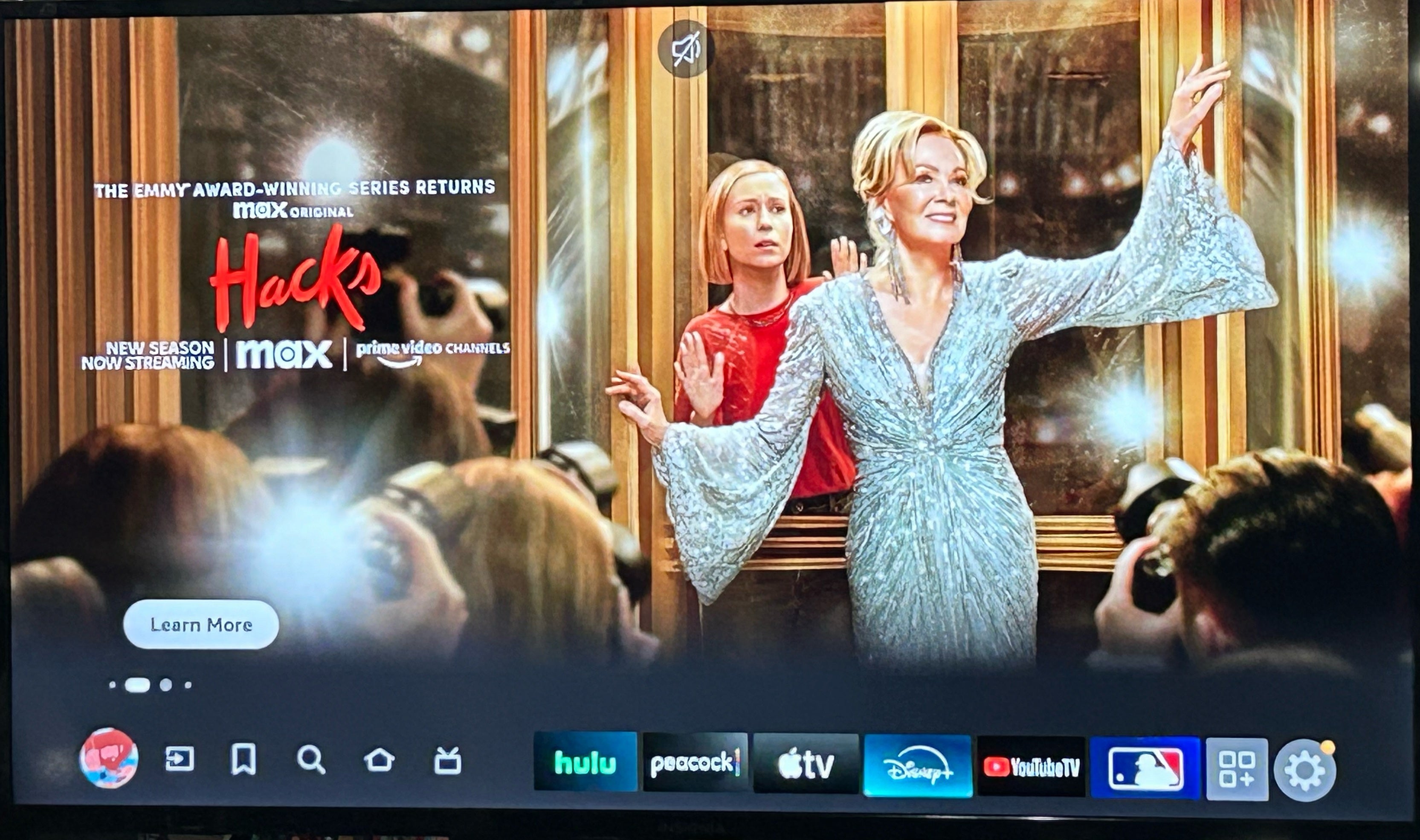
As streaming attempts to balance the need for advertising income with maintaining a premium user experience, many service providers are experimenting with different ways to maximize the ad capabilities of their platforms to take advantage of every available inch of screenspace and second of viewing time. In late 2023, Amazon’s Fire TV operating system made a noticeable change that frustrated many users who had been use to the fairly straightforward platform. When opening the home menu on either a Fire smart TV or via a Fire TV stick or other streaming device, the banner at the top of the page for a show, movie, or product would expand to a full-page advertisement after approximately one second of inaction by the user. In addition, the ad would auto-play a video as well. While there was a process to mitigate the auto-play function, Amazon has now updated its home screen operations, giving users more time to prevent the full-page takeover and the platform now includes a navigation menu when the ad does expand.
Key Details:
- A recent update to the Fire TV OS now gives users five seconds to interact with the menu before the banner ad expands full-screen.
- In addition, the new full-screen takeover also incorporates the menu’s navigation row.
- These changes are updates to the new home screen flow introduced late last year.
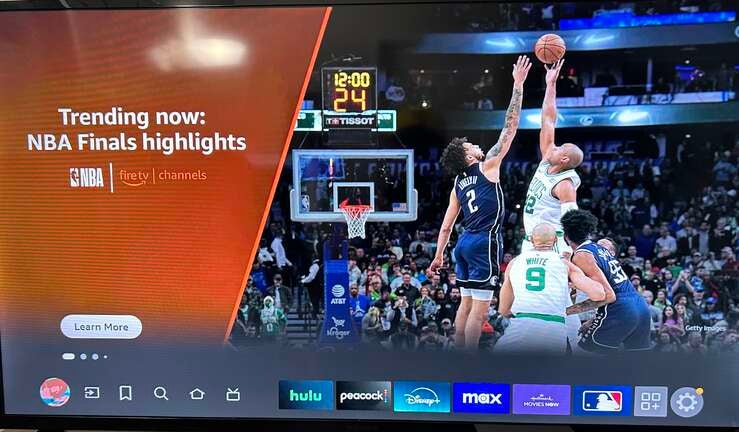
Amazon has begun rolling out a new Fire TV homepage update that is not yet available on all devices. The Streamable has tested multiple televisions running on the Fire TV OS, and this small sample size seems to indicate that the updated advertising flow is visible on smart TVs with the built-in Amazon operating system, while it hasn’t yet come to those using a Fire Stick. The Streamable has reached out to Amazon to confirm the timing of the complete rollout.
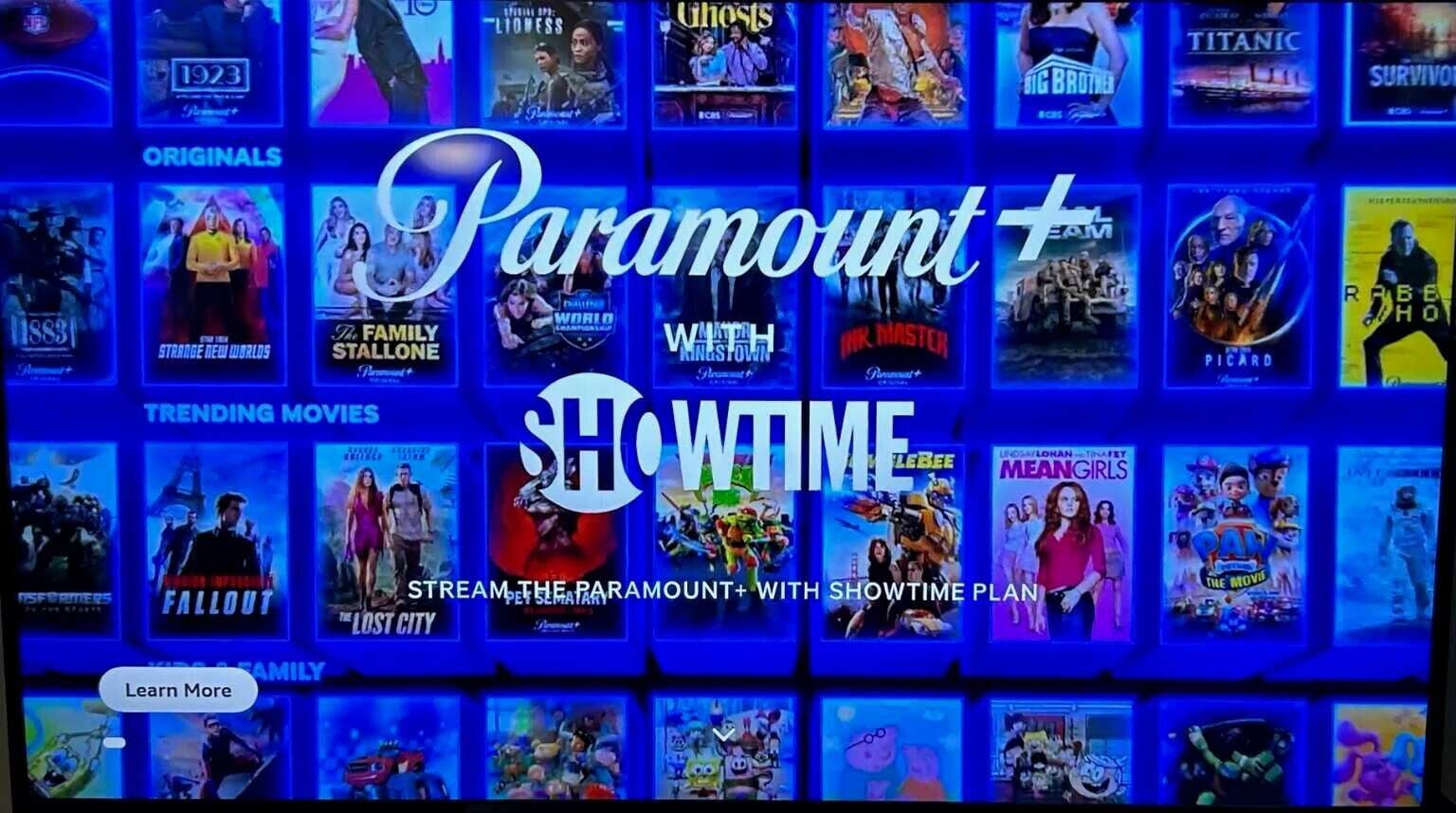
Nonetheless, the changes are almost immediately obvious, as instead of the one-second delay before expanding to full-screen, users now have five seconds to interact with the menu before Fire TV expands the hero image ad to take up the full screen. Also, when the ad does expand, instead of taking up the entire page, a navigation row is visible at the bottom of the screen.
The new row is the exact same as the top row of the menu from before the expansion. It includes icons on the left linked to your profile, Inputs, My Stuff, Find, Home, and Live, as well as your top six streaming services. On the far right, there are also tiles that take you to the rest of your apps and to your Fire TV settings.
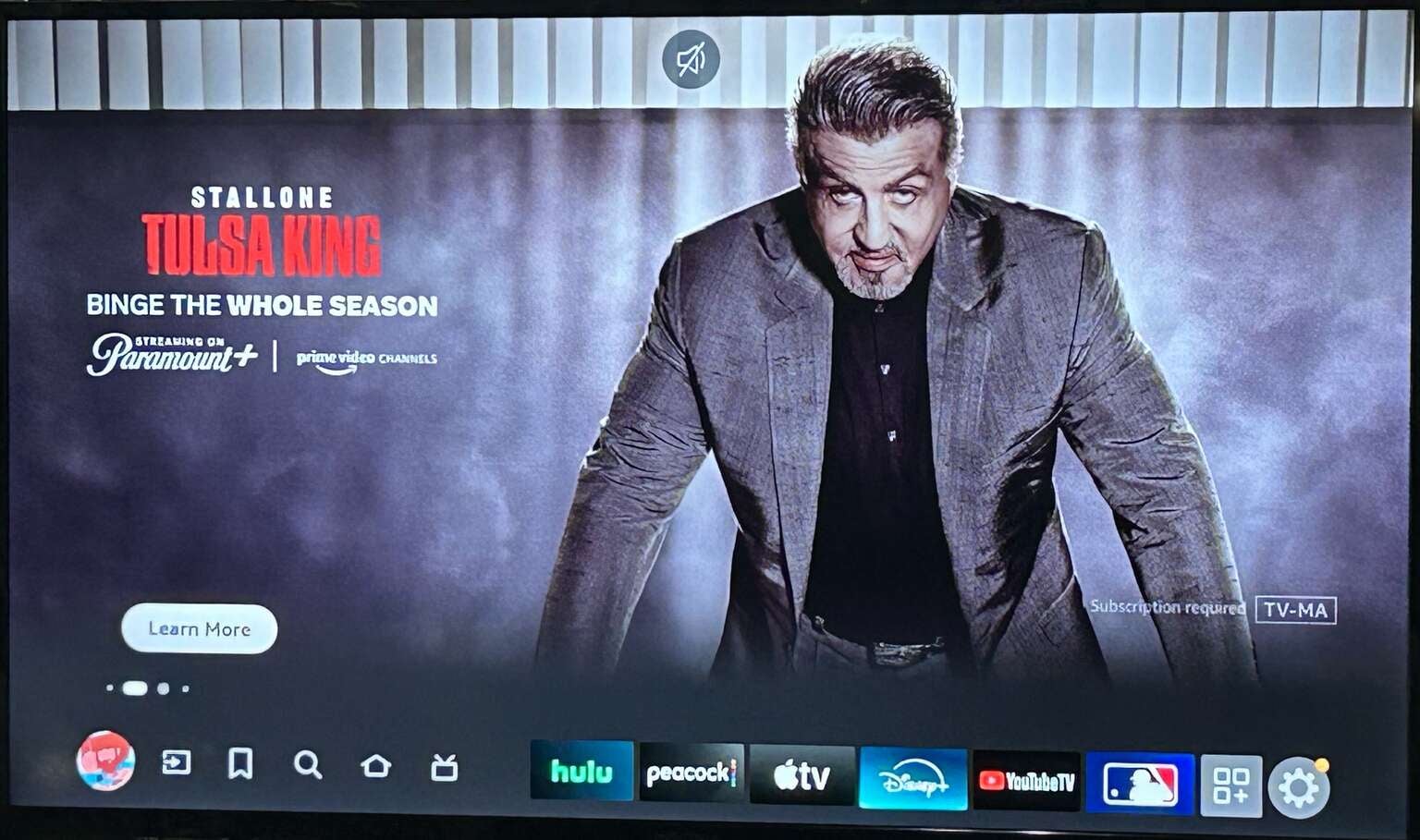
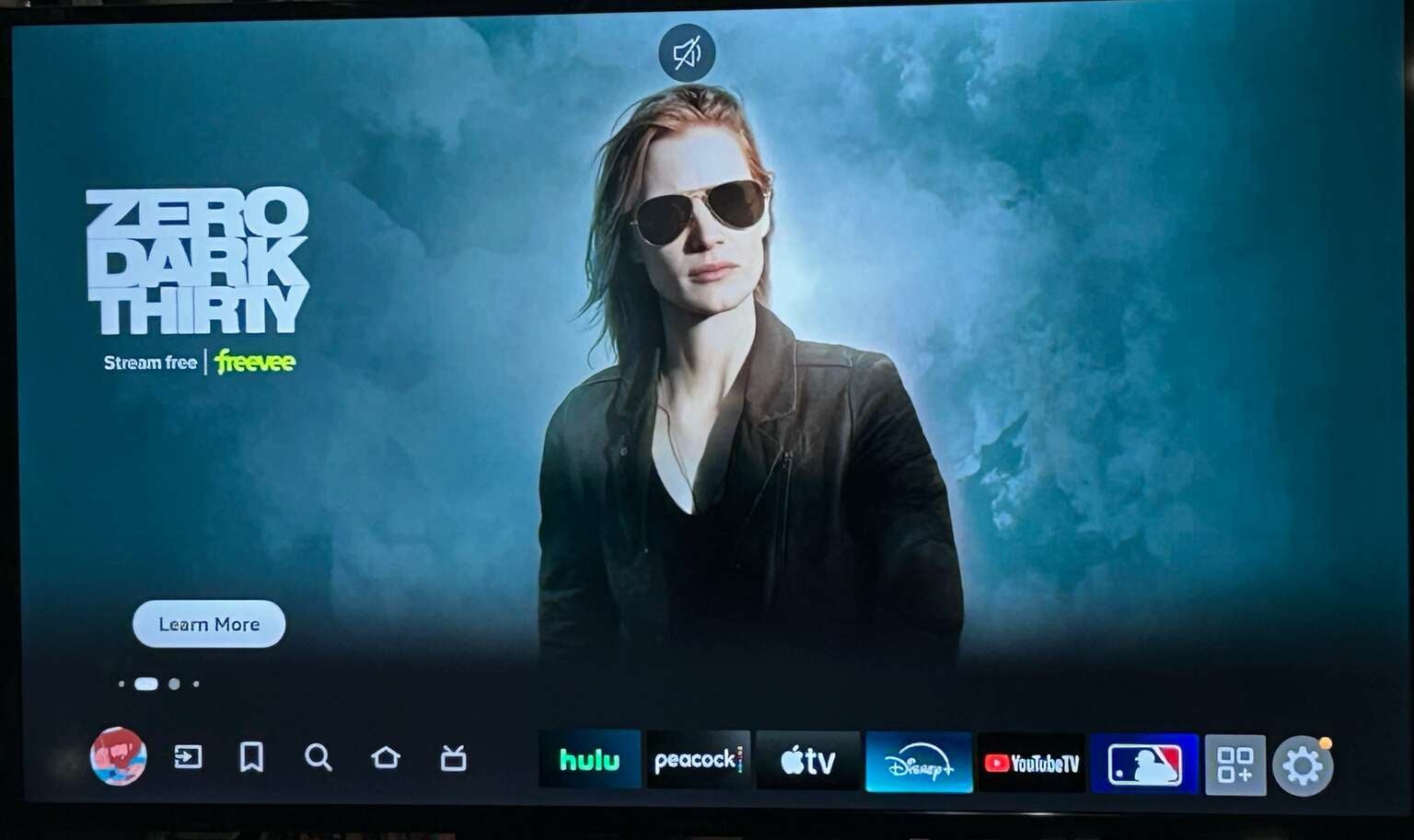
Over the weekend, the change in Fire TV’s home screen was first noticed by Cord Cutter News. Traditionally, streaming series, films, and services tend to occupy the first few slots in Amazon’s carousel, but individual products also can find their way into the rotation, as evidenced by the images below.
New Full-Screen Ad Display With Navigation Row:
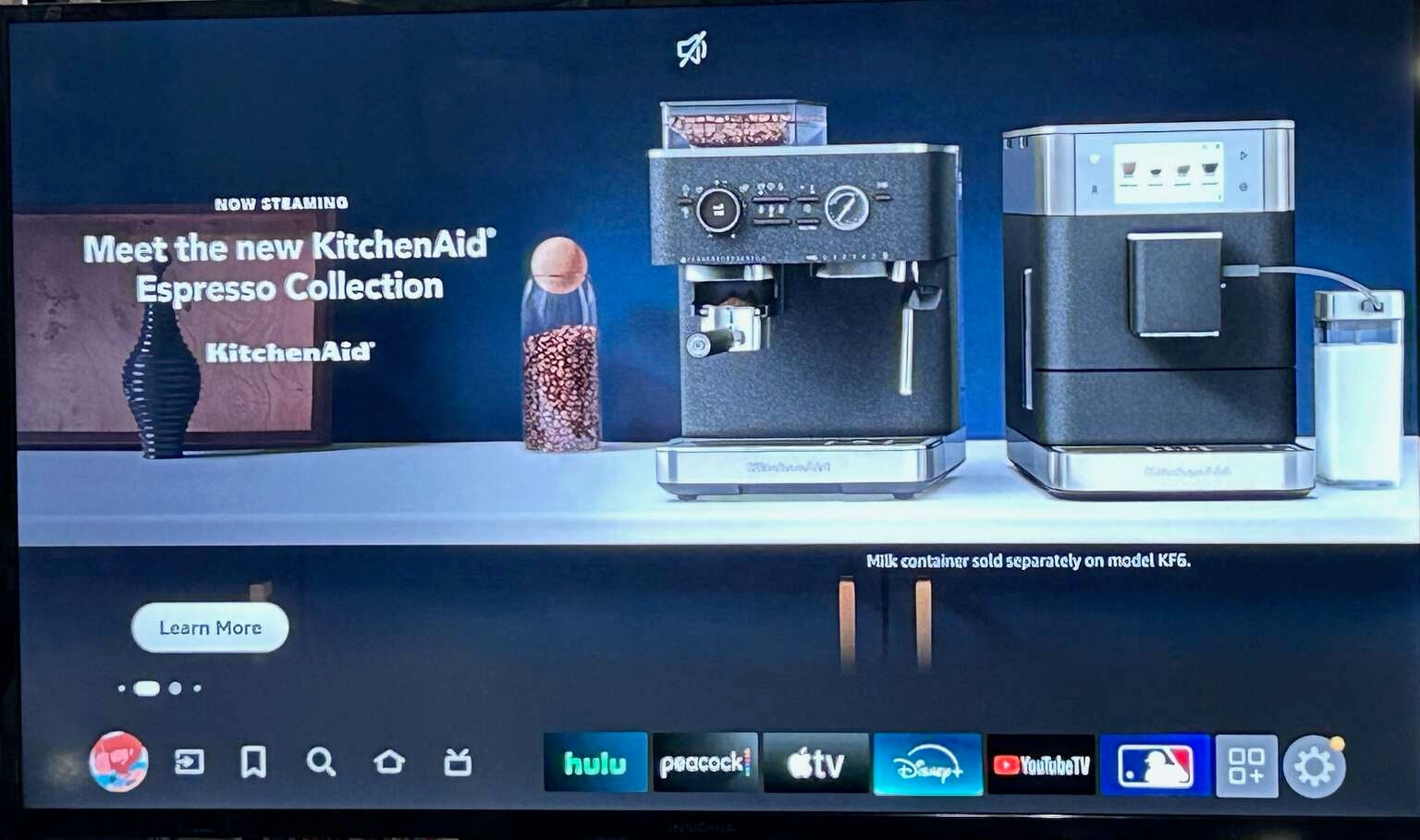
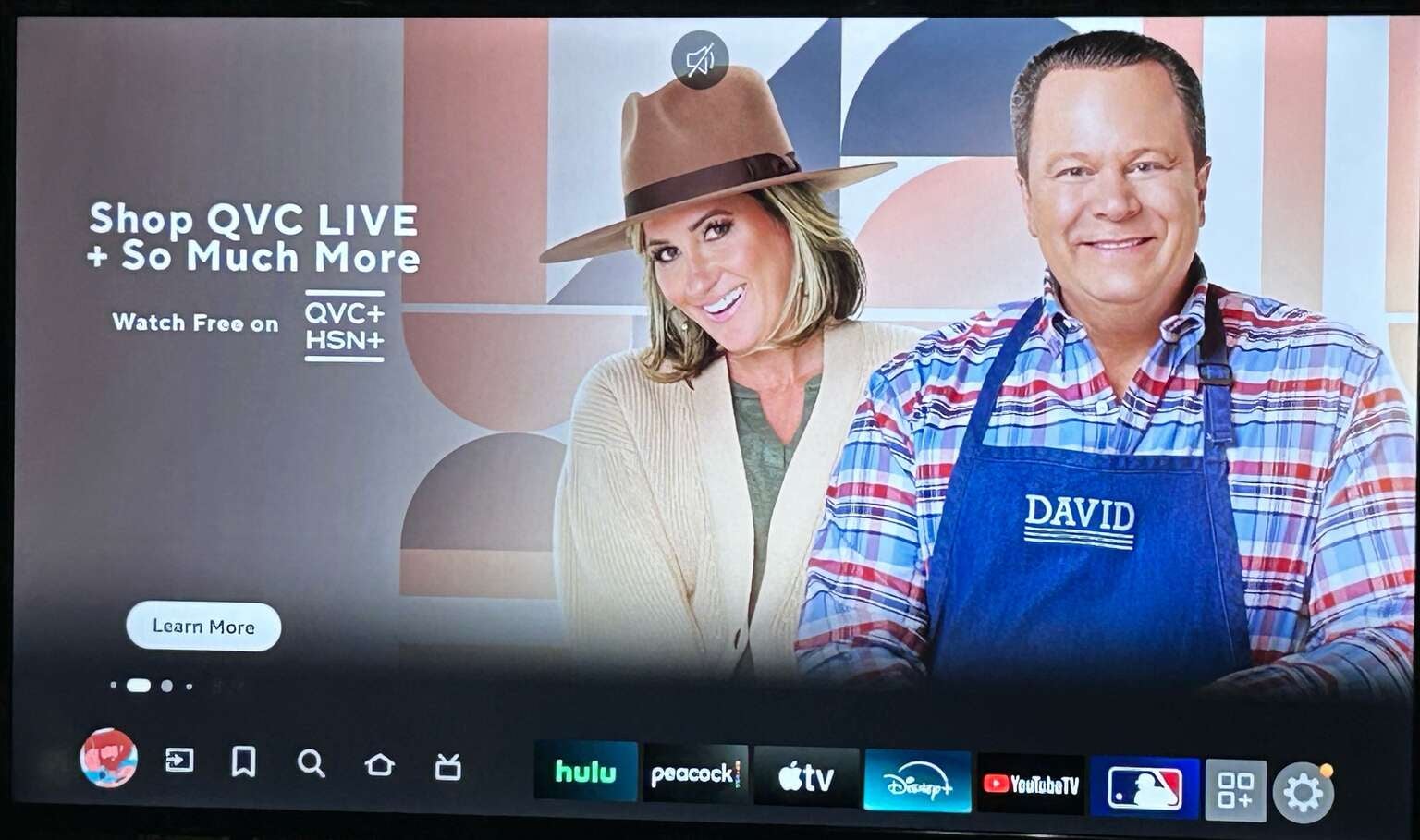
Click on images to expand.
The main difference in the appearance of the full-screen expansion is the navigation bar. However, nothing else has substantively changed from how users are able to exit the homepage takeover. In the previous version of the Fire TV home screen, when a banner ad expanded, all a user would have to do to return to the app-focused version of the screen was push a button (generally the down button on their remote keypad) to navigate back to the menu.
Now that the navigation menu is on the screen, the same keystrokes result in the same actions. So, the addition of the row of apps and icons is less about functionality and more about reminding users that the services and functions that they are looking for are just one touch away.
In the previous version of the full-screen takeover, all that remained on the screen was a “Learn More” button on the bottom left of the screen. That button still remains for those who are interested in the title or product being advertised, but the navigation row seemingly serves as a tether for viewers back to the interactive menu.
In the previous iteration of the Fire TV home screen illustrated below, you can notice how the banner ad for the animated film “Migration” expanded into a full, auto-playing trailer for the film without the benefit of the navigation menu at the bottom of the screen.
Previous Full-Screen Ad Display:
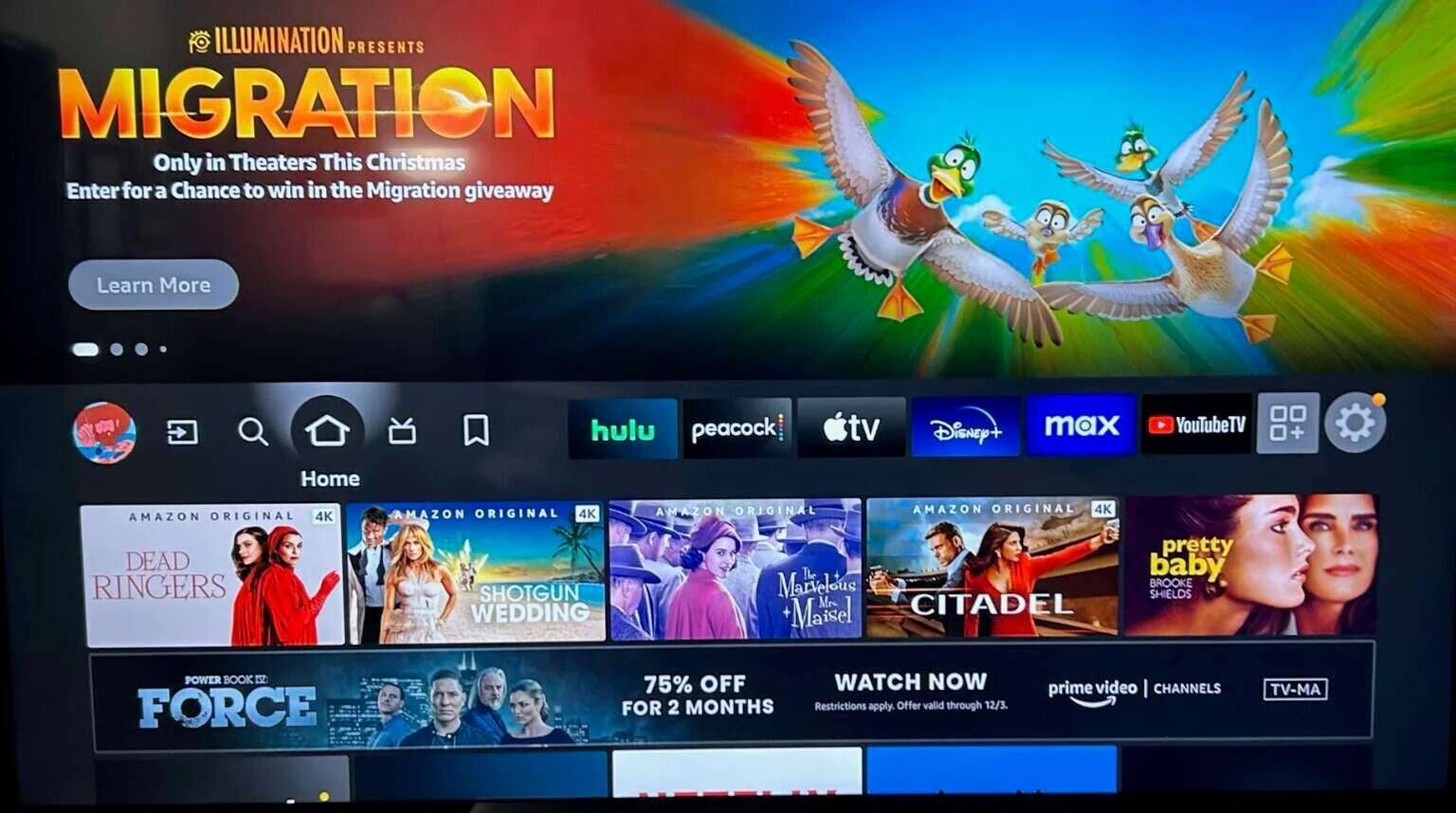
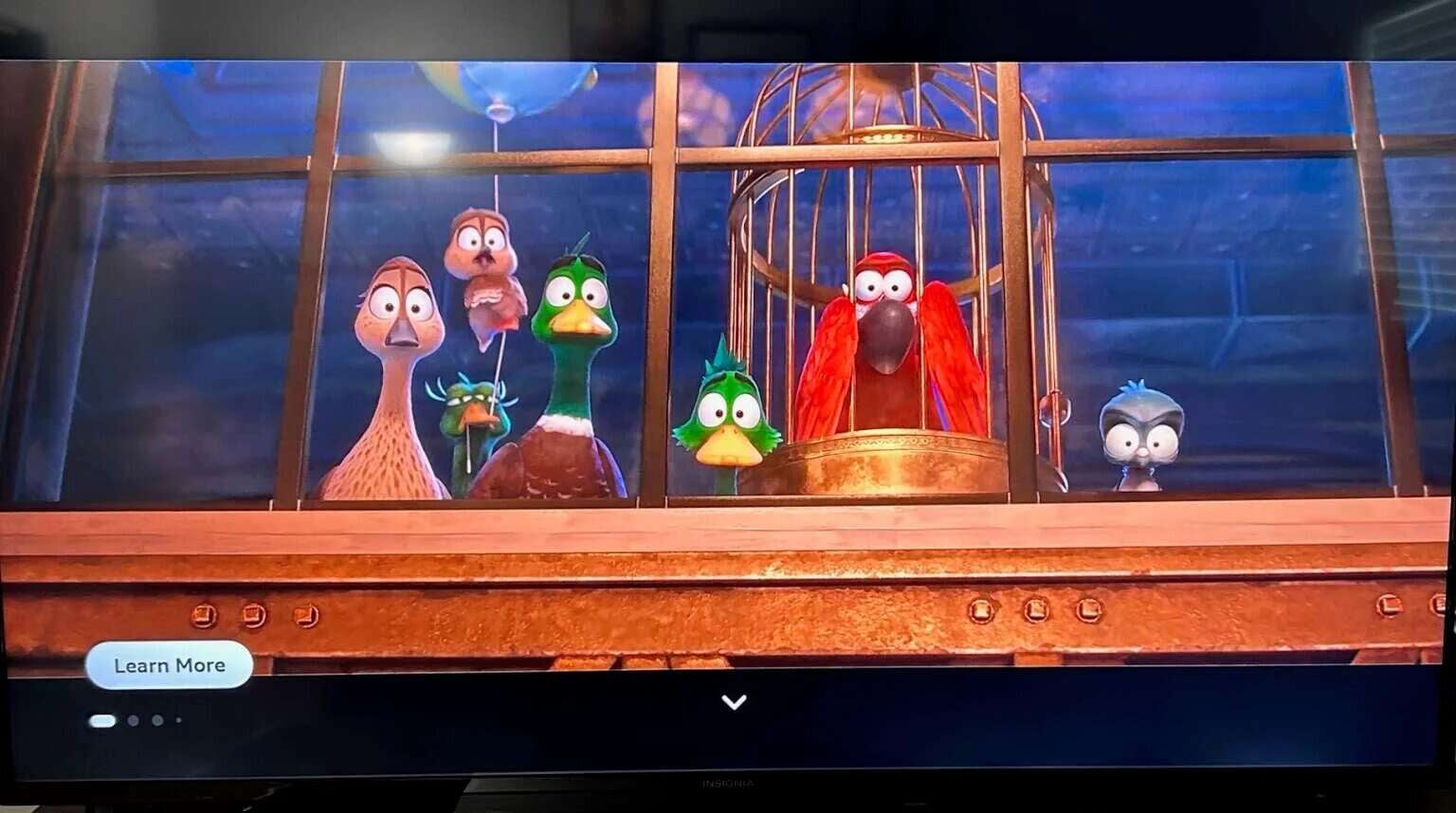

Click on images to expand.
While the update only provides minimal changes to the Fire TV user experience, it is nice to know that Amazon’s designers are listening to users’ concerns about how they are using the OS. This change comes just about six months after Fire TV added a “Continue Watching” row that pulls information from multiple streaming apps in order to allow viewers to jump straight back into the titles that they were most recently watching. For the millions of Fire TV users, hopefully this is just the beginning of many new welcome updates.

Prime Video
Prime Video is a subscription video streaming service that includes on-demand access to 10,000+ movies, TV shows, and Prime Originals like “The Lord of the Rings: The Rings of Power,” “Jack Ryan,” “The Marvelous Mrs. Maisel,” “The Boys,” and more. Subscribers can also add third-party services like Max, Showtime, STARZ, and dozens more with Prime Video Channels. Prime Video also offers exclusive live access to NFL Thursday Night Football.