Here’s how to use ESPN Unlimited’s Multiview
Here’s how to use ESPN Unlimited’s Multiview
We’ll explain what you need to know about using one of the premium features in the ESPN Unlimited subscription.

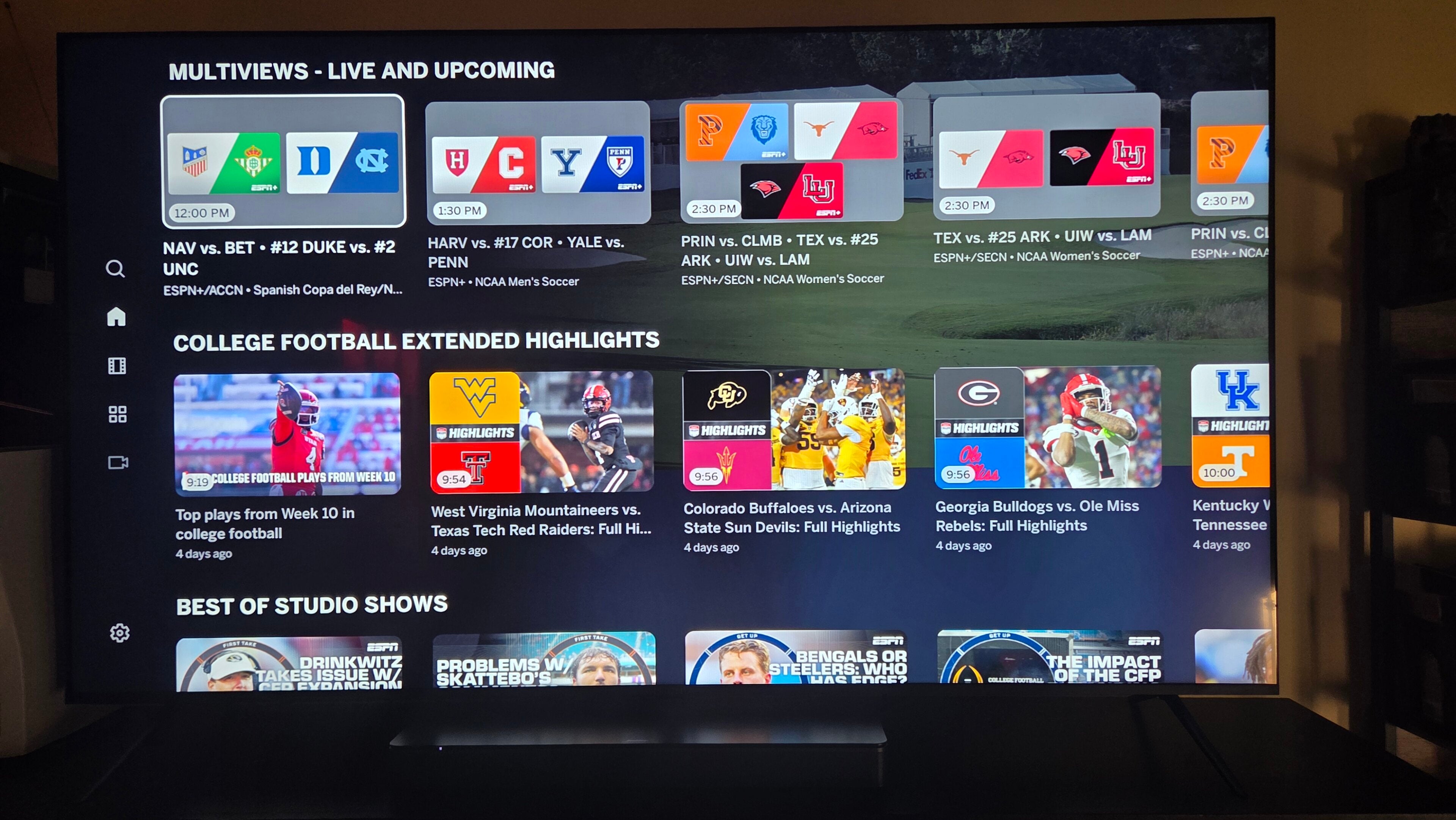
Why watch just one sporting event at a time when you can see up to four? Diehard sports fans love a good Multiview, which is why so many streaming apps that carry live sports have begun integrating their own version of the feature. Some are more advanced than others, but if a platform is going to invest in live sports programming, they are essentially becoming necessities.
ESPN Unlimited has its own Multiview that can stream up to four live events at once on select devices. But how do you use Multiview on the ESPN App, and which devices are supported? We’ll answer all your questions about using ESPN Unlimited’s Multiview below.
Everything you need to know about using ESPN Unlimited’s Multiview
Which plans can use ESPN’s Multiview?
The Multiview feature is available on ESPN Select and ESPN Unlimited. The former includes a selection of more than 30,000 live sporting events every year for $14 per month, while the latter includes all live sports found on linear ESPN channels and ABC at a starting price of $32 per month.
How to watch ESPN’s Multiview
- Open the ESPN App or website on a supported device.
- Browse the Top Live (Featured or Live) or Multiview rows on the Watch section.
- Locate the quad-screen tile with four games or events in it.
- Tap or click to start watching.
If you do not see any Multiview options on the ESPN App with a supported device, it may simply be that there are no Multiview groupings available to watch at the moment. The Multiviews row will show upcoming Multiview options available with the viewer’s subscription.
What devices can use ESPN’s Multiview?
Viewers can watch ESPN’s Multiview on a variety of streaming devices and smart TVs, as long as the user is running an updated version of the ESPN App software.
Devices that support Multiview playback with the ESPN App include:
- Android TV
- Amazon Fire TV
- Roku
- Apple TV 4K
- LG WebOS smart TVs
- Xfinity X1 and Flex TV boxes
- Cox Contour TV and Contour Stream Players
- Charter and Spectrum
Is ESPN’s Multiview customizable?
No, there is no way to customize ESPN’s Multiview on any device as of now. ESPN curates each Multiview with up to four games at once, and each included event is carefully chosen. Allowing viewers to customize their Multiview is a technically difficult achievement, and while ESPN is likely working toward more customization options, its Multiview does not allow fans to swap events in and out as of now.

ESPN Unlimited
ESPN launched its highly anticipated direct-to-consumer streaming service on August 21, 2025. For the first time, this service gives sports fans access to its full lineup of linear channels without a traditional cable or satellite subscription.