How to watch free live TV on Roku
How to watch free live TV on Roku
Missing live TV after cutting the cord? If you have a Roku device, you can watch content for free.

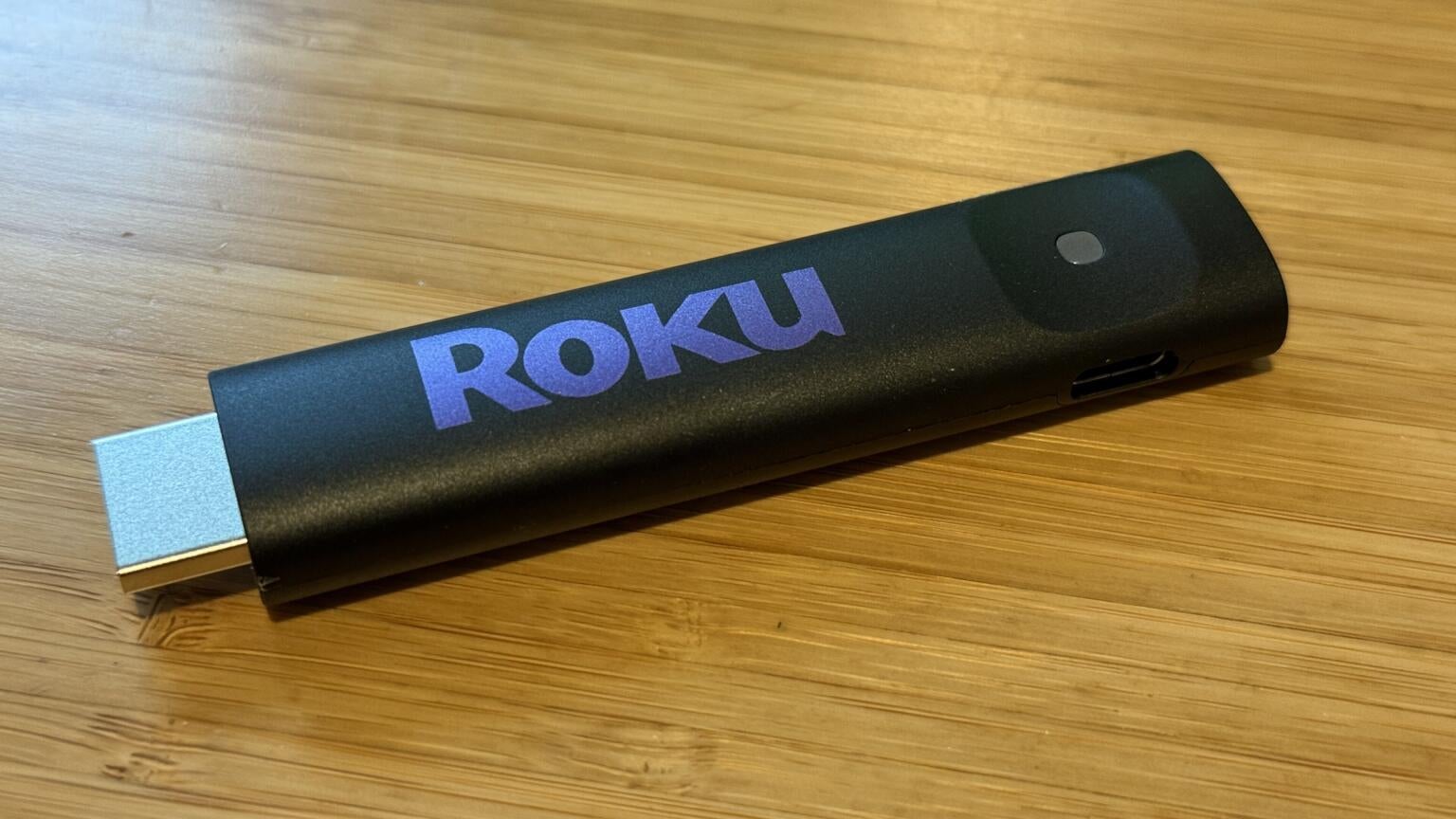
For some, watching live TV is a thing of the past, thanks to the massive amount of streaming content available on demand 24/7. But did you know that you can still watch plenty of live, linear TV — mostly for free — on many streaming devices? Roku has one of the best and most robust live TV selections out there, so if you’re rocking a Roku device, we’ll explore this often overlooked feature and how to watch old-school linear free TV on a Roku streaming device.

How to watch live TV on Roku streaming devices
Can you watch free TV on Roku?
The short answer? Yes — and plenty of it! Roku natively offers over 350 free live TV channels that mimic traditional cable, including a full live channel guide and category listings. There are also on-demand movies and shows available as well. Now, it’s important to keep in mind that when streaming services tout their “live” TV offerings, what they generally mean is “linear.” So don’t expect hundreds of channels with original programming and anchors providing real-time commentary on the day’s events.
Instead, you will get the experience of old-school TV watching with shows starting at certain times, so you can turn on a channel and let it run for hours without ever having to make a decision about what to watch next. And while the experience of channel surfing on a streaming platform is nowhere near as satisfying as it was with a traditional cable remote, you still have the ability to flip through the channel guide to see what is currently airing.
While almost all of this content is ad-supported, it’s still a huge arsenal of movies and shows that you get included with no strings attached. I’m a huge fan of “The Price is Right,” for example, and being able to watch the good ol’ days of Bob Barker at any given moment is a comfort that I can seem to live without.
The Roku Channel: Your main hub for free TV
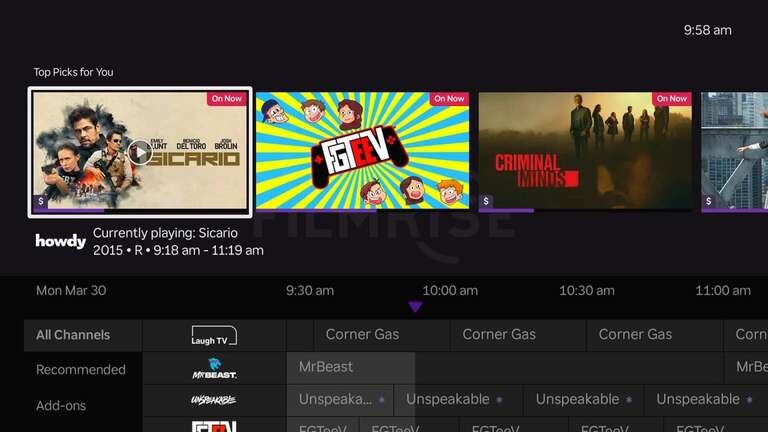
The Roku Channel is where you’ll find most of Roku’s content, including live TV and on-demand shows and movies. The live cable-style grid lists all available channels, organized by categories like reality, crime, game shows, classics, and more. There are hundreds of episodes, movies, and Roku Originals from which to choose. So whether you are looking for kids, news, lifestyle, or sports programming, there is almost certainly something that will catch your eye.
Around-the-clock channels are staples of the lineup, letting you binge your favorite classic TV whenever, wherever. You can browse through hundreds of live channels and even more on-demand titles, and — for the planners amongst us — you can look up to seven days ahead to see what’s coming and easily scroll through channels or jump to specific categories.
Watch local channels for free (with an antenna)
A lesser-known feature of Roku is the ability to watch over-the-air (OTA) channels, provided you have an antenna. While I grew up with a giant TV antenna on my house, I unfortunately don’t have a great signal where I live now. But if you do live in an area where you can pick up OTA channels, an antenna is a great, inexpensive purchase that gives you access to even more free, live TV, including (possibly) your local affiliates for ABC, CBS, Fox, NBC, PBS, and The CW affiliates and more.
Any OTA channels you have can automatically be integrated into the live TV channel guide, so you can seamlessly see what’s available without having to jump between streaming and OTA channels.
You can check out some inexpensive antennas and even get an idea of how good your reception is before diving in.

Best free apps (channels) on Roku
One of Roku’s biggest strengths is the sheer number of free streaming apps available. While The Roku Channel does a lot of the heavy lifting, there are dozens of additional apps that expand your access to live TV, movies, classic shows, local news, and other niche content. Most are completely free to install, with the trade-off being occasional ad breaks similar to traditional television commercials — and even though ads are becoming far more common in today’s streaming landscape, the breaks do seem quite lengthy at times.
For movies and TV shows, apps like Pluto TV, Tubi, Crackle, and FilmRise are among the best free options available on Roku. Pluto TV stands out thanks to its cable-style experience with themed live channels dedicated to sitcoms, reality TV, and classic game shows, while Tubi focuses heavily on a deep on-demand library of movies and older TV favorites, and FilmRise is packed with older cult classics and retro television. There is some overlap between these apps and the content on The Roku Channel, but you won’t run short of shows and movies to watch.
If you’re looking for live news coverage, Roku also has plenty of free options. NBC News Now and ABC News Live stream national coverage throughout the day, while NewsON specializes in local news broadcasts from stations across the country. These apps are especially useful for cord-cutters who still want quick access to breaking news and weather updates without paying for a live TV subscription.
Roku also excels in niche and specialty channels. You’ll find dedicated apps and live streams for almost every interest imaginable, including NASA for space coverage, PBS Kids for family-friendly programming, TED for educational talks, and the endlessly relaxing Bob Ross Channel, which streams episodes of “The Joy of Painting” around the clock. And my personal favorite, “The Price is Right: The Barker Era.” It’s the kind of content that makes Roku feel less like a traditional streaming device and more like an endless free TV playground.
How to find free channels on Roku
Finding free channels on Roku is incredibly simple, even if you’ve never used a streaming device before. From the Roku home screen, head to the Streaming Channels section and browse the Top Free category. From there, you can install apps with just a couple of clicks, and they’ll automatically appear on your home screen once downloaded.
The Roku Channel Store works similarly to a smartphone app store, but it’s focused entirely on streaming services and entertainment apps. While big names are prominently featured, there are also hundreds of smaller specialty channels hidden throughout the store that cater to everything from cooking and travel to horror movies and retro television.
One of the best things about Roku’s setup is how easy it is to experiment. Since the majority of these channels are free, you can install a handful, try them out for a few days, and remove the ones you don’t end up using without spending a dime.
What’s the catch?
As great as Roku’s free TV experience is, there are a few compromises that come with watching content for free; the biggest being ads. Most free channels and streaming apps include commercial breaks that function similarly to traditional cable television. In some cases, you may even see the same ad repeated multiple times (and then some!) during a single movie or episode of TV.
Content rotation is another thing to keep in mind. Apps like Tubi and Pluto TV frequently update their libraries as their licensing deals are far shorter than the bigger platforms like Netflix and HBO Max, which means movies and TV shows can disappear from the service without much warning. Unlike subscription platforms where certain flagship originals remain permanent, free streaming services tend to cycle content more aggressively.
It’s also worth noting that some Roku apps are technically free to install but still require paid subscriptions to unlock premium features or full libraries. Even so, Roku’s free ecosystem remains one of the strongest available today, especially considering there are no contracts, equipment fees, or monthly bills attached to most of these services.
Roku vs. other platforms
Nearly every major streaming platform now offers some form of free TV experience, but Roku arguably handles it better than anyone else. One of its biggest strengths is how centralized everything feels. Instead of constantly bouncing between apps, Roku integrates many of its free live channels directly into a unified guide that feels surprisingly close to traditional cable.
Compared to competitors like Amazon Fire TV and Google TV, Roku’s interface is much cleaner and easier to navigate. Fire TV has strong app support, but Amazon’s ecosystem can feel cluttered and heavily focused on promoting Prime Video content. Google TV has improved significantly over the last few years, especially in content recommendations, but its live TV experience still isn’t as seamless or beginner-friendly as Roku’s.
Apple TV, meanwhile, remains the premium option for users deeply invested in the Apple ecosystem, but it falls behind considerably in the free live TV category. Roku simply offers more built-in free content right out of the box, with less setup required and a much stronger emphasis on live channel surfing.
Another major advantage for Roku is antenna integration. Roku TVs can combine over-the-air local channels with streaming channels inside the same live guide, creating a unified experience that few competitors currently match.
Free me!
Roku has quietly become one of the best platforms for watching free TV. Between The Roku Channel, the hundreds of free live streaming channels, and third-party apps, there’s an enormous amount of content available without paying for a subscription.
What makes Roku stand out is how approachable the entire experience feels. The interface is simple, the live TV guide is familiar, and finding something to watch takes almost no effort. Whether you want background TV while cooking dinner, live news during the day, or classic sitcom reruns late at night, Roku makes it incredibly easy to jump in and start watching.
For cord-cutters especially, Roku strikes a sweet spot between traditional television and modern streaming. It delivers the casual, channel-surfing experience many people still miss from cable—just without the expensive monthly bill.
Frequently Asked Questions
Do you need a subscription to watch free TV on Roku?
No. Most of Roku’s free content, including The Roku Channel and many third-party streaming apps, can be watched without any subscription at all. You simply need a Roku device and an internet connection to get started, though some third-party apps require a subscription for their premium features.
Can you watch sports for free on Roku?
Yes, though the selection is extremely limited compared to that of paid sports streaming services. Various league-specific apps offer highlights, sports talk shows, documentaries, and occasional live events. However, major live games from leagues like the MLB, NFL, or NBA are typically still available only through paid services.
Can you watch local news for free on Roku?
Absolutely, but not in the same way as you do on your local channels. Apps like NewsON, Haystack News, and local station apps make it easy to stream local news coverage for free. If you own a Roku TV and connect an HDTV antenna, you can also watch local broadcast channels directly through Roku’s integrated live TV guide.
Is Roku free to use?
Roku’s platform itself is free, but you’ll need to purchase a Roku streaming device or Roku TV first. After that, many of the platform’s live channels, apps, and built-in streaming features are available at no additional cost.

Roku Channel
The Roku Channel is a free, ad-supported streaming service that offers a broad mix of movies, TV shows, live linear channels, and original programming. Available to all viewers — not just Roku device owners — the service features licensed content from major studios alongside Roku Originals, which include exclusive series, movies, and specials previously produced for Quibi, as well as new original projects developed specifically for the platform.