Apple TV Interface Updates Include Universal Guide That Shows Titles from All Streaming Subscriptions
Apple TV Interface Updates Include Universal Guide That Shows Titles from All Streaming Subscriptions
The new Apple TV app lets users browse through titles on all their streaming subscriptions at once.

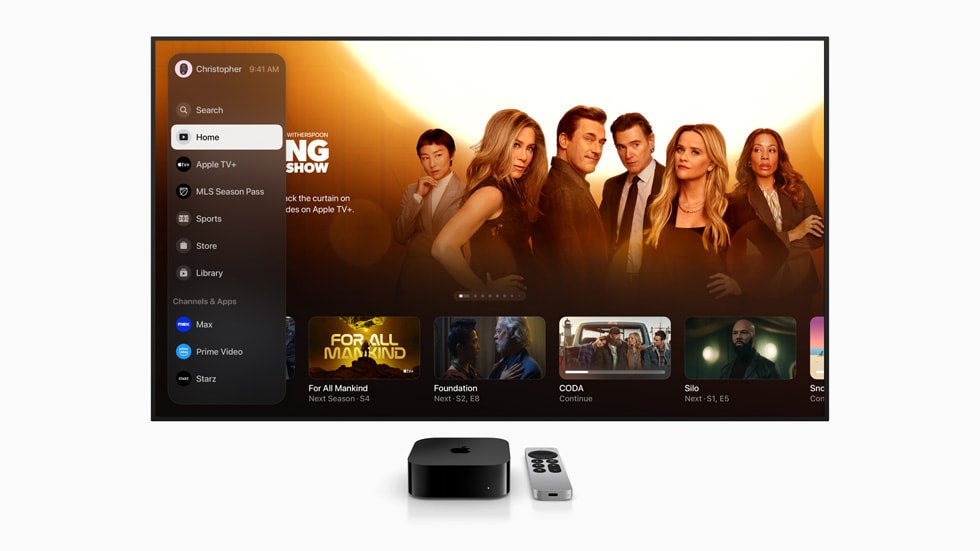
The new Apple TV update has already caused some massive changes in the way its users access video. But as iOS and tvOS 17.2 make their way to Apple TV customers this week, the company is touting more and more features for users to take note of, including its new universal watchlist.
- The newly redesigned Apple TV app allows users to see top shows from all their streaming subscriptions in one place.
- The update includes other big changes, like the shifting of TV and movie purchases away from iTunes.
- Apple is one of the few companies able to create a streaming hub capable of competing with Prime Video.
What Does Apple TV’s New Update Look Like?
The new Apple TV app looks very different than it used to. In fact, it resembles a platform like Prime Video more than it ever has. That starts with its new universal search feature; the Home tile in the new sidebar navigator will take users to a unified guide for all the content they love most.
Once in the Home section, users can scroll to the Channels & Apps section. This row will compile titles from third-party streaming services the user is subscribed to, such as Disney+, Max, and Netflix to show the viewer what’s hot on each of those platforms at once.
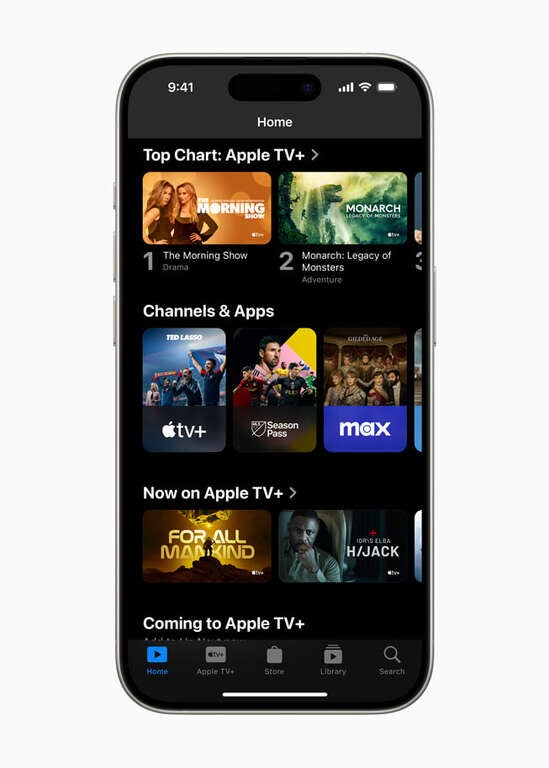
An example of the new Channels & Apps row on the Apple TV app.
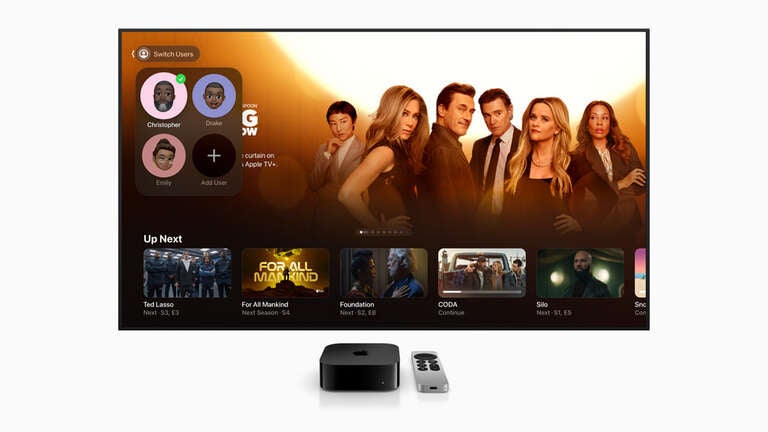
On living room devices, the sidebar will also feature profiles, allowing households to quickly switch between users for better personalization in the Up Next section and content recommendations across the app. This gives audiences a level of personalized choice that simply was not present with previous editions of the Apple TV app. The navigation sidebar also smooths the way to better content discovery, as it makes finding the right section within the app a breeze.
What Else is New with Apple TV App?
As previously reported, the new Apple TV app has also created a change in how its users rent or purchase TV and movies from Apple. Previously, users who wanted to buy digital video from Apple would go through the iTunes interface, but now transactional video-on-demand (TVOD) will run through the Apple TV app’s Store section.
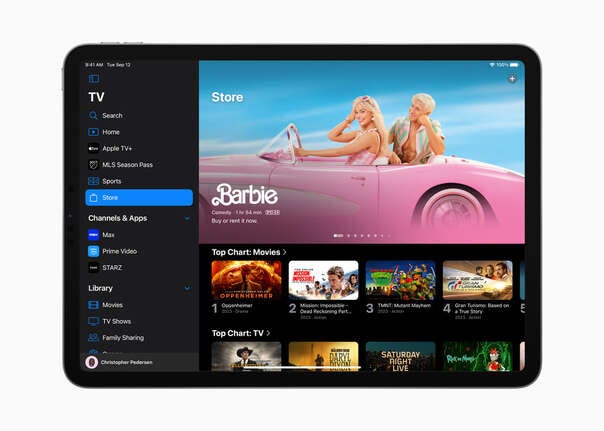
The Store section is also where users can sign up for more streaming apps. This update represents an ambitious overhaul of the Apple TV app, one which brings it much closer in line with a platform like Prime Video. That streamer too allows users to sign up for third-party streaming apps, keeping all of those subscriptions on one monthly bill and showing customers title selections from all of them.
Of course, users will find content from Apple’s streaming apps Apple TV+ and MLS Season Pass placed front-and-center. But the new universal watching guide and the shift of TVOD activity to the Apple TV app make it much closer to a one-stop destination for users, which is exactly the type of aggregation streaming customers have been crying out for.

Apple TV
Apple TV (formerly known as Apple TV+) is a subscription video streaming service for $14.99 per month, offering a growing slate of original series, films, documentaries, and specials. Unlike other platforms that combine licensed titles with originals, Apple TV is built entirely around exclusive programming, making it the home of critically acclaimed hits such as “Ted Lasso,” “Severance,” “The Morning Show,” and “Silo.” Its lineup continues to expand with award-winning dramas, comedies, family-friendly shows, and blockbuster original films like “CODA,” which won the Academy Award for Best Picture.