A beginner’s guide to cutting the cord
A beginner’s guide to cutting the cord
If it’s time to leave cable behind, we’ll explain everything you need to know about cutting the cord right here.

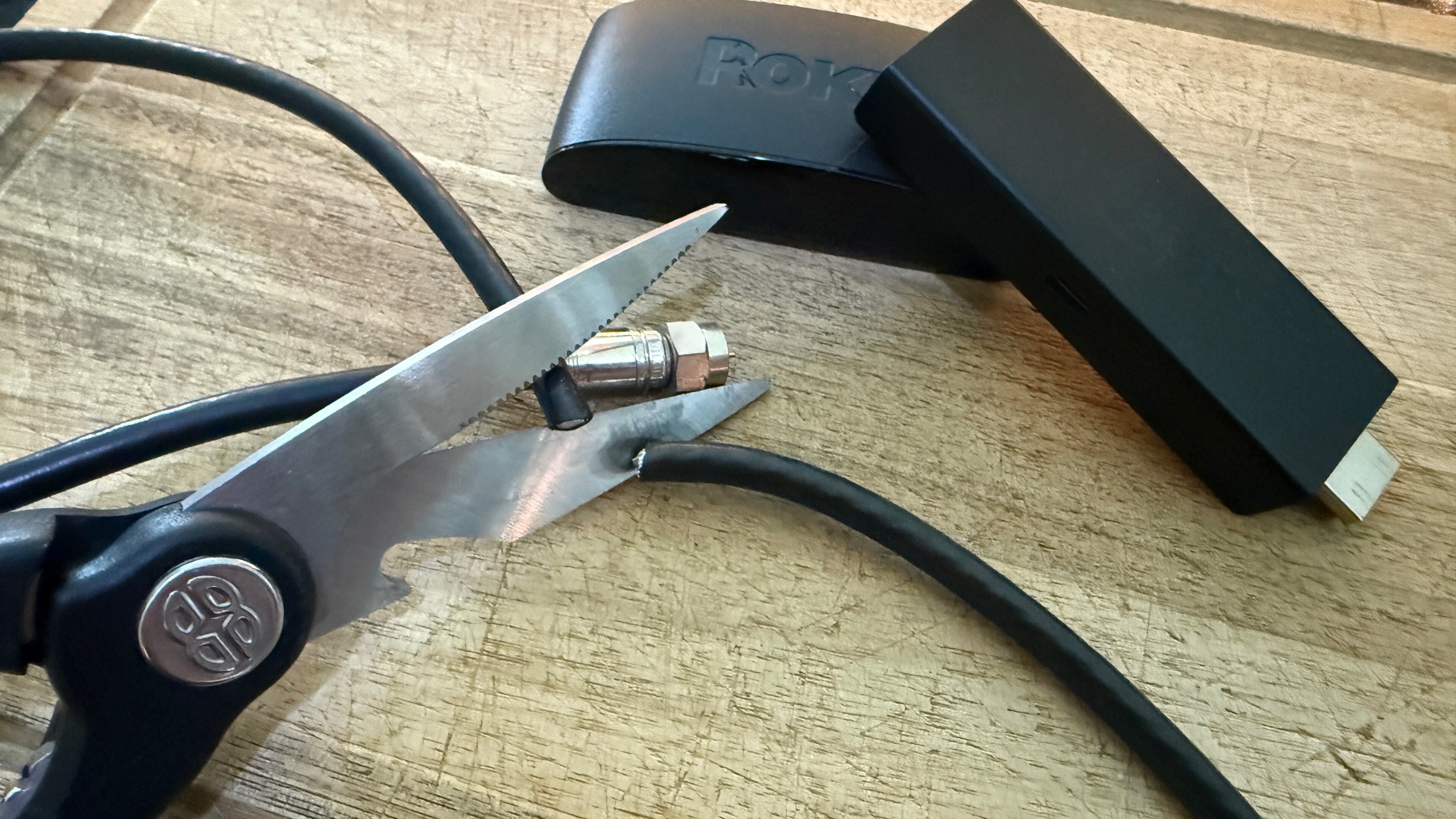
Cutting the cord is a big decision. Viewers who have had cable for a long time are likely a little intimidated by the TV landscape of the 21st century. Streaming can feel like a big, inaccessible thing for people who have known nothing but cable in their home entertainment existence.
That’s exactly why we at The Streamable are here. We know full well that streaming can feel labyrinthine, but we also know exactly why customers get so tired of cable. Never-ending contracts, hidden fees, and other drawbacks can make even the most tech-averse viewer ready to cut the cord.
There is admittedly a ton to know before making the decision to switch from cable to streaming, from hardware requirements to knowing which platforms have the content you want, and more. That’s why our experts have compiled this easy-to-follow guide filled with all the details you need to know about transitioning to streaming. We’ll go step by step to help you cancel your old TV package, decide which type of streaming service is best for you, and more.
How to switch from cable to streaming: a complete beginner’s guide
How to cancel a cable subscription
If it’s time to cut the cord, the first step is canceling your cable plan. This is usually a multi-step process, and most cable distributors require customers to send back rented equipment. If you got a cable box from your distributor, you’ll probably have to use a prepaid shipping label and packaging sent by the company to return it. There may be additional fees involved here, especially if the equipment isn’t sent back in good condition.
No matter which company you’re contracted with, if you are required to speak to an agent before canceling, you should expect your cabler to offer you a special rate to stay. Telling these agents that you are moving out of state, or have already signed up for a different service and are just looking to cancel, can help shorten these conversations. Remember, be firm but polite to these agents — they have a job to do, as do we all.
You’ll also have to make sure you have money set aside to pay early termination fees if you’re in a term commitment with your pay-TV company. Typically, cable companies charge a percentage of your monthly bill for each month remaining on your contract.
Very few cable companies offer a fully online process for canceling your cable plan, but there are some. Keep reading to find out which services provide an online cancellation procedure, and which will make you call an agent below.
How to cancel Cox cable
The Cox website explicitly states that customers cannot cancel or disconnect their service online. You can start the process by chatting with an agent, or call 1-800-234-3993 to start canceling your subscription.
Your final bill with Cox cable will be prorated, so you’ll only pay for the portion of the month before disconnection.
How to cancel DIRECTV satellite
DIRECTV requires you to call to cancel a satellite plan, and will not prorate your final bill if you cancel mid-cycle. Call 1-800-531-5000 to begin the cancellation process. You always have the option of switching to a streaming DIRECTV plan, as well (more on that below).
How to cancel DISH satellite
You must also call to cancel a DISH satellite plan, but the company will prorate your final month’s bill if you cancel midway through your billing period. Call 1-800-333-3474 to cancel DISH.
How to cancel Optimum cable
Optimum’s online chat agent can help customers start the cancellation process, but the surest way to end your service is to call 844-605-3154, or check here for regional billing and support numbers. Optimum will not prorate your final bill in most cases, so canceling the day before your cycle ends is the pro move.
How to cancel Spectrum cable
Spectrum will require customers to call 1-833-267-6094 to cancel their TV service. The company will not prorate your final bill, so the best move is to call and cancel the day before your billing cycle is set to end.
How to cancel Xfinity cable
Xfinity subscribers can click here to schedule a callback with an Xfinity agent regarding their account, or call 1-800-934-6498 to speak with an agent. Xfinity will prorate your final bill to the date of service ending, so you can cancel any time with confidence.
How to cancel Verizon cable
Verizon Fios cable plans can be canceled through the My Verizon account portal under the Manage Service tab in many cases. In some instances, you may be redirected to an online agent to finish the cancellation process.
What equipment do you need for streaming?
Once you’ve sent back all the hardware that you’re on the hook for returning to your old cable company, and paid off the last of your fees, it’s time to get started with the switch to streaming. The first step is to make sure your hardware is all set to go. To stream TV at home, you’ll need:
- A Wi-Fi connection with speeds of at least 25 to 50 Mbps to watch in Ultra-High-Definition 4K or other premium formats.
- A TV equipped with HDMI ports, or a way to adapt HDMI signals.
- A streaming device that connects to your TV via HDMI, or a smart TV with an operating system built in.
- Remotes to control your devices.
That’s really all you need to start streaming video with your internet connection; the hardware requirements really aren’t all that different from those of cable. You just need to know how to operate a streaming device to get started, and our starter's guide can be found right here.
If you don’t want to mess with a connected streaming device, you can also buy a smart TV that connects directly to your Wi-Fi and will allow you to download and watch live TV and on-demand streaming apps directly. Amazon Fire TV, Roku, and other top smart TV brands are compatible with hundreds of streaming apps.
What are streaming apps?
Applications, usually shortened to just “apps,” are programs that allow users to open streaming services and watch the titles therein. It’s a little different from having a cable plan, which allowed users to just start watching TV as soon as they turned on their set.
To watch an on-demand or live TV streaming service on your streaming player or smart TV, you will have to have an app for each service you want to watch. These apps are found in digital “stores,” which is something of a misnomer, since downloading the app itself is free to do.
Which kind of streaming subscription is best?
This is where a lot of customers can understandably become confused, because there are multiple kinds of video streaming. The kind you may be most familiar with is subscription video-on-demand (SVOD) streaming; services like Disney+, HBO Max, and Netflix fall into this category.
Then, there are live TV streaming services that let customers watch cable channels through their internet connection, rather than with traditional cable or satellite. DIRECTV has streaming-only subscription options, and other famous names in this category include Fubo, Philo, Sling TV, and YouTube TV.
Creator-driven video platforms like YouTube also fall into the streaming category, though most viewers don’t see these services as a replacement for traditional TV. That landscape is evolving daily, but for now, a majority of the audience still thinks of creator video as a supplement to TV episodes and movies, not as a substitute.
Which streaming service is right for you?
If you’re looking to match yourself with a specific streaming service based on access to specific channels or content, use our Matchmaker below! Get started by entering the channel or team name you prioritize access to most, and we’ll match you with the best streaming service for your needs.
Live TV Streaming Find out more >
Service Matchmaker
Our Matchmaker lets you compare multiple channels across all live TV streaming services. Just tell us what you watch and we’ll handle the rest.


What is live TV streaming?
Live TV streaming services let customers watch live cable channels that pay-TV customers who have cut the cord will recognize. Depending on which service you want, you can find channels like A&E, Bravo, CNN, Disney Channel, ESPN, Fox News, MTV, Paramount Network, SyFy, TNT, as well as local broadcast channels with ABC, CBS, Fox, and NBC.
Like on-demand streaming services, live TV streamers do not force customers into long-term contracts. Month-to-month commitments let subscribers leave their live TV plan whenever they desire. Many also feature add-on channel packages, Cloud DVR storage, and other features that mimic the traditional cable experience with less equipment and fewer hidden fees.
Many live TV services offer on-demand titles from the channels included in a subscriber’s package. However, there is no way to cut out ads from live TV while using one of these services.
Comparing top live TV streamers
DIRECTV
In addition to its well-known satellite service, DIRECTV offers its channel packages through streaming, as well. Viewers can choose to stream their package 100% through the DIRECTV app on their own device, or on a Gemini device rented from DIRECTV. In addition to DIRECTV’s Signature packages that can also be purchased via satellite, DIRECTV streaming subscribers can choose from a range of genre-based channel plans with smaller channel counts called Genre Packs. Prices for Genre Packs range from $21 to $80 per month, and Signature plans start at $90 monthly.
Customers can also bundle on-demand streaming services with a DIRECTV subscription, enjoy unlimited Cloud DVR, and parcel add-on channel packages with their subscription if they choose.

DIRECTV
DIRECTV is one of The Streamable’s top choices for the best live TV streaming service overall in 2026, especially for users who want the most channels or want to watch the most live sports. With an unbeatable lineup of local, news, sports, and entertainment channels, three main signature packages, an unlimited DVR, and 20 simultaneous streams at home, DIRECTV remains a premier choice for any cord-cutter.
Fubo
Fubo started its life as a sports-focused streaming service, and while it still has a ton of sports channels that are hard to find elsewhere, as well as local broadcast channels and major cable networks in its Pro and Elite packages. These have hundreds of channels each, starting at $89 per month plus taxes and fees. The Fubo Sports service has just sports and news channels, but lowers the price to $65 per month.

Fubo
Fubo is a live TV streaming service offering a robust lineup of approximately 150 premier channels, with plans starting at $63.99 per month. This entry-level package provides access to local broadcast affiliates 18 of the leading 35 cable channels channels, and valuable regional sports networks (RSNs).
Hulu + Live TV
Hulu + Live TV has just one package, with 90+ channels available. It also allows customers to choose if they want Disney+, Hulu, and ESPN Select bundled with the channel plan. It costs $90 per month, though if you really want to save $1, you can opt out of the Disney Bundle and get the channel package alone for $89.
Hulu Live TV
Hulu Live TV is a live TV streaming service with more than 70 channels for $89.99 per month. Hulu + Live TV base plan includes local channels 32 of the top 35 cable channels, and regional sports networks (RSNs). Subscribers get free access to Disney+ and ESPN Select at no extra charge.
Philo
Philo is a bit different than the other live TV services on this list. It doesn’t carry local broadcast channels, nor does it have any live sports or cable news networks. It only carries around 15 to 18 of the most popular cable channels, but customers who still enjoy its lineup will love the $25 to $33 per month price Philo charges. With the latter plan, customers will get AMC+, discovery+, and HBO Max included in their package.
Philo
Philo is a live TV streaming service designed for entertainment lovers, offering flexible ways to watch without the high price of traditional TV bundles. The service now features two paid plans — Essential and Bundle+ — alongside its existing free streaming offering, giving customers a range of options depending on how much live and premium content they want.
Sling TV
Sling TV is another highly unique offering. It carries more sports and news channels than Philo does, but to keep prices low, it still does not offer the bigger, all-in-one channel plans that DIRECTV and Hulu + Live TV include. Its main plans are 30 to 40 channels each, and it splits ESPN apart from channels like Bravo and USA Network to accommodate lower starting prices. Its Orange and Blue plans start at $46 per month, but customers can also access smaller plans with around 10 channels each starting at $20 per month.
Sling TV
Sling TV is The Streamable’s choice for cord-cutters on a budget. Sling is a live TV streaming service with multiple channel packages. The $45.99/month Sling Orange plan offers about 30 channels, including Disney Channel and ESPN. The $45.99/month Sling Blue plan offers about 40 channels, including ABC, Fox, and NBC in major markets.
You can combine Orange+Blue for a total of $60.99 / month. Sling also offers many channel add-on packages starting at $6/month.
YouTube TV
YouTube TV has two kinds of channel plans: its all-in-one package that costs $83 per month, or genre-based packages that include only the type of network mentioned in their names. YouTube TV offers a large number of genre plans, allowing viewers to mix and match channel categories.

YouTube TV
YouTube TV is a live TV streaming service with more than 60 channels for $82.99/month. This plan includes local channels 32 of the top 35 cable channels, and regional sports networks (RSNs) in select markets. The base plan includes more than 100 live channels, including major broadcast networks like ABC, CBS, FOX, and NBC, as well as popular cable channels such as ESPN, CNN, FX, USA Network, and TNT. Local channels are included in most markets, making YouTube TV a full replacement for traditional cable for many viewers.
See a quick comparison of the top live TV streaming services on the market, and click each service name to get more specific details about which services offer 4K programming, unlimited Cloud DVR, and on-demand bundles. All prices in the table do not include taxes and fees, or any promotional prices.
| Streaming service name | Plan types available | Channel count range | Price range |
|---|---|---|---|
| DIRECTV | All-in-one and Genre Packs | 10+ to 185+ | $21 to $130 per month |
| Fubo | All-in-one and 1 genre plan | $20+ to 250+ | $65 to $99 per month |
| Hulu + Live TV | All-in-one with on-demand bundles | 90+ | $89 to $100 per month |
| Philo | Cable entertainment networks and on-demand bundles | 15+ cable entertainment channels | $25 to $33 per month |
| Sling TV | Smaller all-in-one plans | 10+ to 40+ | $20 to $61 per month |
| YouTube TV | All-in-one and genre plans | 20+ to 100+ | $55 to $83 per month |
What is on-demand streaming?
On-demand streaming services like Apple TV, Disney+, Hulu, Netflix, and others allow viewers to watch TV episodes and movies on demand — in other words, whenever they want. Each streaming service has a different catalog of TV episodes and movies to watch, and they often share some titles back and forth through licensing deals.
These streamers let viewers watch as many episodes or movies as they like for a once-per-month subscription fee. Unlike cable, they usually do not include a large selection of live TV channels, though some offer limited live channel access. However, many on-demand streaming services have begun offering at least a selection of live events, and they are a great place to find on-demand content from major cable and broadcast channels.
Unlike many cable plans, on-demand streaming does not lock the viewer into a long-term contract. Customers are allowed to cancel whenever they like, usually with just a few clicks of a button. All major on-demand streaming services with a subscription fee either allow customers to choose between ad-supported and ad-free plans, or only offer ad-free tiers.
Comparing top on-demand streaming services

Apple TV
Apple TV is a streaming service that focuses almost entirely on prestige TV shows and movies that are original to its platform. Its most famous titles include “Severance” and “Ted Lasso,” and it’s the last of the major on-demand streaming services to only offer an ad-free plan for $13 per month.

Apple TV
Apple TV (formerly known as Apple TV+) is a subscription video streaming service for $14.99 per month, offering a growing slate of original series, films, documentaries, and specials. Unlike other platforms that combine licensed titles with originals, Apple TV is built entirely around exclusive programming, making it the home of critically acclaimed hits such as “Ted Lasso,” “Severance,” “The Morning Show,” and “Silo.” Its lineup continues to expand with award-winning dramas, comedies, family-friendly shows, and blockbuster original films like “CODA,” which won the Academy Award for Best Picture.
Disney+
Disney+ is the home of all animated and live-action titles from the many decades of the Walt Disney Company. It also houses major franchises like the Marvel Cinematic Universe, Star Wars, Pixar, National Geographic, original TV shows and movies, and more. Viewers can choose from one of two Disney+ standalone plans — ad-supported or ad-free — or can bundle Disney+ with Hulu, HBO Max, ESPN Select, or ESPN Unlimited. Customers can watch Hulu titles and a large selection of ESPN content through the Disney+ app if they bundle.

Disney+
Disney+ is a video streaming service with over 13,000 series and films from Disney, Pixar, Marvel, Star Wars, National Geographic, The Muppets, and more. It is available in 61 countries and 21 languages. It is notable for its popular original series like “The Mandalorian,” “Ms. Marvel,” “Loki,” “Obi-Wan Kenobi,” and “Andor.”
HBO Max
HBO Max is built around the prestige TV library of HBO, including titles from “The Sopranos” to newer hits like “Dune: Prophecy” and “House of the Dragon”. The streamer also houses Warner Bros. movies, including adaptations of DC Comics titles, and franchises such as Harry Potter and The Lord of the Rings. Additionally, it’s the home of next-day streams of titles from cable networks owned by Warner Bros. Discovery, such as Food Network, HGTV, and Magnolia Network. It has three plans — one ad-supported, and two ad-free options.

HBO Max
HBO Max is a subscription video streaming service that gives access to the full HBO library and exclusive Max Originals. There are hubs for content from TLC, HGTV, Food Network, Discovery, TCM, Cartoon Network, Travel Channel, ID, and more. Watch hit series like “The Last of Us,” “House of the Dragon,” “Succession,” “Curb Your Enthusiasm,” and more. Within HBO Max, B/R Sports allows users to watch live NBA, MLB, NHL, March Madness, and NASCAR events.
Hulu
Hulu is a general entertainment streamer that offers a wide range of titles, including TV shows and movies licensed by other studios, and next-day streams of primetime titles from ABC and Fox, and the FX cable channel. Now owned 100% by Disney, the Hulu app appears destined to be shut down in the near future. When that happens, Hulu content will be exclusively available to watch on the Disney+ app, though viewers will still be able to subscribe to standalone Hulu plans.

Hulu
Hulu is a video streaming service that gives access to thousands of full seasons of exclusive series, hit movies, kids shows, and Hulu Originals like “Only Murders in the Building,” and “The Handmaid’s Tale.”
Netflix
Netflix is the streaming service most new streaming users will recognize most easily. It has a huge catalog, including TV shows and movies licensed from all major Hollywood studios. A common misconception is that Netflix has everything, or if it doesn’t have a given title, it will eventually. That’s not true, but Netflix does have a little bit of everything, including original shows and movies, unscripted titles, and even live sports. It has three plans, with its ad-supported plan starting at $9 per month.

Netflix
Netflix is a leading subscription-based video streaming service that offers on-demand access to an extensive library of over 3,000 movies, 2,000+ TV shows, and a growing collection of acclaimed Netflix originals. Renowned for producing groundbreaking content, Netflix has become a cultural powerhouse with hit originals like “Stranger Things,” “Wednesday,” “Squid Game,” “The Crown,” “Tiger King,” “Bridgerton,” “The Witcher,” and “Black Mirror.”
Paramount+
Paramount+ also falls into the general entertainment category, with a little something for everyone in its library. The service offers next-day streams of titles from CBS and Paramount-owned cable channels, such as Comedy Central and MTV, as well as decades’ worth of movies from Paramount Pictures studio. The streamer also includes live sports, and those who opt for the ad-free tier can watch a live stream of the local CBS station in their home market.

Paramount Plus
Paramount+ is a subscription video streaming service that includes on-demand access to 40,000+ TV show episodes from BET, CBS, Comedy Central, MTV, Nickelodeon, Nick Jr., and more. Get free access with a Walmart+ subscription.
Paramount+ includes “1883,” “Tulsa King,” “Star Trek: Discovery,” “SpongeBob SquarePants,” and “PAW Patrol.” Subscribers can watch the NFL, college football, The Masters, college basketball, UEFA Champions League, UEFA Europa League, Serie A, and NWSL. The service also offers the option to watch your live CBS affiliate. The upgraded ad-free package includes premium movies and shows from Showtime.
Peacock
Peacock doesn’t have the most expansive content library on this list, but it’s still the best place to reliably stream favorites from NBC’s past, such as “The Office.” The streamer also offers “Love Island,” more reality titles from Bravo, movies from Universal, and a huge selection of live sports. It has three plans, with one offering ad-free access.

Peacock
Peacock is a subscription video streaming service from NBCUniversal that includes original shows, blockbuster movies, and classic television series. Peacock is home to “Yellowstone,” “The Office,” and original hits like “Poker Face” and “Bel-Air.” You can also watch live sports and NBC programming, including the NFL, MLB, WWE, the Olympics, the Premier League, NASCAR, the French Open, college football and basketball, and the PGA Tour. Premium Plus subscribers can stream their local NBC feed in all 210 markets.
Prime Video
The Prime Video library is stuffed with licensed shows and movies, but its slate of originals has grown in recent years. It also has a generous selection of live sports, and viewers can add more streaming subscriptions to Prime Video for additional fees and watch all the content through the same app. Viewers can get Prime Video on its own — either with ads or without — or get it as part of an Amazon Prime subscription for $15 per month.

Prime Video
Prime Video is a subscription video streaming service that includes on-demand access to 10,000+ movies, TV shows, and Prime Originals like “The Lord of the Rings: The Rings of Power,” “Jack Ryan,” “The Marvelous Mrs. Maisel,” “The Boys,” and more. Subscribers can also add third-party services like Max, Showtime, STARZ, and dozens more with Prime Video Channels. Prime Video also offers exclusive live access to NFL Thursday Night Football.
To get a brief, at-a-glance overview of each of the top streaming services in the United States, check out the table below. If you want more details on these streaming services, click the service name to be taken to our profile, where you’ll get specific details about each one, including how many viewers can watch a subscription at a given time, premium video and audio formats, and more.
| Streaming service name | Plans available not including bundles |
Price range | Content focus |
|---|---|---|---|
| Apple TV | 1 | $13 per month | Prestige TV, original series and movies |
| Disney+ | 2 | $12 to $19 per month | Kids and family content, major franchises like Marvel and Star Wars |
| HBO Max | 3 | $11 to $23 per month | Prestige TV from HBO, WB movies, next-day streams of titles from WB cable channels |
| Hulu | 2 | $12 to $19 per month | General entertainment, next-day streams of ABC and Fox titles |
| Netflix | 3 | $9 to $27 per month | Huge library of original and licensed titles, live events |
| Paramount+ | 2 | $9 to $14 per month | General entertainment, next-day streams of titles from CBS and Paramount-owned cable channels |
| Peacock | 3 | $8 to $17 per month | Original titles, Universal movies, next-day streams of NBC and Bravo titles, live sports |
| Prime Video | 2 | $9 to $14 per month | Originals and licensed titles, live sports |
Which type of streamer is best for watching sports and news?
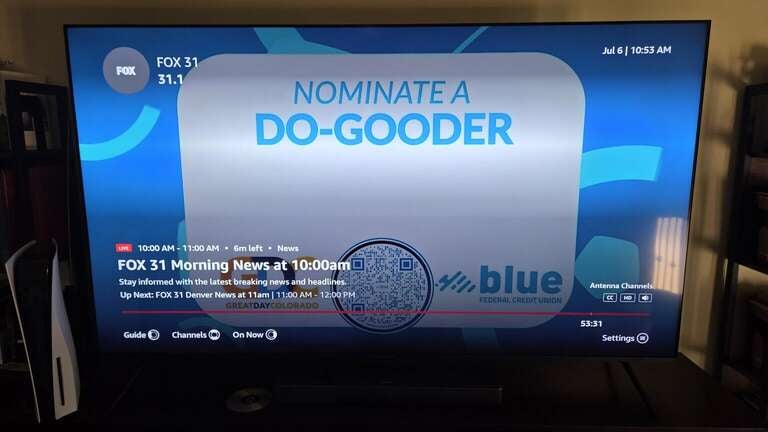
As described above, most of the top on-demand streaming services on the market carry some live sports. But for an experience closer to that of cable, you’ll probably want a live TV streaming service. These platforms let customers watch sports from different programmers all in the same place; for example, DIRECTV Signature plans have local broadcast channels and cable sports networks like ESPN, FS1, and TNT all on the same app. Choosing on-demand streaming services to watch sports means having to find content from different channels on different subscriptions.
Regional sports access can be a little more limited with live TV streaming services, but DIRECTV and Fubo both offer a fantastic selection of RSNs around the country. An additional fee is involved for streaming RSNs with these channel packages.
Likewise, live TV streamers are the best way to watch live news. These services frequently offer access to cable news channels like CNN, Fox News, and MS NOW, as well as local broadcast channels for the most regionally relevant news stories.
What are the benefits of cutting the cord?
The biggest benefit of cutting the cord is freedom. Previously, traditional pay TV forced customers into long-term subscriptions, and their contracts were packed with added-on fees. By switching to streaming, viewers will unlock the month-to-month freedom that comes with cutting the cord, and you will see all fees reflected in your final price before you sign up — no nasty surprises when billing time comes around.
Which streamers will let you try them for free?
Offering a free trial used to be a very common way for streaming services to lure new subscribers in. They’re not as common as they used to be, but some services still offer them — particularly live TV streaming services. For more details on which streamers still provide a free trial, and how long they last, refer to our guide here.
Another major advantage of streaming services is that they allow viewers to download apps on a large number of devices, including smart TVs, streaming players, and mobile phones. The latter means that audiences can watch on-demand TV shows and movies, or even live programming anywhere they can take a phone, as long as they have an internet connection.
Modern streaming apps and streaming device or smart TV operating systems are customizable, allowing users a much greater level of personalization and control as opposed to cable box guides. Plus, the lack of cable hardware means you get to control which streaming device you want to use, and there are no perpetual rental fees to kick up to your provider.
What are some frequent issues for cord-cutters?
-
Remembering which titles stream where: It’s undeniable that content can be really difficult to find when relying on streaming-only methods. Having on-demand services can exacerbate this problem, and while using live TV streaming services can help users find more programming on one platform, these services can get expensive quickly. The Streamable is a definite resource for this problem; we’ll help keep you informed on which platforms are carrying all the top programming events year-round.
-
Finding live sports: Most on-demand streaming services carry at least some sports, but as mentioned above, they’re spread far and wide across the numerous streamers on the market. Regional sports networks (RSNs) are only available on DIRECTV and Fubo in large numbers, whereas most major cablers offer them. But teams that use RSNs are increasingly offering new streaming methods for watching, and viewers who don’t want to pay for a live TV streamer to watch the NFL and other sports on over-the-air broadcast channels can do so with the one-time purchase of an over-the-air antenna.
-
Broadcast delays: Relying on an internet connection to transmit TV channels to your home usually leads to a 30 to 60 second delay from the live broadcast to when you see it on your screen. This can be particularly vexing during sports events, when social media risks spoiling the action on the field before a streaming viewer can actually see it for themselves. Even having the highest possible connection speed won’t end all of these delays — also called latency — but streamers are working on improving anti-latency technology all the time.
Live TV Streaming Find out more >
Service Matchmaker
Our Matchmaker lets you compare multiple channels across all live TV streaming services. Just tell us what you watch and we’ll handle the rest.